

Blog
CH340 VS CH9329 USB TO TTL:Who is better?
Introduction
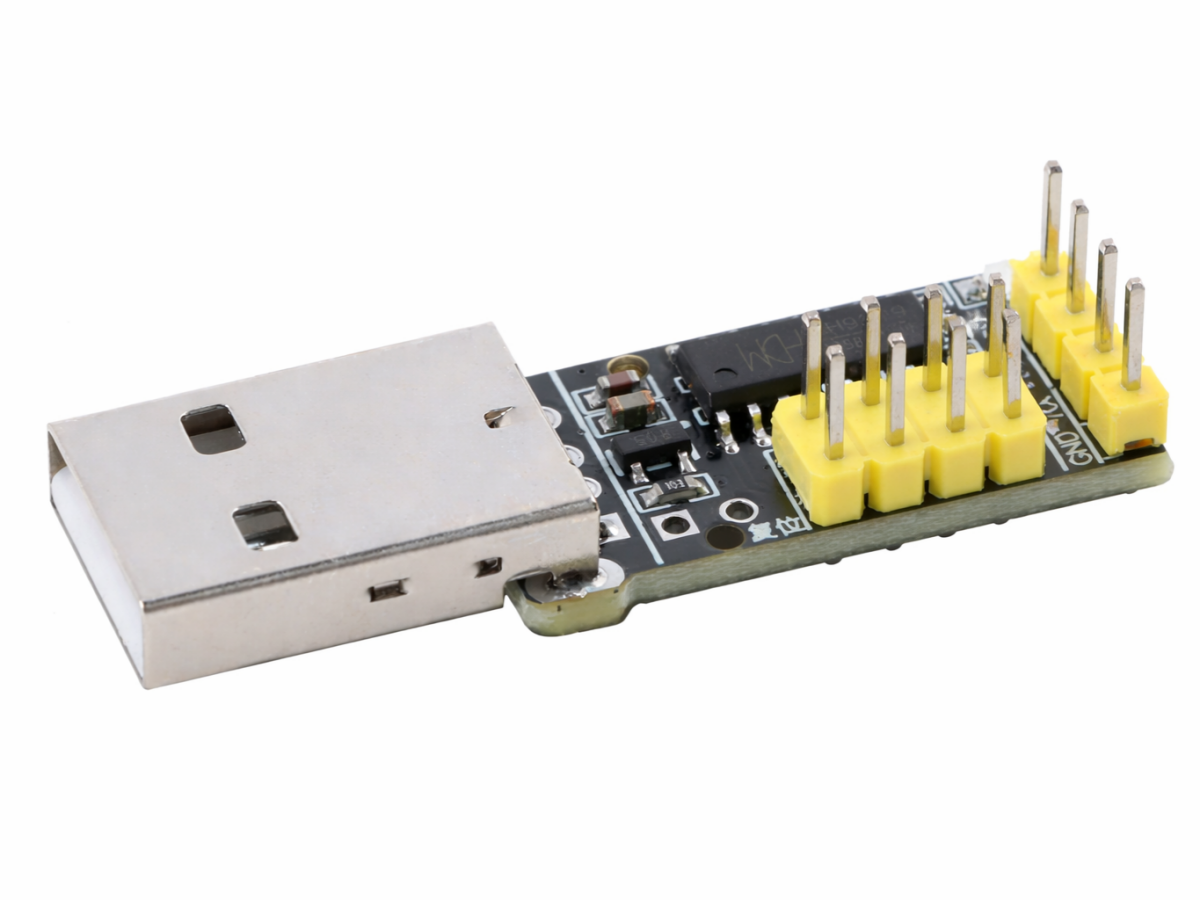
In electronic DIY projects, industrial control systems, or IoT applications, USB-to-TTL modules act as the “bridge” connecting devices to computers. The CH9329 USB to TTL module breaks the functional boundaries of traditional serial port conversion. It is not only a high-performance usb to ttl chip but also an all-in-one module integrated with USB HID keyboard and mouse emulation. It not only meets basic serial communication needs but also enables personalized human-machine interaction control, making project development more flexible and efficient.
CH9329 vs. CH340: Core Differences Comparison
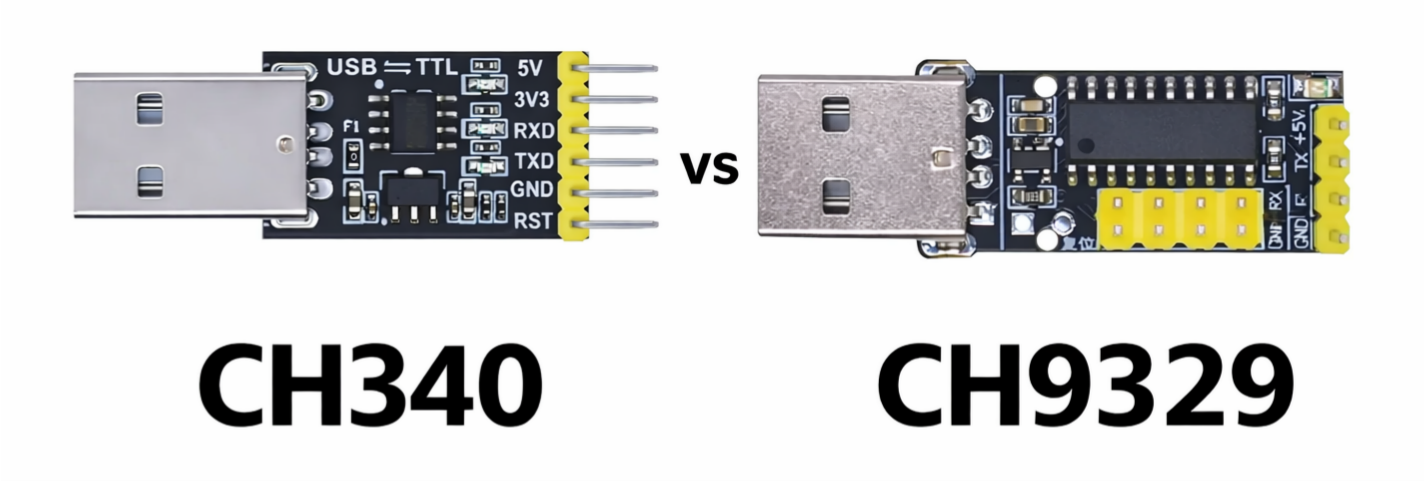
When it comes to USB-to-TTL modules, the CH340 series is undoubtedly a popular choice. With stable serial conversion capabilities and an affordable price, it has become the go-to option for many developers. However, as an upgraded functional model, the CH9329 differs significantly from the CH340 in core positioning and use cases. Here’s a detailed comparison:
1. Core Functional Differences
- CH340:Focuses on basic serial port conversion, supporting only bidirectional data transmission between UART/TTL and USB. With a single function, it is mainly used in simple scenarios such as device debugging and data upload/download—making it a “pure communication tool.”
- CH9329:Built on ttl to usbconversion, it additionally integrates USB HID device emulation. It can directly emulate standard USB keyboards, mice, and even custom HID devices, realizing the mapping of serial data to keyboard keystrokes and mouse actions. For example, it can control computers to input text or move the mouse via serial commands, making it suitable for complex scenarios like intelligent control and automated testing.
2. Performance Parameter Comparison
| Comparison Dimension | CH9329 | CH340 |
|---|---|---|
| USB Transfer Rate | 12Mbps Full Speed (USB 2.0 Compatible) | 12Mbps Full Speed (USB 2.0 Compatible) |
| Supply Voltage | Supports dual voltage: 5V/3.3V | Mainly 5V power supply (some models support 3.3V) |
| Serial Communication Mode | Supports 3 modes: Protocol transmission, ASCII, Transparent transmission | Only supports basic serial communication mode |
| Additional Functions | Remote wake-up, parameter customization (VID/PID, baud rate, etc.), character filtering | No additional extended functions |
| Compatibility | Driver-free support for Windows/Linux/Android/MAC OS | Driver-free support for mainstream systems, some old systems require driver installation |
3.Summary Of Advantages And Disadvantages
- CH9329 Advantages: Comprehensive functions with switchable serial+ HID dual modes, adapting to multiple scenarios; highly flexible with customizable parameters; high integration and simple peripheral circuits (stable operation without additional components); supports multiple chips mounted on the same serial port, ideal for multi-device control projects.
- CH9329 Disadvantages: Slightly higher price than CH340(single chip around $0.22 vs. CH340’s ~$0.07); initial learning cost for HID function configuration (requires referencing protocols).
- CH340 Advantages:Low price and high cost-effectiveness; simple functions and easy to use (no complex configuration); high market penetration with abundant documentation, convenient for maintenance and replacement.
- CH340 Disadvantages:Single function, only meeting basic serial communication needs and unable to realize extended functions like HID emulation.
Key Parameters of CH9329 Unveiled
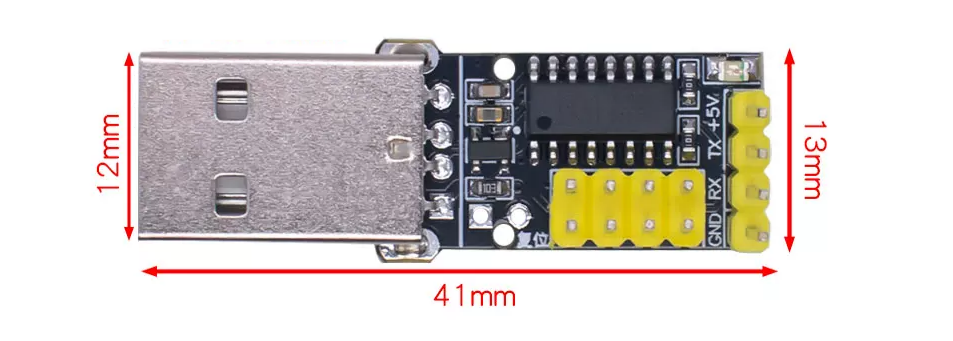
As a multi-functional module, the CH9329 boasts impressive hardware parameters and software configuration. Key specifications are as follows:
- Transmission Performance:USB 2.0 full-speed transmission(12Mbps); serial baud rate supports 1200bps-115200bps (115200bps not supported under 3.3V power supply); baud rate error < 0.3%, and maximum allowable receive error tolerance ≤ 2%.
- Power Supply & Packaging: Supports wide 5V/3.3V voltage supply; VCC pin requires an external 0.1uF decoupling capacitor; adopts RoHS-compliant SOP-16 lead-free packaging, compact size suitable for PCB SMD design.
- Communication Modes: 3 serial communication modes(Protocol Transmission/ASCII/Transparent Transmission) and 4 operating modes (Composite HID/Pure Keyboard/Keyboard + Mouse/Custom HID). Switchable via hardware configuration (MODE0/MODE1, CFG0/CFG1 pins) or custom settings via PC software.
- Extended Functions:Supports ASCII code and Chinese character input via section-position code; remote computer wake-up; invalid character filtering; automatic line feed configuration; customizable VID, PID, and USB string descriptors (parameters retained after power-off).
- Pin Configuration:16-pin design, including RXD/TXD serial pins, UD+/UD- USB signal pins, and MODE/CFG configuration pins. Note: A 4.7K pull-down resistor must be connected to the UP pin when powered by 3.3V.
CH9329 Datasheet
If you want to learn more CH9329 USB To TTL product details, you can refer to this datasheet.
CH9329 Keyboard And Mouse Simulation Function
Keyboard Input Emulation
- Send to serial port 1: 57 AB 00 02 08 00 00 04 00 00 00 00 00 10
- Chip response: 57 AB 00 82 01 00 85
- Send to serial port 2: 57 AB 00 02 08 00 00 00 00 00 00 00 00 0C
- Chip response: 57 AB 00 82 01 00 85
- Send to serial port 1: 57 AB 00 02 08 02 00 04 00 00 00 00 00 12
- Chip response: 57 AB 00 82 01 00 85
- Send to serial port 2: 57 AB 00 02 08 00 00 00 00 00 00 00 00 0C
- Chip response: 57 AB 00 82 01 00 85
Mouse Input Emulation
- Send to serial port 1: 57 AB 00 05 05 01 01 00 00 00 0E (Press)
- Chip upload: 57 AB 00 85 01 00 88
- Send to serial port 2: 57 AB 00 05 05 01 00 00 00 00 0D (Release)
- Chip upload: 57 AB 00 85 01 00 88
- Send to serial port 1: 57 AB 00 05 05 01 00 FD 00 00 0A
- Chip upload: 57 AB 00 85 01 00 88
- Send to serial port 2: 57 AB 00 05 05 01 00 00 05 00 12
- Chip upload: 57 AB 00 85 01 00 88
Practical Application Examples of CH9329

1.Intelligent Serial Keyboard: Fast Data Entry for Industrial Equipment
Industrial sensors output data (like temperature, pressure) via serial ports. The CH9329 works in “Keyboard Mode + ASCII Mode,” converting serial data directly into keyboard input for automatic entry into computer Excel spreadsheets or industrial software—eliminating manual input and improving data recording efficiency.
2. Automated Testing: Emulating Mouse/Keyboard Operations
In software testing scenarios, a microcontroller sends serial commands to the CH9329 to emulate mouse clicks and keyboard inputs, realizing automated testing processes (like continuous test case input, software interface switching) and replacing repetitive manual operations.
3. Multi-Device Control: Serial Bus Expansion
By configuring the CH9329’s communication address, multiple modules can be mounted on the same serial bus to control different HID devices or serial devices (like simultaneous keyboard input, mouse operation, and sensor data transmission)—simplifying wiring and reducing system complexity.
4. Custom HID Device: Transparent Data Transmission
Working in “Custom HID Mode + Transparent Transmission Mode,” the CH9329 enables high-speed transparent data transmission between serial ports and USB. Suitable for scenarios requiring custom communication protocols (like exclusive data interaction between smart hardware and computers), it can receive up to 400 bytes of data at a time and upload it in packets.
FAQS
Does the CH9329 require driver installation?
No! Windows, Linux, Android, and MAC OS systems all come with pre-installed corresponding drivers. The module is plug-and-play after connecting to a computer—no additional driver installation is needed.
How to switch the CH9329’s operating mode?
Two methods are available: ① Hardware configuration: Switch via level combinations of MODE0/MODE1 pins (operating mode) and CFG0/CFG1 pins (communication mode); ② Software configuration: Customize mode parameters via official PC software. Configurations are retained after power-off and take effect on the next power-on or external reset.
Can the CH9329 be interchangeable with the CH340?
They are interchangeable in basic serial communication scenarios (note power supply voltage and pin definitions), but the CH9329’s HID functions cannot be achieved with the CH340. For projects only requiring serial conversion, the CH340 offers higher cost-effectiveness; for HID emulation needs, the CH9329 is a must.