Introduction
Meet “XiaoZhi” – your friendly AI companion powered by the ESP32 – S3 chip! This isn’t just another gadget; it’s a compact, intelligent robot designed to bring the magic of artificial intelligence to your fingertips.
“XiaoZhi” stands out with its seamless voice wake – up feature – just call out its name, and it springs to life, ready to listen and interact. Leveraging the power of cloud – based large language models, it can hold natural conversations, answer your questions, and even help you explore the world of IoT (Internet of Things) with ease. Whether you’re a tech enthusiast looking to tinker with AI and embedded systems, a hobbyist eager to build your own smart device, or someone who wants a fun, interactive assistant, “XiaoZhi” fits the bill. Its compact size makes it perfect for desktop use, and with features like a responsive display, clear audio output, and easy expandability, it’s both a delight to use and a powerful tool for learning and creation. Let “XiaoZhi” be your gateway to the exciting intersection of AI and embedded technology!
Configuration Parameters
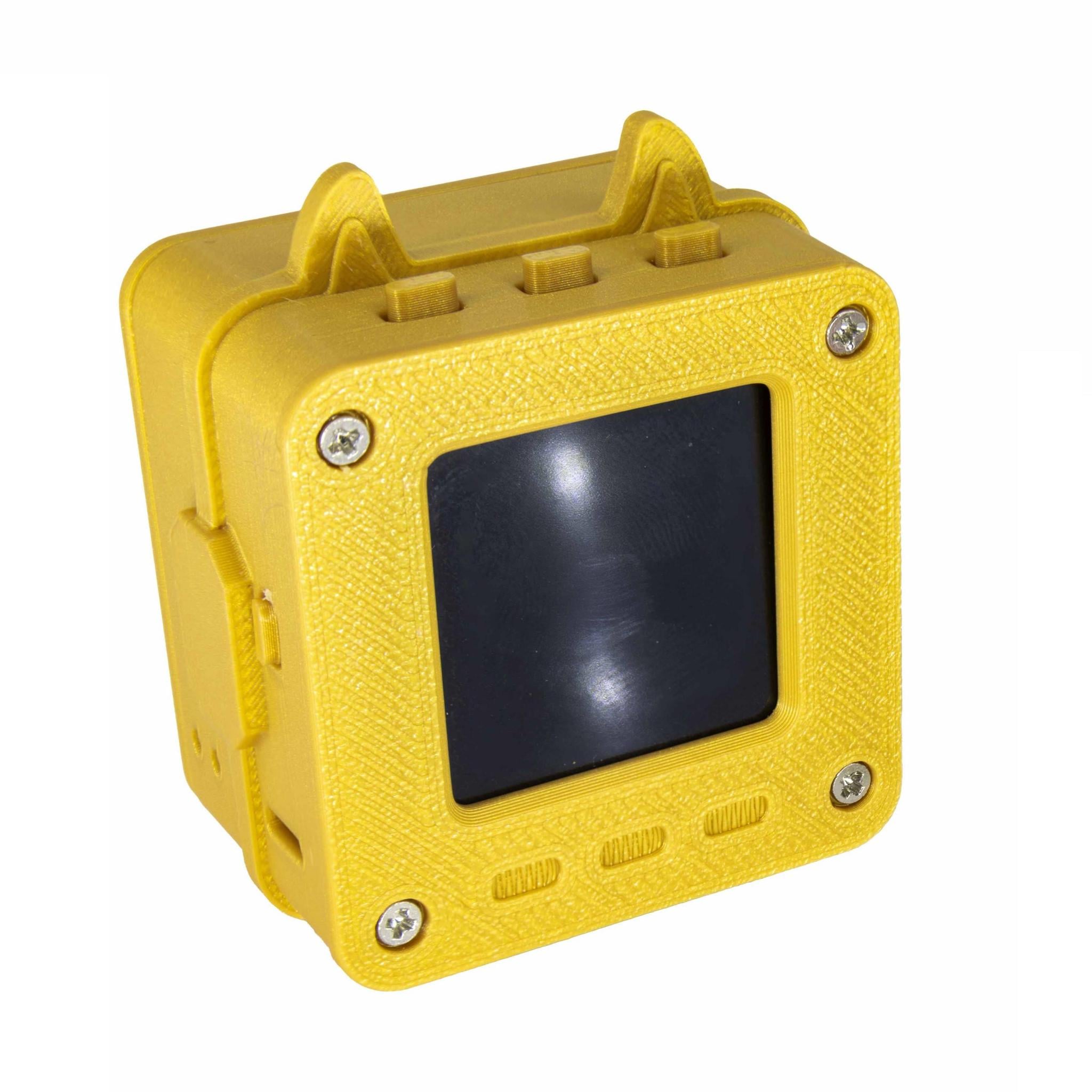
| PARAMETER |
DESCRIPTION |
| Body Size |
46mm×47mm×28mm |
| Shell Material |
Photosensitive resin, high-precision SLA photopolymerization process (not the low-cost rough FDM thermoplastic material) |
| Screen Size |
1.54-inch TFT LCD screen |
| Battery Capacity |
1200mAh polymer lithium battery |
| Main Control Unit |
ESP32 |
| Networking Method |
WiFi networking / 4G network |
| Wake-up Method |
Voice wake-up / Button wake-up and interruption |
| Built-in Speaker |
4Ω 3W moving-coil speaker |
| Audio Output |
AUX interface output |
| Configuration Functions |
Real-time interruption / Wake-word interruption, free switching; Natural dialogue interruption + screen-off, unique in the whole network |
| Firmware Update |
OTA online upgrade |
Product Information Introduction
| NUMBER |
FUNCTION DESCRIPTION |
| 1 |
Power button: Press once to turn on; press once again to turn off. |
| 2 |
Volume down button: Press to decrease the volume. |
| 3 |
Listening/Standby button: Press to make the device enter the listening state; press again to enter standby mode. |
| 4 |
Volume up button: Press to increase the volume. |
User Experience & Scenarios
Learning Scenarios
1.English Learning
Students can use the “English translation/English practice” feature to have conversations with XiaoZhi AI, improving their spoken English. For example, when stuck on memorizing words or texts, just call XiaoZhi to help translate sentences, correct pronunciation, or simulate situational dialogues—like having a private English tutor available anytime. When encountering new words in reading, quickly ask XiaoZhi for meanings and examples to deepen understanding.
2.Multilingual Learning
For users learning multiple languages, XiaoZhi AI supports Chinese, Cantonese, English, Korean, Japanese, and more(more than 30 languages). While studying Korean, you can ask XiaoZhi to play Korean news or songs, practice dialogues, and get familiar with pronunciation and intonation. The real-time interruption feature lets you pause anytime to ask questions, such as the usage of a Korean word or the meaning of a grammar rule.
Leisure & Entertainment Scenarios
1.Chatting for Fun
During free time, chat with XiaoZhi AI using the “real-time interruption in conversations” feature to jump into new topics whenever inspiration strikes. For example, at a friend’s gathering, everyone can chat with XiaoZhi, share life stories, and if someone thinks of a fun topic, they can interrupt instantly to include XiaoZhi in the discussion—adding more joy to the party.
2.Music Playback
XiaoZhi’s large music library fits various needs while doing housework, exercising, or relaxing. Ask it to play soothing classical music to unwind, or upbeat pop songs to boost energy during workouts. Control playback easily with voice commands like “next song” or “turn up the volume.”
3.Role Interaction
Use the “customizable interactive characters” feature to set different roles based on your interests. For sci-fi fans, chat with a sci-fi movie character about the universe or future tech. For literature lovers, talk to classic book characters about stories behind their works or emotional experiences—making chats more engaging and fresh.
Daily Assistant Scenarios
1.Daily Reminders
Set reminders with XiaoZhi, such as waking up in the morning, packing items before going out, or important meetings/appointments. The real-time interruption feature lets you correct or adjust reminders immediately if you notice mistakes.
2.Information Queries
Ask XiaoZhi for answers to daily questions: weather updates, traffic conditions, or general knowledge. For example, when planning a trip, inquire about the destination’s weather or attractions; when cooking, ask about ingredient pairings or recipes.
Personalization Scenarios
1.Custom Screen Avatars
The “customizable screen animations” feature is perfect for users who love personalization. For special occasions like birthdays or holidays, set themed avatars to create a festive mood. Or change the avatar based on your mood anytime, making XiaoZhi feel more unique.
2.Custom Nicknames
Give XiaoZhi a nickname you like. For kids, a cute nickname can make interactions friendlier, encouraging them to chat more. In team settings, a group-specific nickname can boost a sense of belonging and fun.
ESP32 Voice Robot Product Using Instruction
1.Ensure that XiaoZhi is in the screen – on state, Connect to the XiaoZhi – XXXX hotspot.
Use a mobile phone or computer to connect to the device’s WiFi network, which is usually named XiaoZhi – XXXX. Select and connect. Wait for a few seconds. Once the WiFi hotspot is connected successfully, it will automatically enter the selection interface. Do not manually close the interface in advance.
Please ensure that the connected wireless local area network (WiFi) is XiaoZhi – XXXXXX and do not switch during this period. If the program does not open automatically, please use a browser to visit http://192.168.4.1 to enter the device’s network configuration page.
2.Select and Configure Wifi
Select the WiFi network of your home or office (no need to manually enter the WiFi name SSID). After selecting the name, it will be filled in automatically. Enter the password of the currently selected WiFi in the password input box and click the “Connect” button to submit (if the password has been saved on your mobile phone, it will be submitted automatically).
Note: Opening the WiFi scanning page will be a bit slow. Please wait for about 5 seconds. Do not cancel or close the page.
3.Connect and restart the device
After restarting, the device will automatically connect to the WiFi network that was just configured. If the configuration fails, please check whether the WiFi name and password are correct, or try to configure again.
If you want to learn more ESP32-S3 AI Voice Robot,you can refer to this blog.













Reviews
There are no reviews yet.