

Blog
Introduction to ASR-PRO Speech Control Module
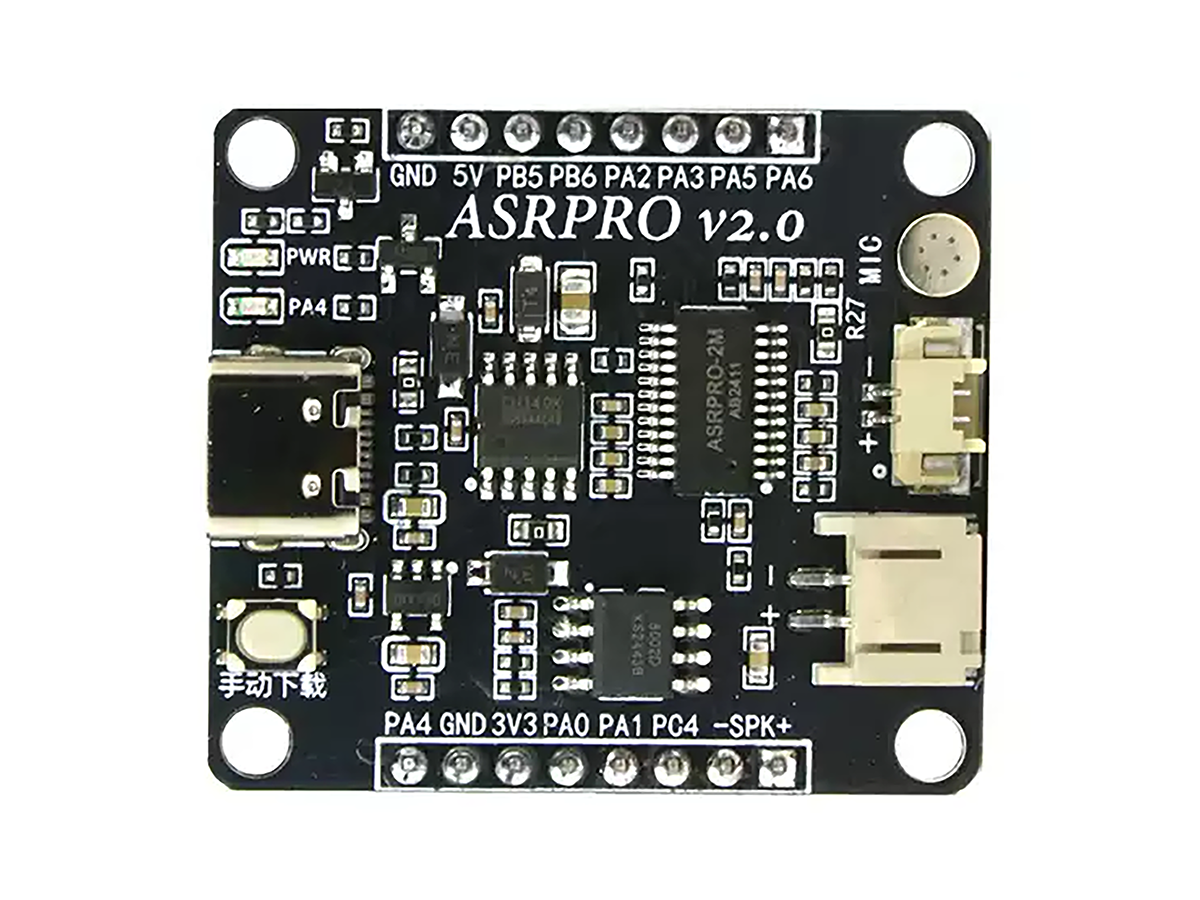
Introduction to ASR-PRO
The ASR-PRO is a voice control module. It uses a built-in microphone to capture audio, amplifies the electrical signal, and transmits it to the main control chip. The main control chip converts the electrical signal into recognizable voice content, then uses neural network and convolution hardware operations to check if the content matches the set commands. After successful recognition, it controls the output serial ports according to the user’s configuration. Overall, it is easy to use with high recognition accuracy—reliable for daily applications—and offers good value for money.
Function Introduction
The ASR-PRO has rich functions, mainly divided into three categories:
1.Voice Control: Execute operations via voice recognition (like turn on lights, start fans, adjust temperature).
2.Voice Feedback: Convert device status or information into voice output for user interaction (like voice inquiry about temperature sensor data to get the current temperature—simply feed data to the ASR-PRO for voice playback).
3.Voice Monitoring: Combine with Arduino for real-time voice monitoring and analysis (like build a voice monitoring system to detect ambient noise or voice status).
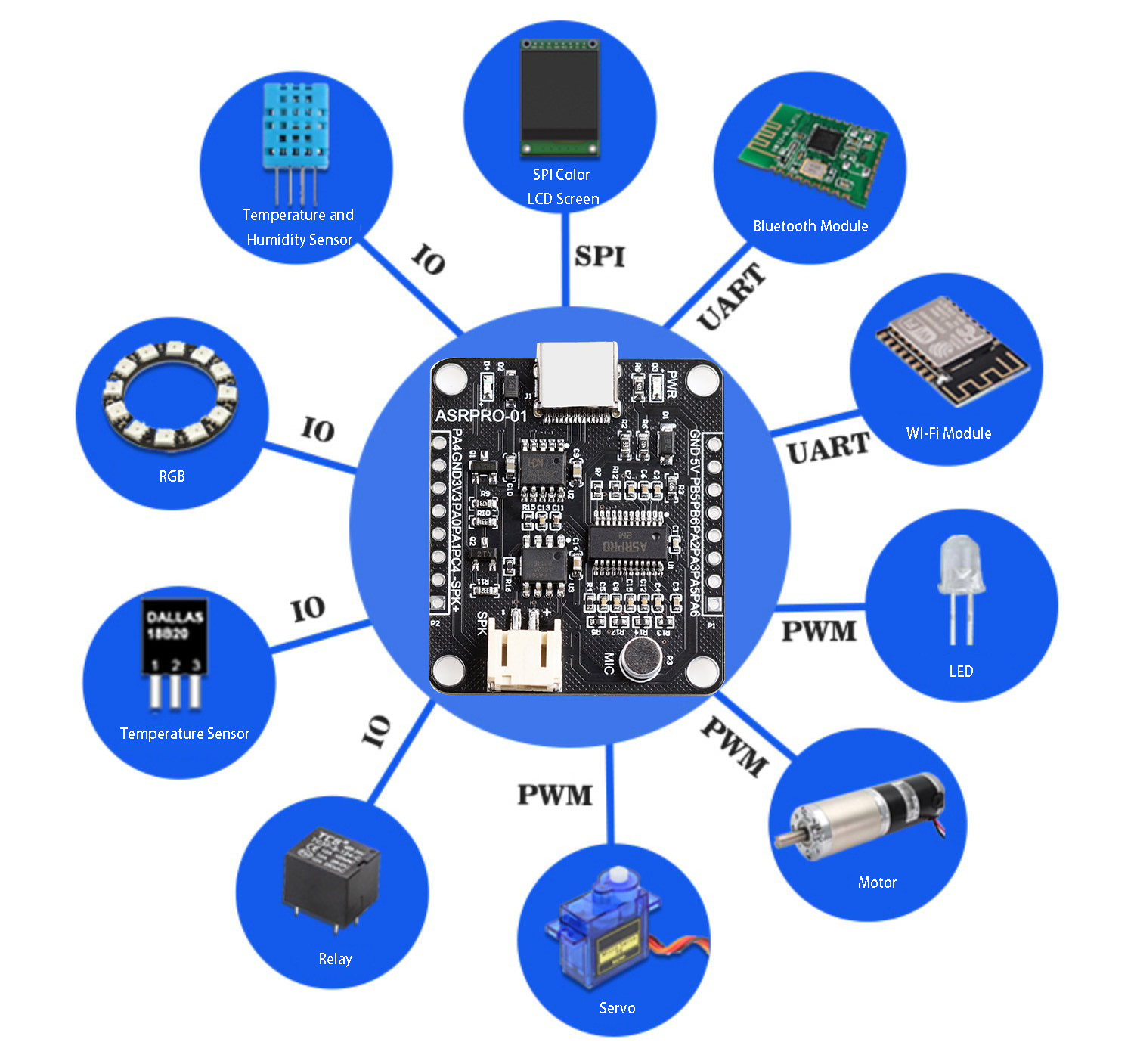
ASR-PRO Program Compilation
There are two ways to modify the ASR-PRO’s control logic:
1.One-Click Control Software (Basic): A simple tool where you only need to adjust voice content, modify desired settings, and edit text—ready to use immediately, fast and convenient.
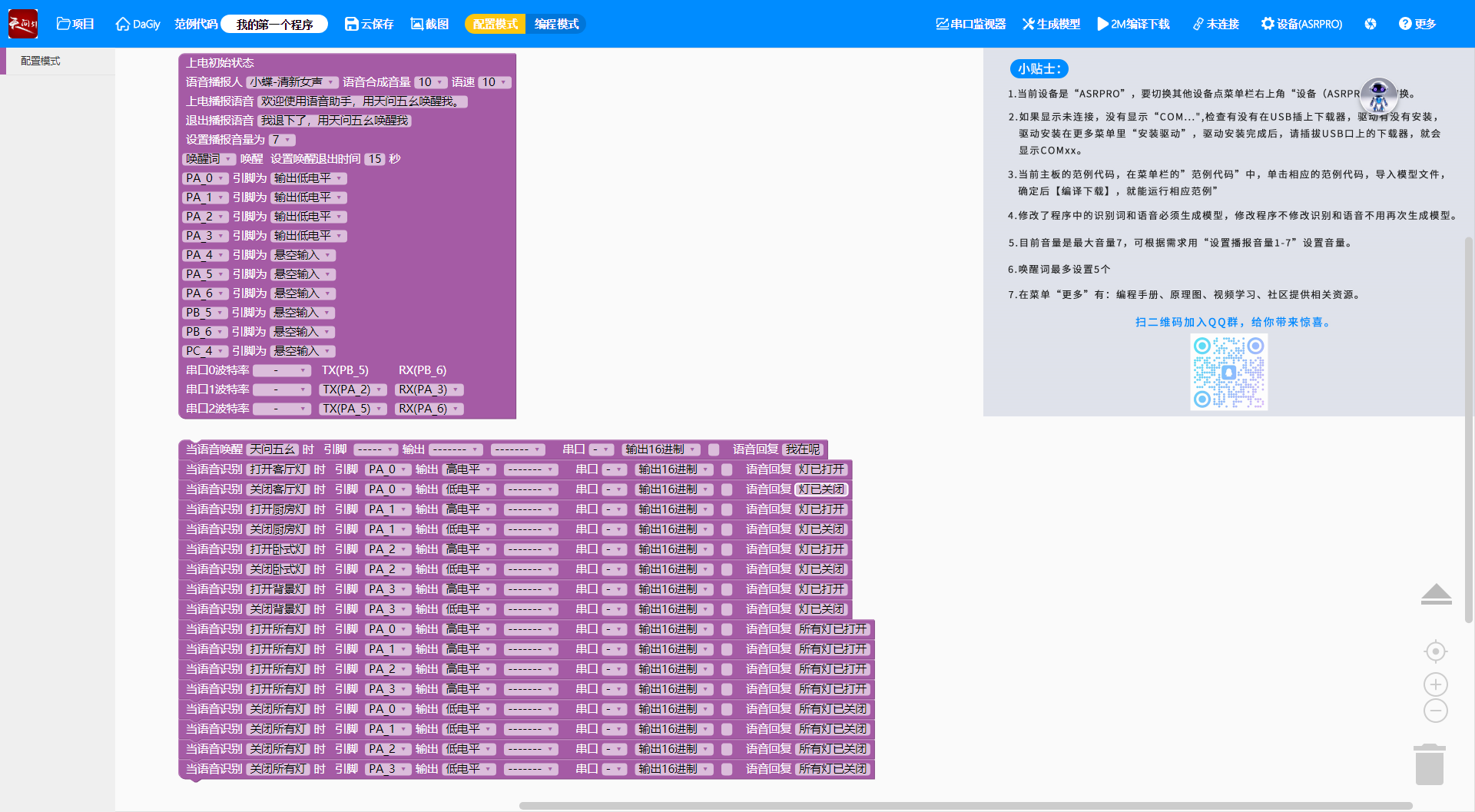
2.Astronomy Official Website (Advanced): For users with basic electronics knowledge. It uses graphical programming to set logic and configure programs for complex functions (like combining multiple events to control different pin outputs, with options for GPIO, PWM, ADC output modes).
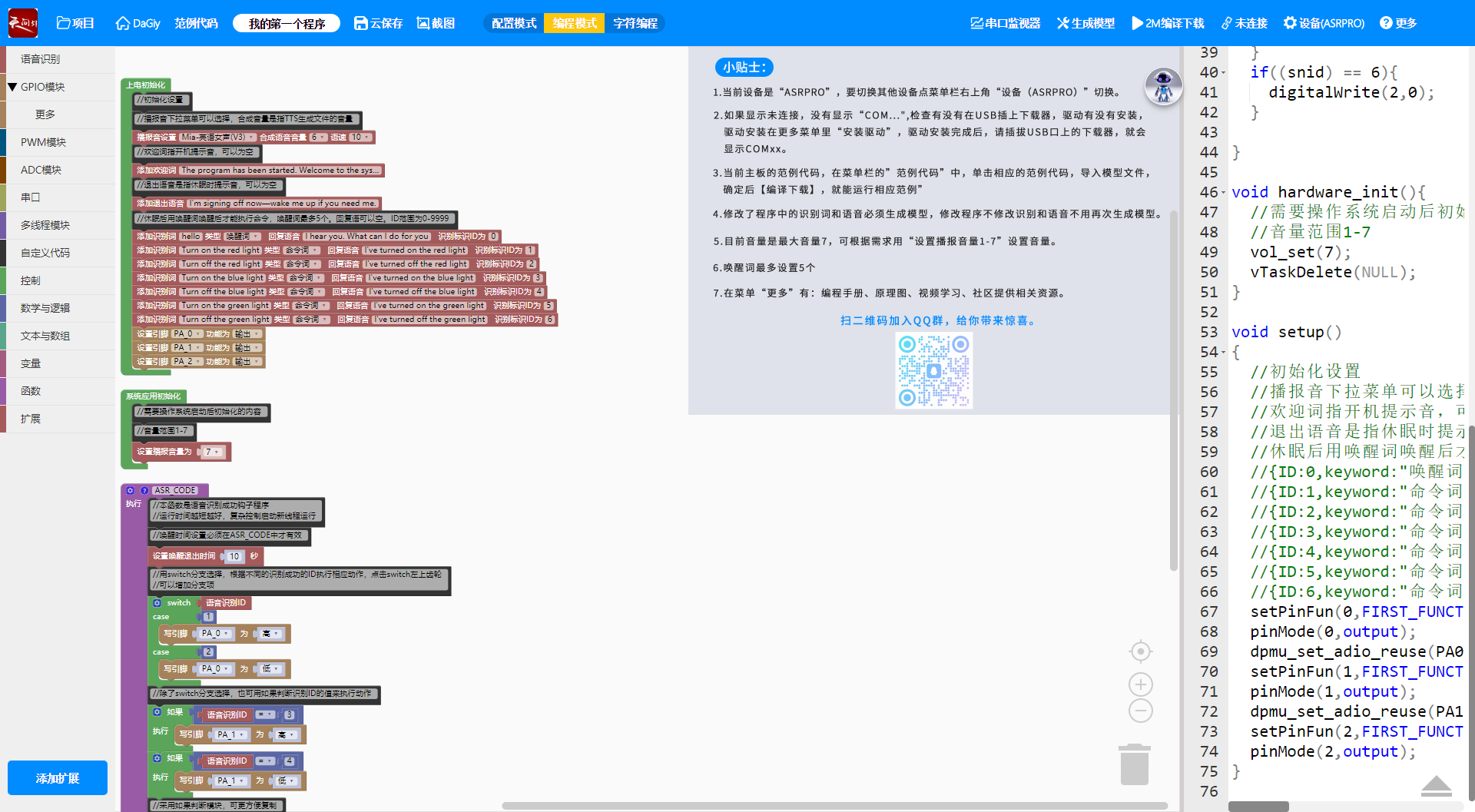
The Astronomy website also supports C++ compilation. Users with programming experience can directly modify C++ code to ensure correct logic.
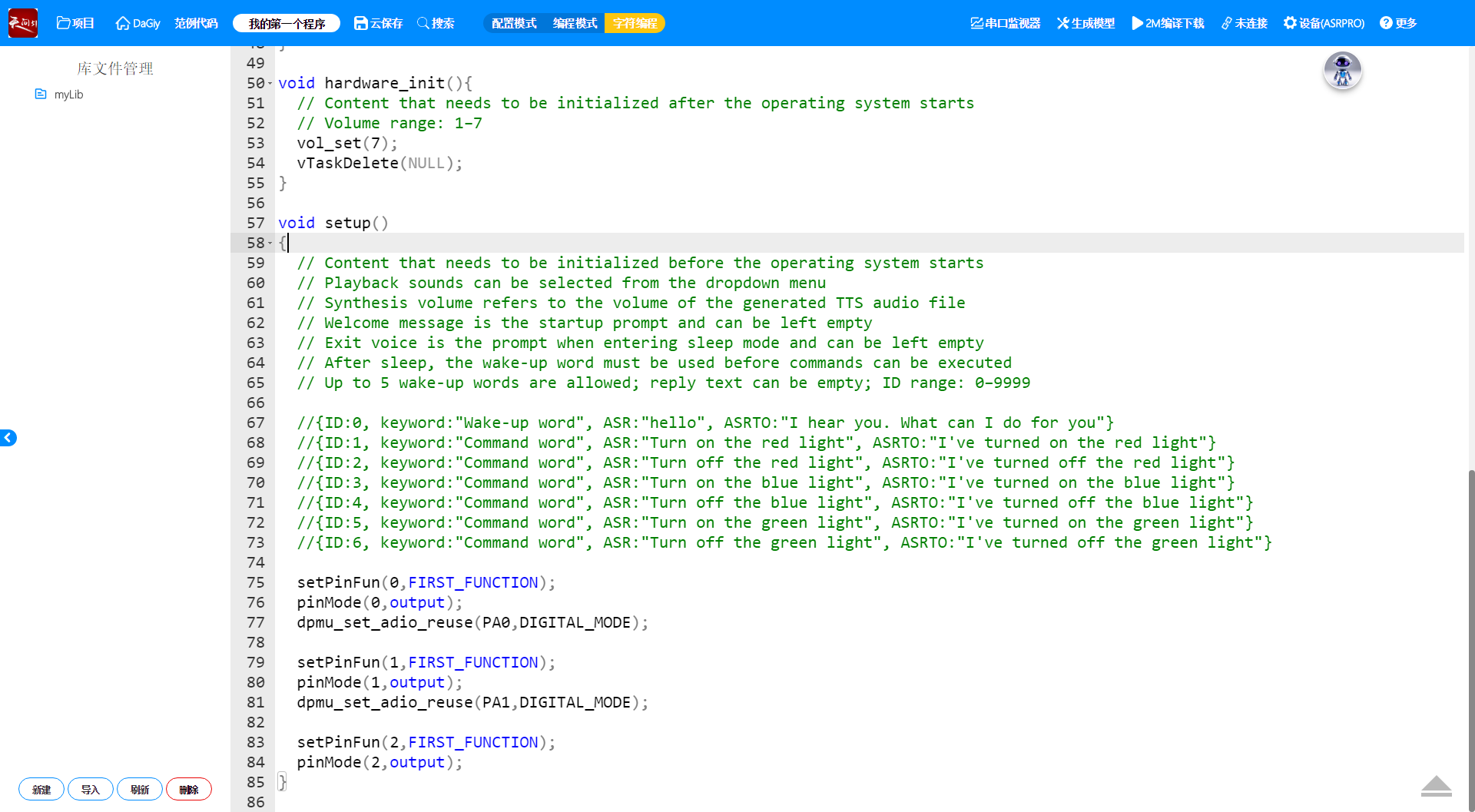
Practical Application Demo
This simple demo shows how to use Arduino, ASR-PRO, a 12V power supply, and an RGB light strip to control the on/off status of the strip’s three colors (red, green, blue).
1.Open the official software “Astronomy BLOCK”, and set the voice input content, execution actions, and corresponding pins.
2.Connect the ASR-PRO to a computer via USB to burn the code. Once burned, it is ready for use.
3.Connect the R, G, and B terminals of the RGB strip to different channels of the relay. Then connect the corresponding three pins of the ASR-PRO to the relay’s control terminals—this enables independent control of each color’s on/off status.
The green and blue colors follow the same logic, allowing for multiple color combinations. For more complex configurations, PWM control can be used to precisely adjust each color’s brightness for accurate color reproduction.
ASR-PRO Pin Description
The pin wiring diagrams for the two versions of the ASR-PRO are shown below. Connect pins according to your needs.
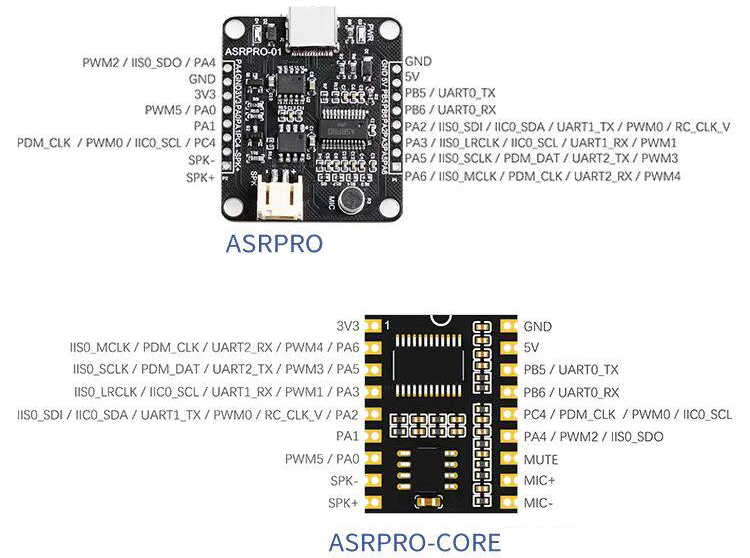
Difference Between Core Board and Development Board
The core board is a simplified version of the development board:
- Development Board: Suitable for the development phase and personal use, with easy-to-use pin interfaces. It can be directly connected to a computer via USB for code burning.
- Core Board: Designed for integration into PCBs, with a compact size. It requires a serial-to-USB adapter (like CH340) to connect to a computer for code burning.
All other functions are basically the same.
Demo Video
FAQ
Can the ASR-PRO customize voice output?
Yes. Modify the output content during compilation—it’s simple and convenient.
Does the ASR-PRO support voice recognition and interaction in other languages?
Currently, the ASR-PRO only supports Chinese and English. You can select the language via the Astronomy official website during configuration.
How is the ASR-PRO different from other ASR modules?
The ASR-PRO is easy to configure and supports complex environments. Most other ASR modules only control a single serial port and have limited compatibility with other modules.
Which configurations are mandatory and which are optional for the ASR-PRO?
The baud rate and initialization settings can use defaults. Key configurations include serial port settings, status parameters, and voice content (both recognition and output content).
What if long audio recognition fails or is cut off?
Avoid overly long recognition content (keep it to one sentence) to prevent incomplete recognition. If necessary, split long commands into two parts.