

Blog
DT3 USB Data Cable Detection Module: Detailed User Guide
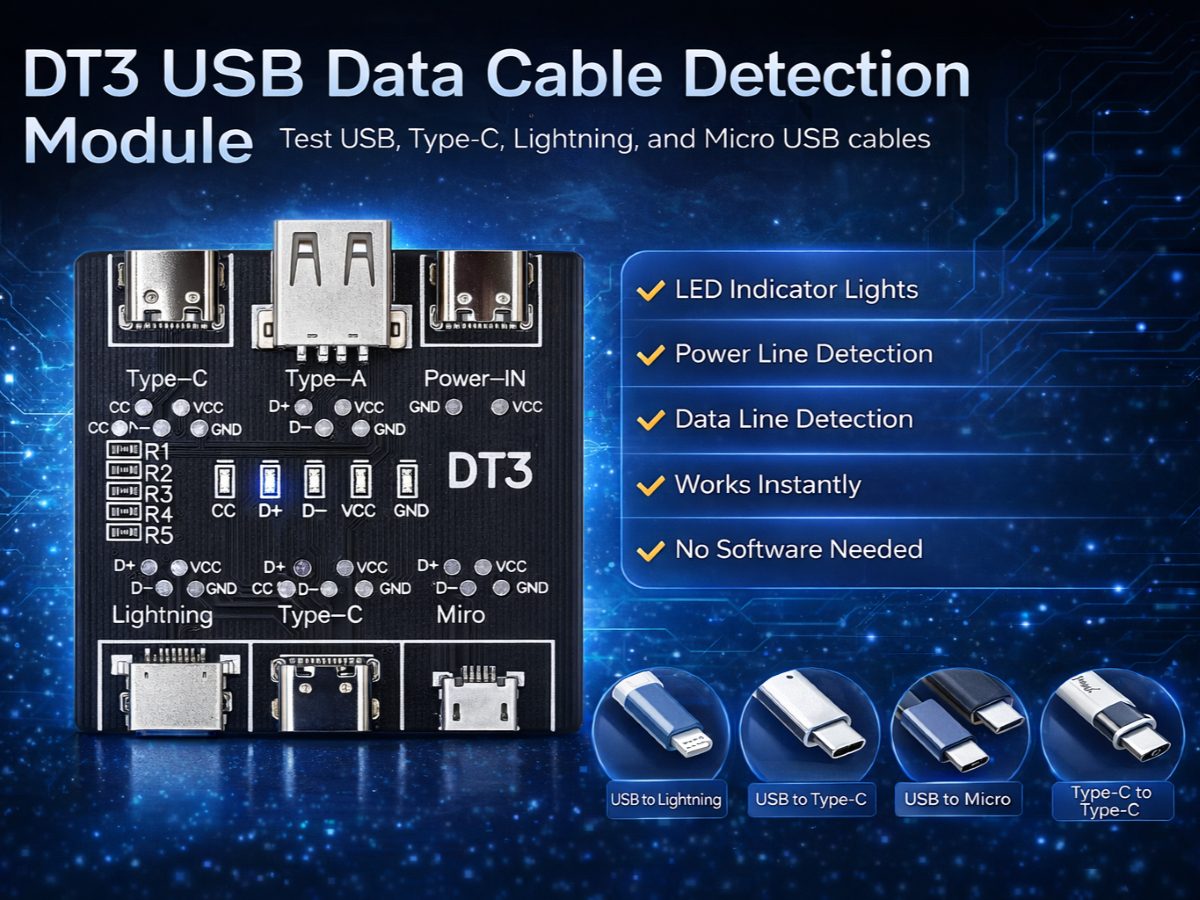
What Is the DT3 USB Data Cable Detection Module?
In daily development, repair, and manufacturing work, faulty USB cables are one of the most common and most overlooked causes of charging failures and data communication problems. Many cables look perfectly fine on the outside but suffer from internal issues such as broken data lines, missing CC connections, or abnormal power paths.
The DT3 USB Data Cable Detection Module is designed to solve this problem in a simple, visual, and reliable way. It allows you to quickly verify whether a USB cable supports power delivery, data transmission, and proper signal wiring, without using complex instruments or software tools.
Whether you are an electronics engineer, repair technician, hobbyist, or quality control professional, the DT3 provides a fast and accurate way to identify good cables and eliminate problematic ones.

What is the DT3 USB Data Cable Detection Module used for?
The DT3 USB Data Cable Detection Module is used to test whether a USB cable supports power delivery, data transmission, and proper internal wiring. It helps identify faulty, charge-only, or non-standard cables quickly using LED indicators.
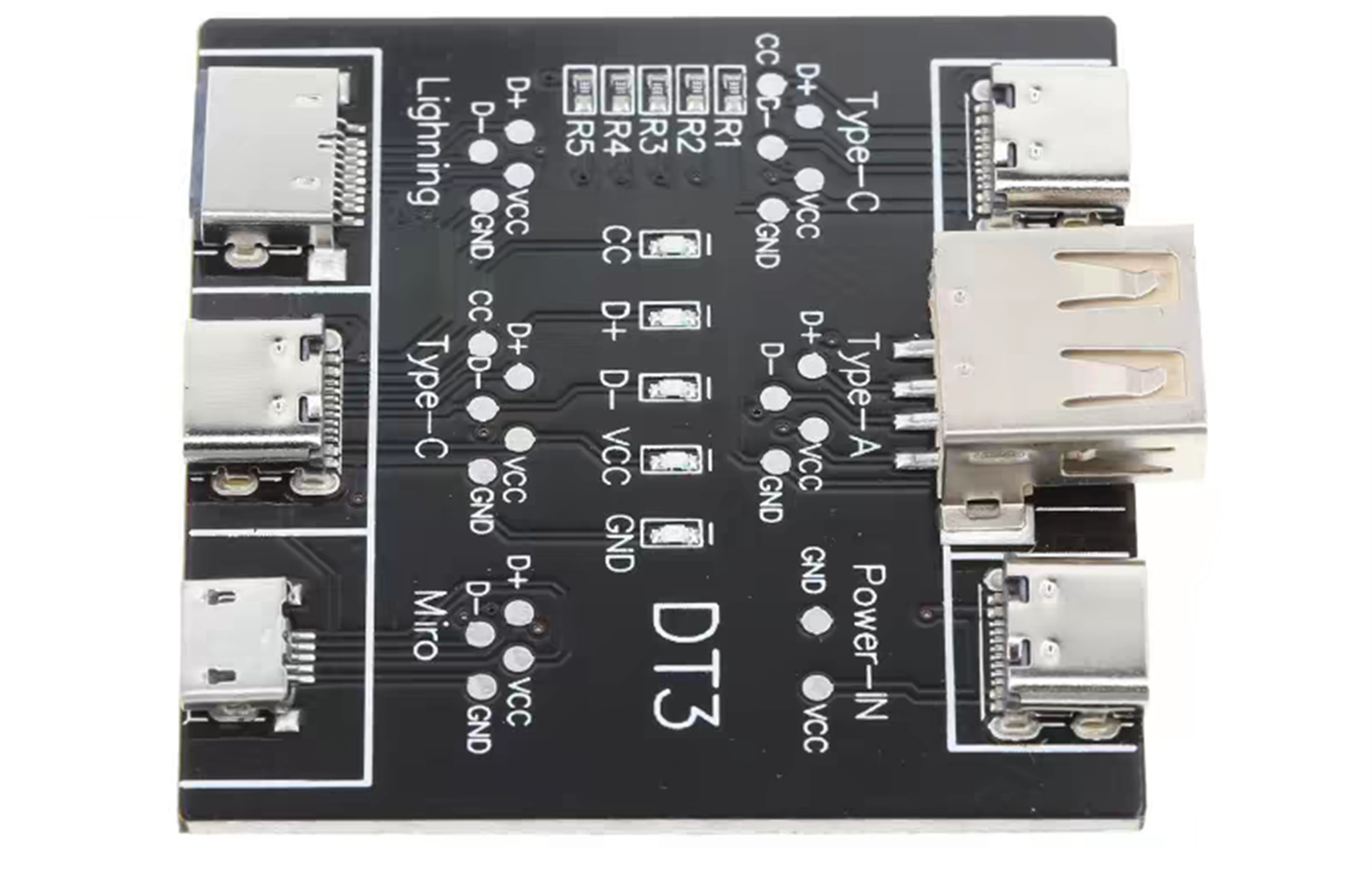
By connecting a 5V power source and a single cable under test, the module visually indicates the status of each critical signal line using onboard LED indicators. This makes cable diagnosis immediate and intuitive.
Supported Cable Test Scenarios
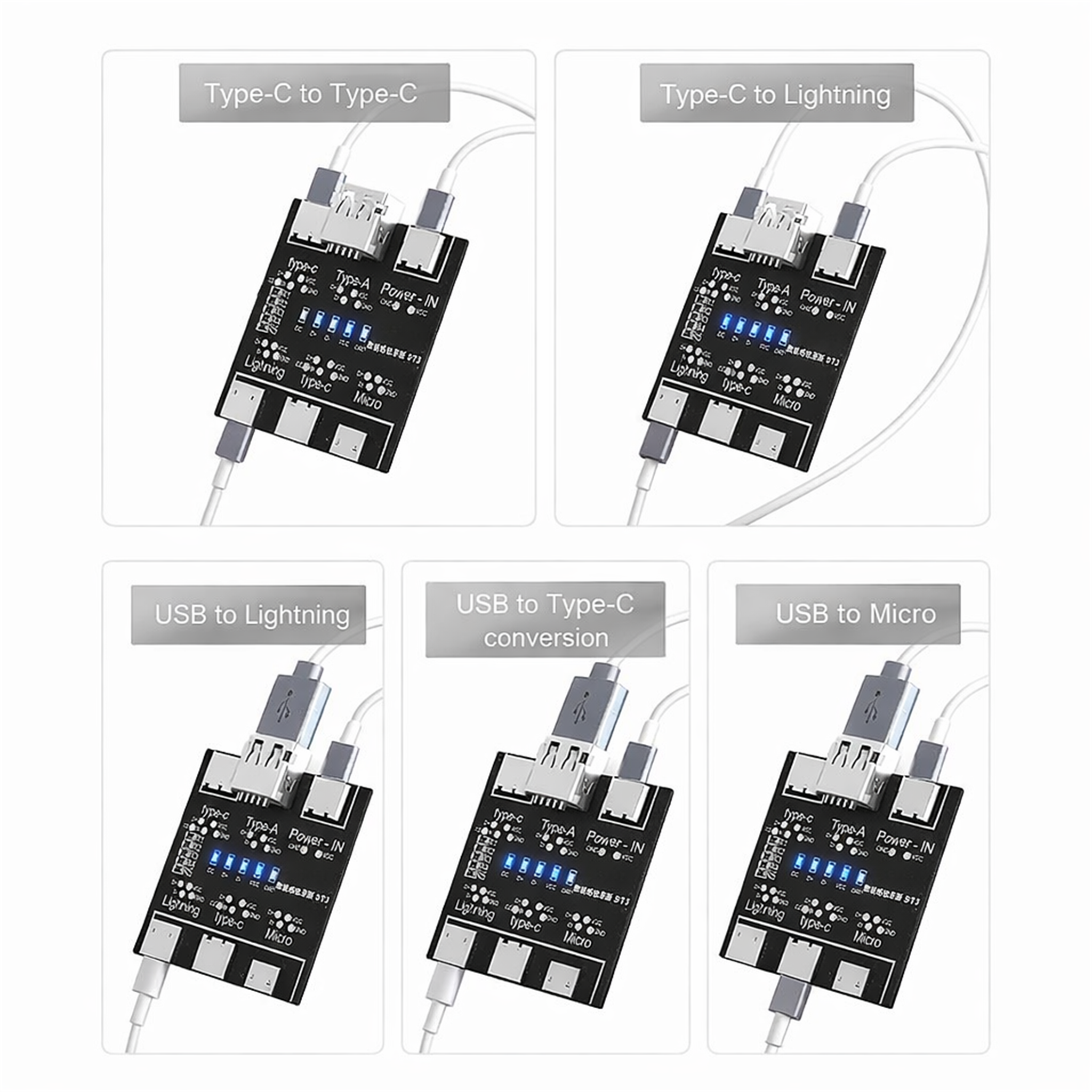
The DT3 supports the following common cable configurations:
- Type-C to Type-C
- Type-C to Lightning
- USB-A to Lightning
- USB-A to Type-C
- USB-A to Micro USB
Important:Only one cable should be tested at a time, using the corresponding input port. Testing multiple cables simultaneously may result in incorrect readings.
Port Overview and Layout
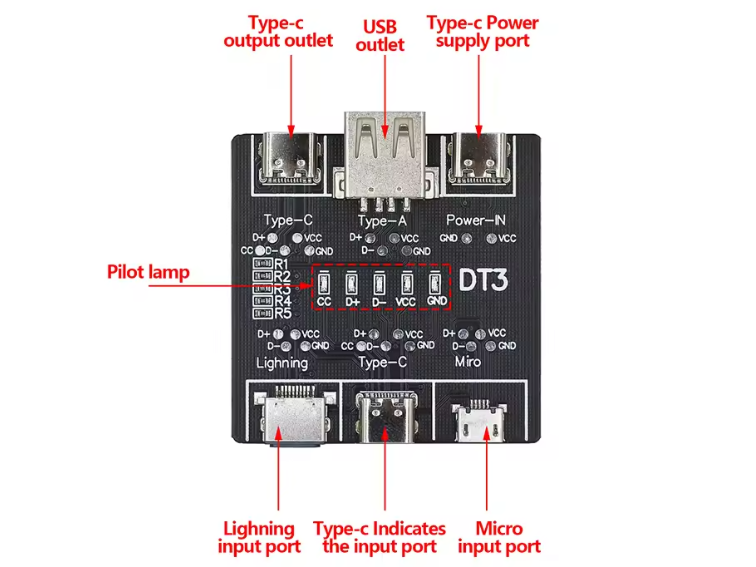
Top Ports
- Type-C Delivery Outlet
- USB-A Delivery Outlet
- Type-C Power Input (5V)
Bottom Input Ports
- Lightning Input
- Type-C Input
- Micro USB Input
This layout allows the DT3 to accommodate both modern and legacy cables without adapters or additional modules.
How to Wire the Module ?

The module supports various types of data cables. Simply connect the 5V power supply to the top ports and insert the data cable you want to test into the port on the bottom. The cable’s status is displayed instantly. By observing the corresponding indicator lights, you can immediately determine if there are any functional issues with your data cable.
How the Indicator LEDs Work
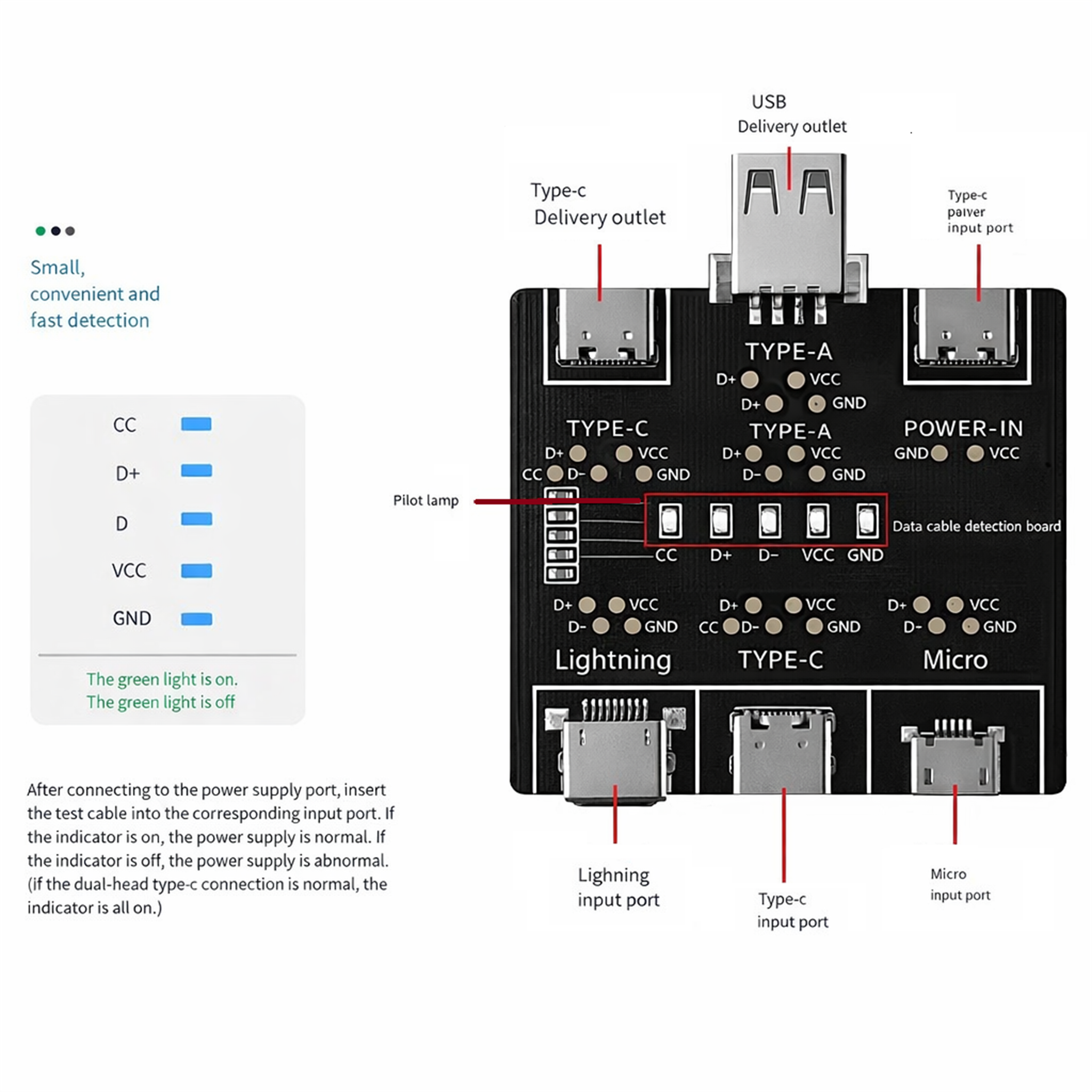
At the center of the board, the DT3 features five clearly labeled LED indicators:
- CC – Configuration Channel (Type-C only)
- D+ – USB data positive
- D- – USB data negative
- VCC – Power line
- GND – Ground
LED Status Meaning
| LED State | Meaning |
|---|---|
| LED ON | Signal line is connected and functioning normally |
| LED OFF | Signal line is open, missing, or abnormal |
Interpreting Test Results
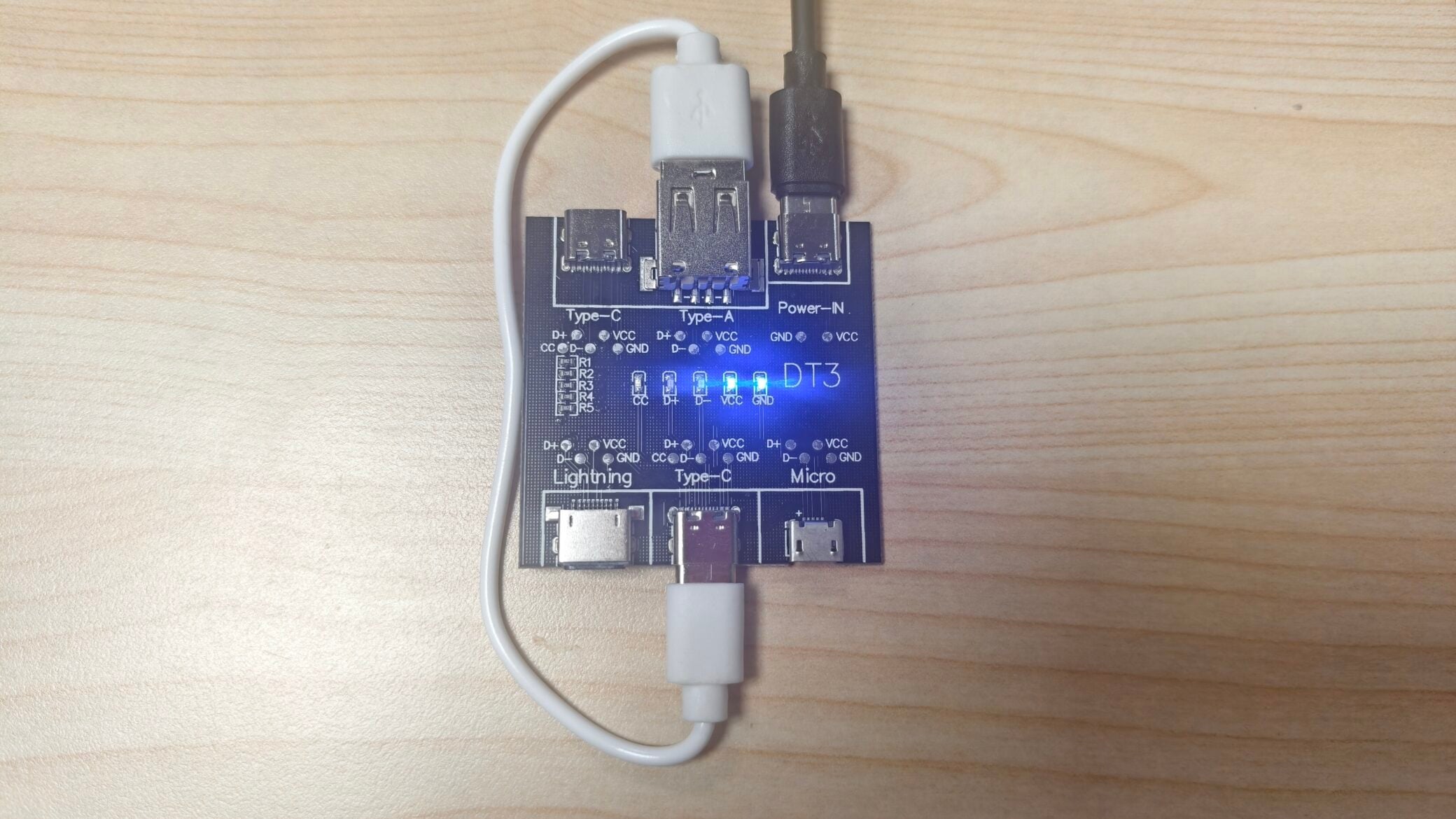
Power Line Detection (VCC / GND)
If VCC or GND does not light up, it indicates:
- Charging function is abnormal
- Possible broken power wire
- Poor internal soldering
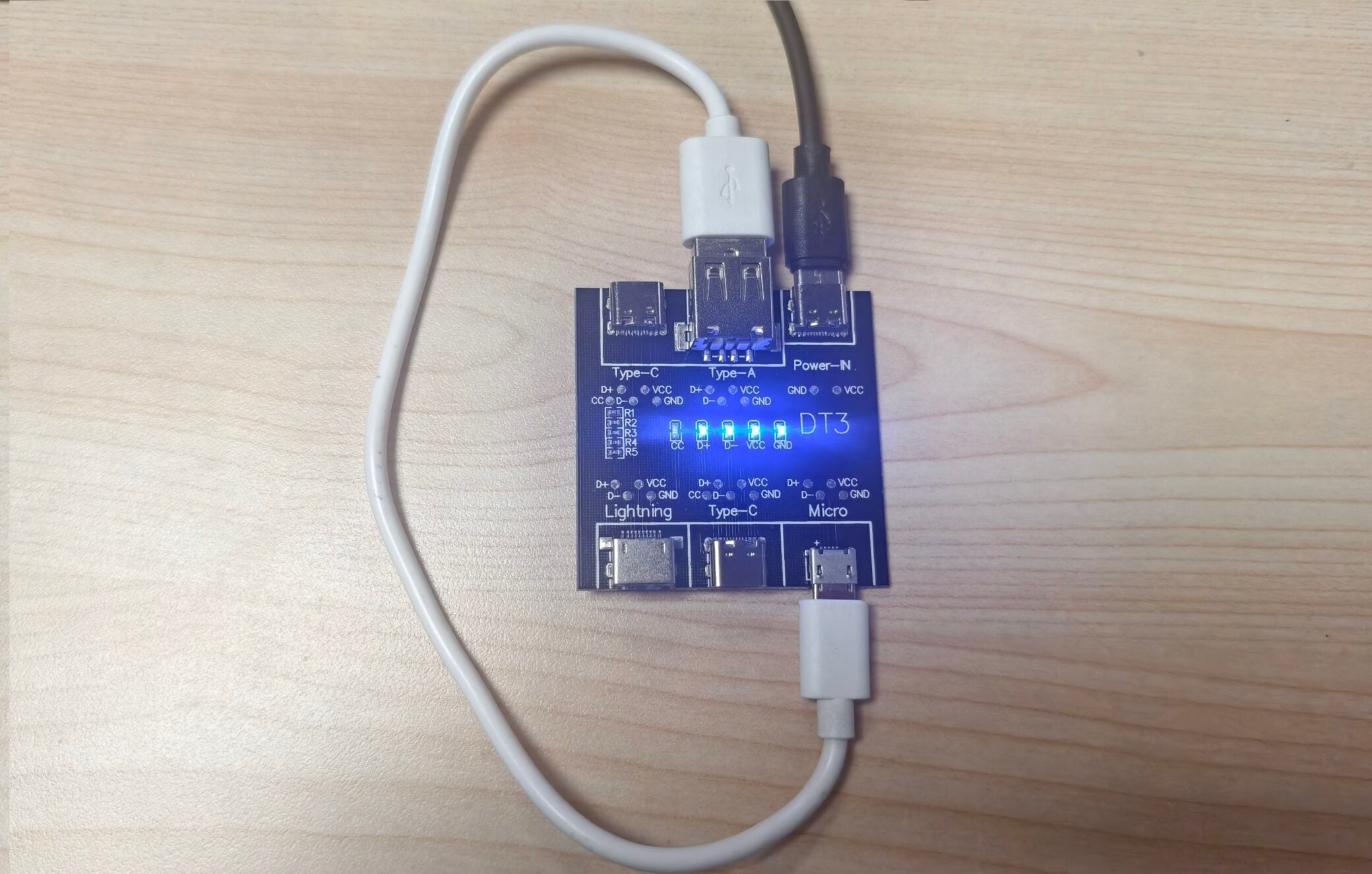
Data Line Detection (D+ / D-)
If D+ or D- is off, it indicates:
- Data transmission is not supported
- Cable may be charge-only
- Data wire is broken internally
CC Line Detection (Type-C Cables Only)
- The CC LED is used only for dual-ended Type-C cables
- If CC does not light up during a Type-C to Type-C test, the cable does not fully support Type-C specifications
- When testing non-Type-C cables, the CC LED will remain off by design
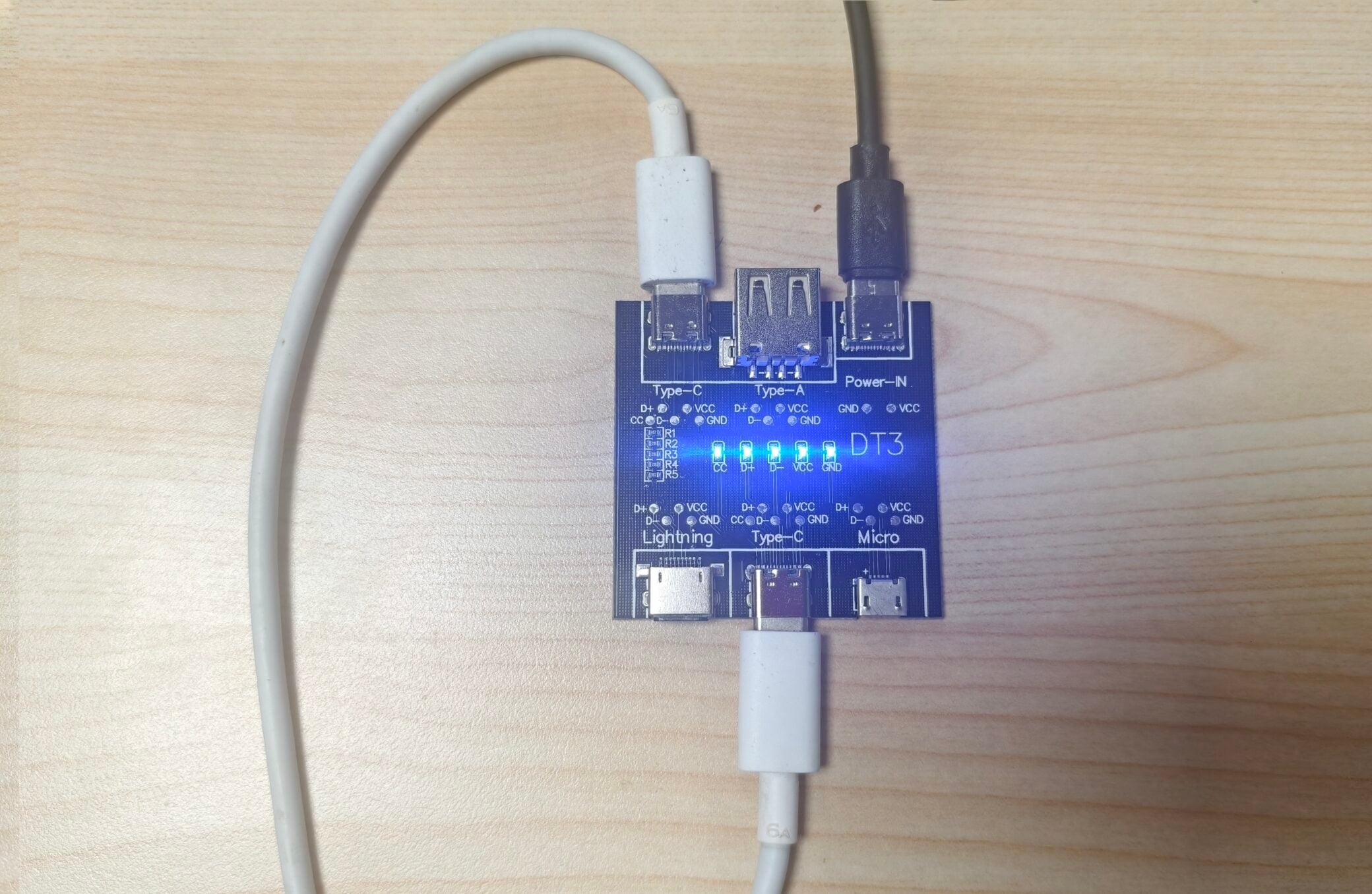
Dual Type-C Cable Behavior Explained
For Type-C to Type-C cables, a normal cable should result in:
- All LEDs ON (CC, D+, D-, VCC, GND)
If any LED is off:
- The cable may not support data
- The cable may not support fast charging
- The cable wiring may be incomplete or non-standard
This makes the DT3 particularly useful for identifying fake or low-quality Type-C cables.
Typical Use Cases
The DT3 USB Data Cable Detection Module is ideal for:
- Phone and laptop repair shops
- Electronics R&D labs
- Cable manufacturing quality control
- Warehouse cable sorting
- Makers and DIY electronics enthusiasts
It saves time, reduces guesswork, and prevents unnecessary device troubleshooting caused by faulty cables.
Key Advantages of the DT3 Module
- Visual, real-time detection
- No software or drivers required
- Supports multiple cable standards
- Compact and portable design
- Clear LED signal interpretation
- Ideal for both professionals and beginners
The DT3 USB Data Cable Detection Module is a simple yet powerful diagnostic tool that addresses a very real and very common problem: unreliable USB cables. By clearly indicating the status of power, data, and control lines, it allows users to make confident decisions about cable usability in seconds.
If you frequently work with USB, Type-C, Lightning, or Micro USB cables, the DT3 is an indispensable addition to your toolkit.
You may click the blue text here to make a purchase if necessary.
FAQ
Does the DT3 require software or a computer?
No. The DT3 works as a standalone hardware tester. You only need to connect a 5V power source and the cable under test. The results are shown instantly via onboard LEDs.
What does it mean if the VCC or GND LED is off?
If the VCC or GND LED does not light up, it indicates a power-related issue such as:
- Broken power wire
- Poor internal soldering
- Abnormal charging function
Such a cable may not be safe or reliable for charging devices.
What does it mean if D+ or D- is off?
If D+ or D- is off, the cable does not properly support data transmission. This often means:
- The cable is charge-only
- One or both data lines are broken
- The cable is not suitable for data syncing or device communication
Why doesn’t the CC LED light up on some cables?
The CC LED is only used for dual-ended Type-C to Type-C cables.
- If testing a non-Type-C cable, the CC LED will remain off by design
- If testing a Type-C to Type-C cable and CC is off, the cable does not fully meet Type-C specifications
Can I test multiple cables at the same time?
No. The DT3 is designed to test one cable at a time only. Testing multiple cables simultaneously may cause incorrect or misleading results.
What power supply does the DT3 need?
The DT3 requires a standard 5V input, which can be provided by:
- USB power adapters
- Power banks
- USB ports from computers or hubs
High-voltage fast-charging modes are not required.
Is the DT3 suitable for professional use?
Yes. The DT3 is widely used by:
- Electronics repair technicians
- R&D engineers
- Cable manufacturers
- Quality control teams
- DIY and maker communities
It is reliable, repeatable, and easy to use in both professional and hobby environments.
Can the DT3 detect cable quality or current rating?
The DT3 focuses on connectivity and signal integrity, not current capacity or wire gauge. It can confirm whether lines are present and functional, but it cannot measure maximum current or cable thickness.