

Blog
Exploring the CH341A Module: A Comprehensive Guide
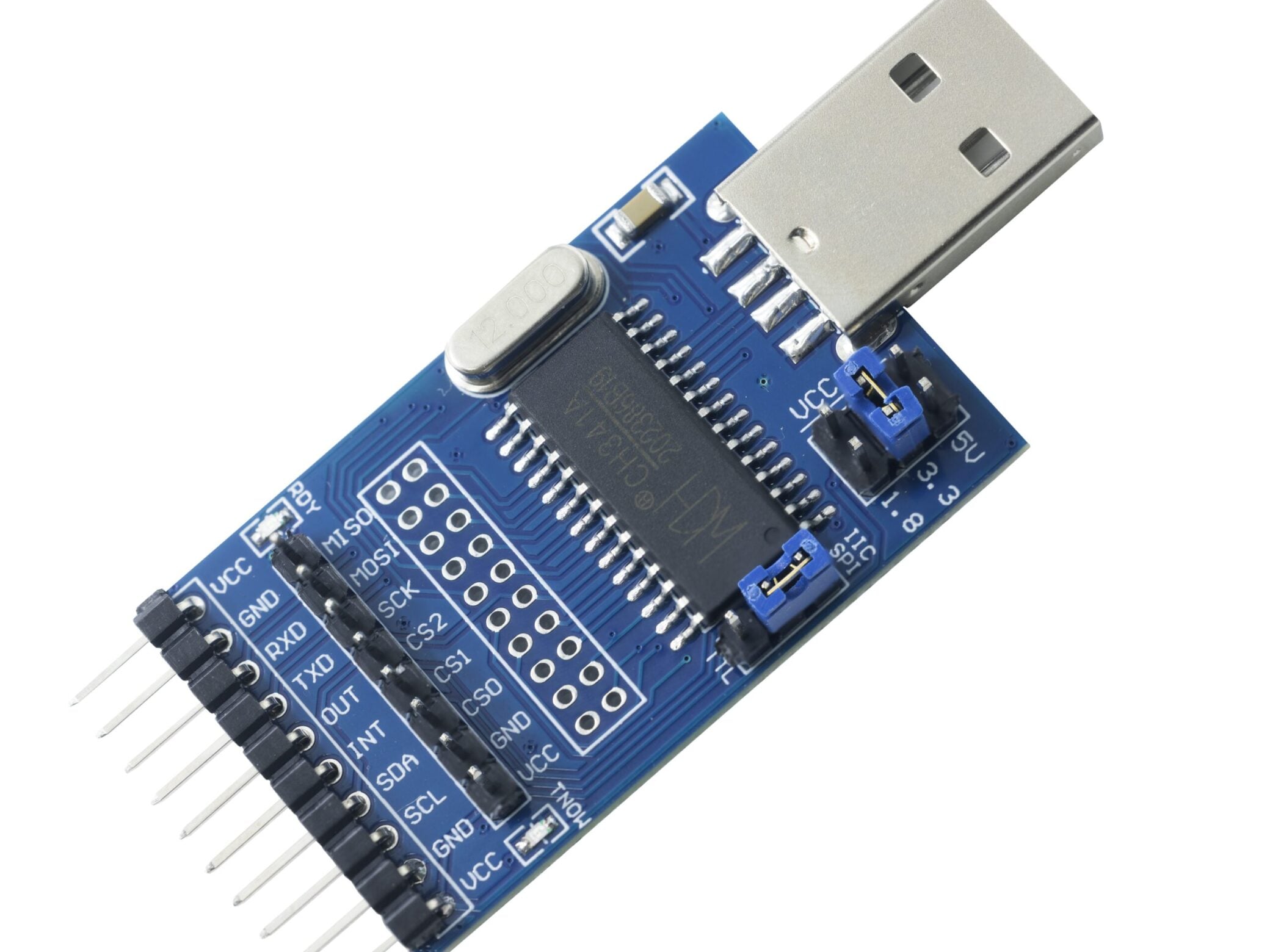
If you’ve dabbled in electronics, programming, or embedded systems, you’ve likely come across the CH341A. This tiny but powerful module has become a staple for hobbyists and professionals alike, thanks to its flexibility and affordability. In this blog, we’ll dive deep into everything you need to know about the CH341A—from its core functions to practical usage, software tools, and more. Let’s get started!
What is CH341A?
At its core, the CH341A is a multi-functional USB-to-serial converter chip and programmer. Developed to bridge the gap between USB ports and various communication protocols, it supports a range of interfaces, including SPI, I2C (or IIC), UART, TTL, and even JTAG and Quad SPI in some configurations.
Whether you need to program an EEPROM, flash a BIOS chip, or communicate with microcontrollers, the CH341A simplifies these tasks by converting USB signals into the specific protocol your target device uses. Its compact size—often found in mini programmer form—makes it easy to integrate into projects, while its low price adds to its appeal .
If you want to know more CH341A-Softwares code details, you can read this article.
CH341A Hardware: What’s in the Box?
The CH341A module comes in various forms, from bare chips to complete kits. Here’s a breakdown of its key hardware components:
- Mini Programmer: The most common variant is the CH341A mini programmer, a small PCB (printed circuit board) with the CH341A chip at its center. You’ll often see versions like the green PCB CH341Aor the sleek CH341A black edition, which may differ slightly in component quality but function similarly.
- Pinout& Schematic: Understanding the CH341A pinout and schematic (or diagram) is crucial for proper connection. Pins are labeled for USB, power, and protocol-specific signals (e.g., SPI CLK, I2C SDA).
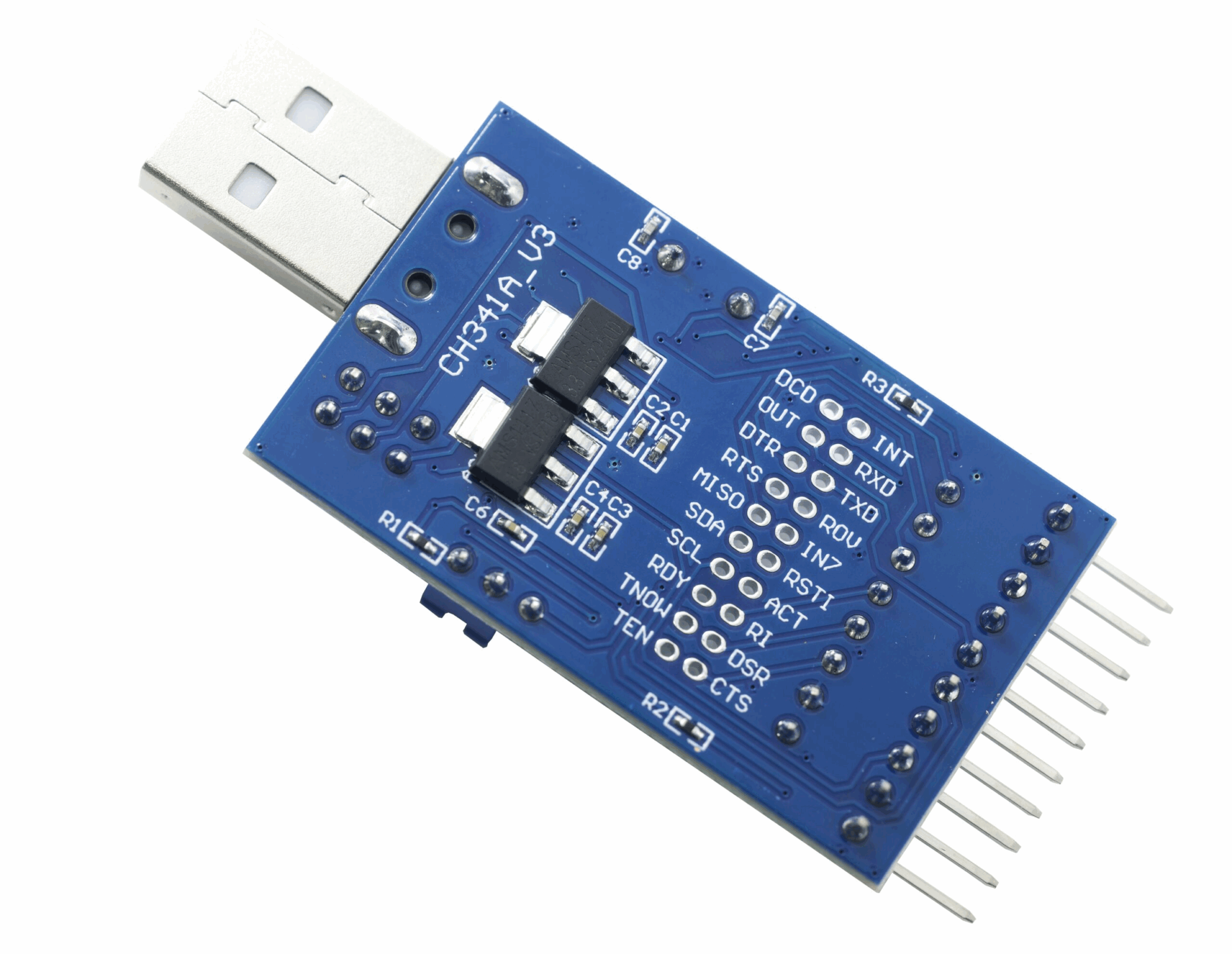


CH341A Pinout
| PIN NAME | TYPE | DESCRIPTION |
|---|---|---|
| D+ | I/O | USB positive data signal pin |
| D- | I/O | USB negative data signal pin |
| VCC | P | Power input pin, generally connected to +5V |
| GND | P | Ground pin |
| TXD | I/O | Transmit data pin, serial output |
| RXD | I | Receive data pin, serial input |
- Jumper Settings: Many modules include jumpersto adjust voltage—most notably the CH341A 3.3V jumper, which lets you switch between 3.3V and 5V power output to match your target device’s requirements.
- Clip Accessory: A CH341A clipis a handy add-on for programming surface-mount chips (like BIOS chips) without soldering, making it easier to connect to small ICs.
Software & Drivers: Getting Started
To use the CH341A, you’ll need the right software and drivers. Let’s break down your options:
Drivers
The CH341A programmer driver is essential for your computer to recognize the module. Compatibility is broad:
- Windows 10: Official drivers are available and easy to install.
- Linux/Ubuntu: Most modern distributions include built-in CH341A Linux driversupport, but you can manually install updates if needed.
- Mac: Third-party drivers or open-source solutions work for CH341A Mac
- Android/Arduino: While less common, there are workarounds for CH341A Androidand CH341A Arduino projects, often using USB OTG adapters.
Programming Software
Numerous tools support the CH341A, with options for every skill level:
- Free Downloads: The CH341A programmer software free downloadis widely available. Popular choices include NeoProgrammer CH341A and Combo tool CH341A, both offering user-friendly interfaces.
- Multilingual Support:Tools like Gravador CH341A (Portuguese for “CH341A recorder”) or Gravador EPROM CH341A download (for EPROMs) are reliable. Software like Oprogramowanie CH341A (Polish for “CH341A software”) caters to non-English users. Open-source projects on CH341A GitHub also provide customizable options.
How to Use the CH341A Programmer?
Using the CH341A is straightforward once you have the hardware and software set up. Here’s a step-by-step guide:
1. Install Drivers: Download and install the appropriate CH341A programmer driverfor your OS (e.g., Windows 10, Linux).
2. Connect Hardware: Use the CH341A pinout to wire the module to your target device (e.g., an EEPROM or BIOS chip). If using a clip, attach it securely to the chip.
3. Set Jumpers: Adjust the jumper settings(like 3.3V) to match your device’s voltage requirements.
4. Launch Software: Open your chosen software (e.g., NeoProgrammer) and select the CH341A as your programmer.
- Select Chip: Choose your target chip from the CH341A supported chip list (or CH341A chip list). Most software includes a database of compatible ICs.
- Read/Write Data: Follow the software prompts to read, erase, or write data to the chip. For example, use it as a CH341A EEPROM programmer to store data, or as a CH341A BIOS flash tool to update motherboard firmware.
If you need a more specific video tutorial, you can leave a message below and we will create a special tutorial for you!
Supported Protocols & Applications
The CH341A’s versatility shines in its support for multiple protocols, making it useful for countless projects:
- SPI/Quad SPI: Use it as an CH341A SPI programmerto interface with SPI flash memory or sensors.
- I2C/IIC: Ideal for communicating with I2C devices like accelerometers or EEPROMs via CH341A I2C.
- UART/TTL: Convert USB to serial signals with CH341A UARTor CH341A TTL for debugging microcontrollers.
- JTAG: Some setups support CH341A JTAG for programming or debugging embedded systems.
Comparison of SPI, IIC, UART,TTL and JTAG serial ports:
| PARAMETER | SPI | I2C (IIC) | UART | TTL SERIAL | JTAG |
|---|---|---|---|---|---|
| Mode | Synchronous, full-duplex | Synchronous, half-duplex | Asynchronous (level standard) | Asynchronous | Synchronous, full-duplex |
| Lines | 4 (SCLK, MOSI, MISO, SS) ; +55 per extra slave | 2 (SCL, SDA) | 2 (TX, RX) ; optional flow control | 2 (TX, RX) with TTL levels | 4/5 lines (TMS, TCK, TDI, TDO; optional TRST) |
| Speed | Up to 50+ MHz | Up to 3.4 Mbit/s | Up to ~1 Mbps (typical: 115200 bps) | Tied to UART speeds | Usually lower (tens of MHz), depends on target |
| Addressing | SS/CS line selection | 7/10-bit unique addresses | No standard addressing | N/A (point-to-point) | Target-specific (via TAP controller) |
| Topology | 1 master + multiple slaves | Multi-master/slave support | Point-to-point | Point-to-point | Star (single TAP controller to multiple targets) |
| Key Feature | High speed, full-duplex | Low wire count, multi-device | Simple, no clock needed | TTL voltage levels (0V/3.3V/5V) | Debug/programming standard |
| Typical Use | High-speed peripherals (flash, sensors) | Low/medium-speed devices (EEPROM, sensors) | Simple communication (GPS, debugging) | Microcontroller prototyping, basic UART links | Hardware debugging, programming, boundary scan |
Common applications include:
- Flashing BIOS chips (CH341A BIOS).
- Programming EEPROMs and flash memory (CH341A flash).
- Testing or repairing electronics by reading/writing data to ICs.
CH341A vs CH341B: What’s the Difference?
You may encounter the CH341B as a sibling to the CH341A. While both are USB converters, there are key differences:

- Speed: The CH341B often supports higher data transfer rates, making it better for large flash memory programming.
- Features: The CH341B may include additional protocols or improved stability, but it’s typically pricier than the CH341A.
- Compatibility: Most software that works with the CH341A also supports the CH341B, but always check the CH341A support listor CH341B support list for specifics.
If you have a demand for the ch341a product, you can jump to purchase.
Final Thoughts:CH340 vs CH341A: Key Differences
FAQs: Troubleshooting & Tips
Q: My CH341A IC is not responding. What should I do?
A: Check the driver installation, ensure correct wiring (refer to the schematic), verify voltage settings (3.3V vs. 5V), and confirm the target chip is on the supported list.
Q: Are there CH341A alternatives?
A: Yes, options like the FT232 (for UART) or PICKit (for PIC microcontrollers) work, but they’re often more expensive.
Q: Can I use the CH341A with a new version of Windows?
A: Most drivers are compatible with Windows 10 and later, but check for updates if you run into issues.
Q: Where can I find the CH341A datasheet?
A: The CH341A datasheet is available on manufacturer websites or GitHub, detailing technical specs like voltage ranges and timing.