

Blog
How can I add NFC function to my home door for just 10 dollars?
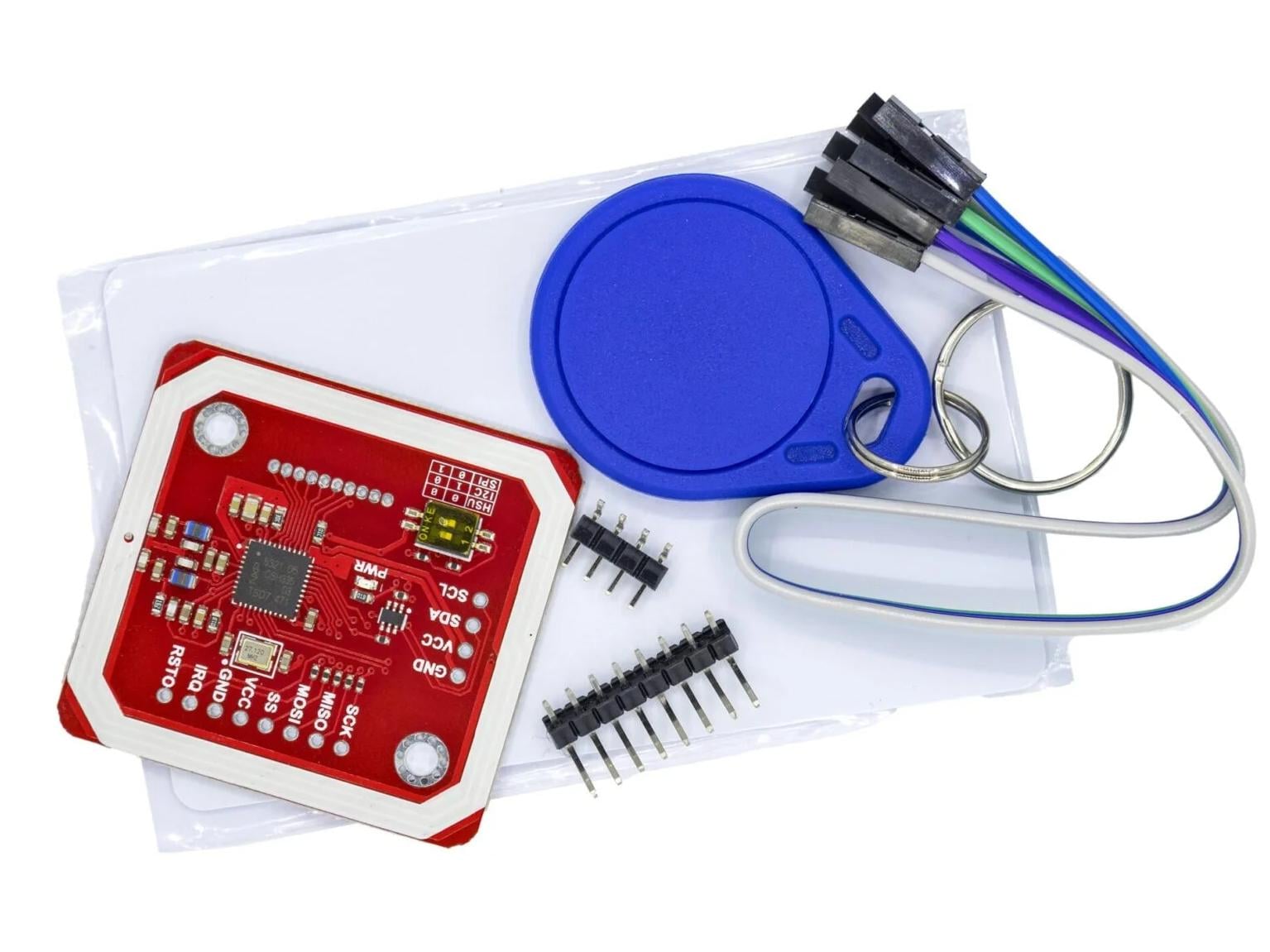
Ever wished your home door could unlock with a simple tap of your phone or an NFC card—without buying expensive smart locks? Good news: with the right tools, you can build a DIY NFC door lock for as little as 10$. The star of this project? The PN532 NFC RFID V3 module—a budget-friendly, versatile chip that makes short-range wireless communication a breeze. Let’s dive into how it works, why it’s perfect for your door, and step-by-step how to set it up.
What is NFC?
NFC(Near Field Communication) is a short-range wireless technology that lets devices (like your phone, an NFC card, or a reader) exchange data over distances of just 1–4 cm. Built on RFID (Radio-Frequency Identification) principles, NFC is widely used in everyday life: mobile payments (Apple Pay, Google Pay), public transit cards, and even smart posters.
What makes NFC ideal for home use? Its short range adds a layer of security (you can’t unlock the door from across the room), and it’s compatible with most modern smartphones—no need for extra hardware on the user’s end.
How dose NFC work?
NFC operates at a frequency of 13.56 MHz, using electromagnetic induction to transfer data between two devices:
- Electromagnetic field generation: When the NFC device is active, the main device (such as a smart phone) will emit a high-frequency electromagnetic field. This electromagnetic field can interact with other NFC devices that are close at hand.
- Device sensing: When another NFC device or tag approaches this electromagnetic field, it will sense this field internally and obtain energy from it. This process is called “inductive coupling” or “electromagnetic induction”.
- Data exchange: Once two devices are connected, they can start data interaction. NFC adopts a half-duplex communication mode, meaning that data transmission can only take place in one direction at a time. To achieve effective signal transmission, NFC devices will use modems to modulate the signals.
- Connection maintenance: During the data transmission process, the two devices can send and receive commands to each other to ensure the correct transmission of data. Transmission is usually fast and secure, suitable for rapid interaction with small amounts of data.
NFC Communication Modes
The NFC communication modes are mainly divided into three categories: read/write mode, card emulation mode and point-to-point mode.
1、In read/write mode, NFC devices can read data stored on NFC tags or write information to NFC tags. This model is particularly suitable for the rapid sharing of information, such as coupon information in shopping malls or recharge data of transportation cards.
2、The card emulation mode enables an NFC device to simulate a smart card and interact with an NFC reader. For instance, users can bring their mobile phones close to the public transportation card reader to complete the payment. This model requires NFC devices to have the ability to securely store and process data to ensure the security of transactions.
3、The point-to-point mode enables direct communication between two NFC devices, facilitating data exchange. This mode can be used to pair Bluetooth devices or transfer files quickly between two devices. Although the point-to-point communication range of NFC is limited, its low power consumption and fast connection features make it highly suitable for communication between short-range devices.
RFID vs NFC: What’s the Difference?

While NFC is a type of RFID, they’re not interchangeable. Here’s how they stack up:
| FEATURE | RFID | NFC |
|---|---|---|
| Range | Up to 10+ meters (depends on type) | 1–4 cm (short-range) |
| Frequency | Varied (125 kHz, 13.56 MHz, 900 MHz) | Strictly 13.56 MHz |
| Composition | Composed of reader & tag | Integrates reader, card & peer-to-peer functions in one chip; mobile NFC chips can be RFID module parts (tag/reader) |
| Core Function | Only for info reading & judgment | Focuses on information interaction |
| Transmission | Long range (up to tens of meters) | Short range; with high bandwidth, low energy consumption (via signal attenuation) |
| Application | Production, logistics, asset management | Consumer electronics (access, payment, etc.) |
For home doors, NFC’s short range and three-way communication make it safer and more user-friendly than general RFID.
NFC vs Bluetooth
Compared with bluetooth, NFC is not only more secure but also takes less than 0.1 seconds to establish a connection. Not to mention the NFC card simulation function, which enables mobile phones to simultaneously serve as public transportation cards, access control cards, and even bank cards. It can be said that NFC comprehensively outperforms Bluetooth.

| Network Type | BLUETOOTH | NFC |
|---|---|---|
| Network Type | Point – to – Multi – Point | Point – to – Point |
| Operating Range | ≤10m | ≤0.1m |
| Speed | 2.1 Mbps | 212, 424, 868, 721, 115Kbps |
| Connection Time | 6s | < 0.1s |
| Security | Available, Implemented by Software | Available, Implemented by Hardware |
| Communication Mode | Active – Active | Active – Active/Passive |
| Cost | Medium | Low |
PN532 Overview: The Heart of Your DIY Lock
The PN532 NFC is a highly integrated NFC controller chip from NXP Semiconductors, allowing for contactless communication at 13.56 MHz. It’s beloved by hobbyists for its low cost, wide compatibility, and powerful feature set—perfect for a 10$ door lock project.
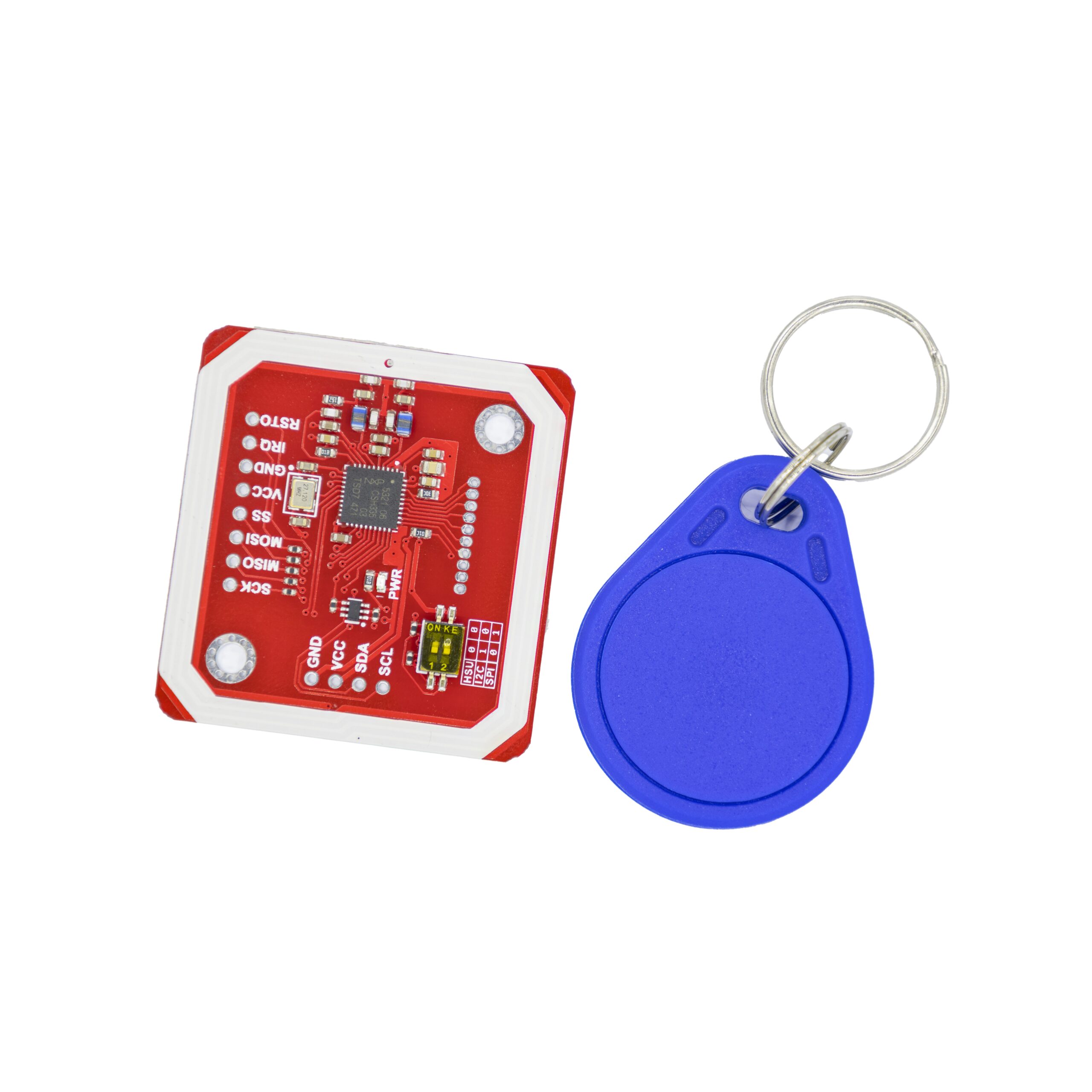

Datasheet and technical specification
| Model Type: | RFID Reader, Writer Module | |
|---|---|---|
| Operating Voltage (V): | 3.3V ~ 5V | |
| Communication Distance: | 5cm~7cm | |
| Module Size (LxWxH) mm: | 42.7 × 40.4 × 4 mm (LxWxH) | |
| Shipping Weight: | 0.05 kg | |
| Shipping Dimensions: | 6 × 5 × 2 cm | |
| Communication Protocols: | I2C, SPI, UART | |
| Supported Standards: | ISO/IEC 14443 Type A & B, NFC | |
| Operating Temperature: | -25°C to +85°C | |
Schematic diagram

Pinout diagram

| WORKING INTERFACE | CHANNEL 1 | CHANNEL 2 |
|---|---|---|
| HSU | OFF | OFF |
| I2C | ON | OFF |
| SPI | OFF | ON |
The PN532 module is a versatile NFC controller that supports multiple communication protocols, including I2C, SPI, and HSU (High-Speed UART). Depending on your requirements, you can select the desired communication mode by setting the small switches to the appropriate positions.
- VCC: 3.3V~5V
- 12C/UART: 3.3V~24V TTL
- SPl:3. 3V TTL with 100 ohm resistors in series. It could be connected directly to 5V interface of microcontroller such as Arduino.
Main Applications of PN532 NFC Module
- Mobile payments:Apple Pay NFC, Google Wallet.
- Tap-to-Pair:Pairing Bluetooth devices just by tapping, instead of manual entering.
- Embedding digital experience in physical products: NFC’s small form factor allows for it to be embedded into physical products, enabling a unique experience when interacted.
- Identity verification: NFC technology can be widely used in access control systems, smart cards and passports to ensure the authenticity of the identities of people entering specific areas.
- Electronic ticketing: In fields such as transportation and tourism, NFC electronic ticketing systems are gradually replacing traditional paper tickets. Users can quickly enter and exit venues through electronic tickets on their mobile phones, improving the efficiency of passage.
Project: Wiring PN532 with Arduino to Unlock Your Door
If you without the sensor shield, please connect as following:

Arduino UN0 only has one serial interface which is also connected to USB port to PC.In HSU mode, the serial monitor could not be used as message displaying windows.
Step 1:Wiring the PN532 to Arduino
| ARDUINO | CONNECTION | PN532 MODULE |
|---|---|---|
| GND | <—-> | GND |
| 5V | <—-> | VCC |
| SDA | <—-> | SDA |
| SCL | <—-> | SCL |
Step 2:Install the PN532 Library

Step 3:Code to Unlock the Door

					#include <Wire.h>
#include <Adafruit_PN532.h>
#include <Servo.h>

// Define the pins for the PN532 module (using I2C)
#define PN532_IRQ   (2)
#define PN532_RESET (3)  // Not used in this I2C configuration

Adafruit_PN532 nfc(PN532_IRQ, PN532_RESET);
Servo myServo;

void setup(void) {
  Serial.begin(115200);
  while (!Serial) {
    delay(10); // Wait for serial port to connect.
  }

  myServo.attach(9);  // Attaches the servo on pin 9
  myServo.write(0);   // Start the servo at 0 degrees

  nfc.begin();

  uint32_t versiondata = nfc.getFirmwareVersion();
  if (!versiondata) {
    Serial.print("Didn't find PN53x board");
    while (1); // halt
  }

  // Got ok data, print it out!
  Serial.print("Found chip PN5"); Serial.println((versiondata >> 24) & 0xFF, HEX);
  Serial.print("Firmware ver. "); Serial.print((versiondata >> 16) & 0xFF, DEC);
  Serial.print('.'); Serial.println((versiondata >> 8) & 0xFF, DEC);

  // Set the max number of retry attempts to read from a card
  // This helps prevent the program from getting stuck trying to read a card that is moved away quickly
  nfc.setPassiveActivationRetries(0xFF);

  // configure board to read RFID tags
  nfc.SAMConfig();

  Serial.println("Waiting for an ISO14443A Card ...");
}

void loop(void) {
  boolean success;
  uint8_t uid[] = { 0, 0, 0, 0, 0, 0, 0 };  // Buffer to store the returned UID
  uint8_t uidLength;                        // Length of the UID (4 or 7 bytes depending on ISO14443A card type)

  // Wait for an ISO14443A type cards (Mifare, etc.).  When one is found
  // 'uid' will be populated with the UID, and uidLength will indicate
  // if the uid is 4 bytes (Mifare Classic) or 7 bytes (Mifare Ultralight)
  success = nfc.readPassiveTargetID(PN532_MIFARE_ISO14443A, uid, &uidLength);

  if (success) {
    Serial.println("Found a card!");
    Serial.print("UID Length: "); Serial.print(uidLength, DEC); Serial.println(" bytes");
    Serial.print("UID Value: ");
    nfc.PrintHex(uid, uidLength);
    Serial.println("");

    // Rotate the servo
    myServo.write(90);
    delay(1000); // Wait a second for the servo to reach the position
  } else {
    // If no card is found, you can have the servo return to the original position
    myServo.write(0);
  }

  // A short delay is good practice to prevent spamming the NFC reader
  delay(100);
}
If you want to get more code,you can refer this.
FAQS
What cards can the machine copy?
The machine can copy the access control and elevator cards of the community. Other than that, it must not be used for illegal purposes. It does not support copying water and meal cards, bank cards, credit cards, campus cards, etc.
Can the parking card of the underground garage in the community be copied?
Some parking cards can be duplicated. It is necessary to confirm the card type and whether the card needs to be swiped for both entry and exit. If there is a one-in-one-out restriction, once the main card enters, the duplicated card cannot enter.
What are C cards and ID cards, and how can they be distinguished?
C cards have metal contacts, require insertion for reading/writing, with encryptable and modifiable data (e.g., bank cards). ID cards have no contacts, work via radio frequency, store fixed, unchangeable IDs (e.g., access control). Distinguished by contacts and data modifiability.
Why can't my own old card write data?
Ordinary cards and copy cards are two different types of cards. Since the chip of an ordinary card has been solidified and fixed at the factory and cannot write information, it cannot be used as a copy card. To copy, you need to purchase a dedicated copy card!
Why doesn't it work well after the decryption is successful and the card is copied and written?
The access control elevator system with a firewall will identify and detect duplicate cards, thereby shielding them. At this point, a dedicated copy card of the firewall type needs to be used. After writing the card and locking it, the copy effect can be achieved.