

Blog
ACS712 Hall Current Sensor Module
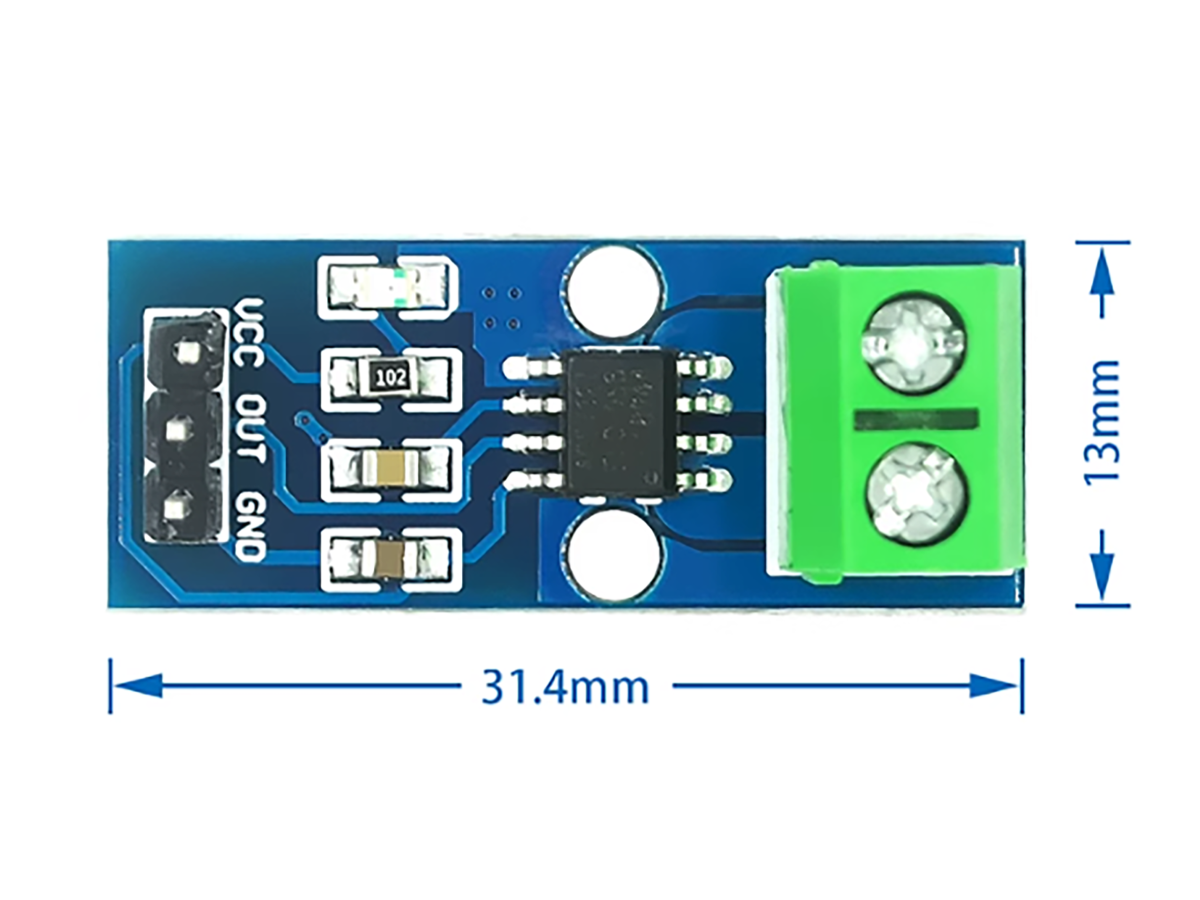
Hall Current Sensor
A Hall effect current sensor is a device based on the Hall effect. It measures current by detecting the magnetic field generated around a conductor as current passes through it. The key advantage of these sensors is their ability to perform non-contact measurement, which prevents measurement errors and safety hazards associated with direct contact.
Common Hall effect current sensors on the market today include models like the ACS712 and ACS723. They are widely used in fields such as battery management, motor drives, solar panel monitoring, and industrial automation. The strengths of Hall effect current sensors lie in their high accuracy, rapid response, and excellent immunity to electrical noise.
Comparison of Common Hall Effect Current Sensor Models
| PARAMETER | ACS712 | ACS723 |
|---|---|---|
| Sensitivity | 66–185 mV/A (depends on model) | 40–400 mV/A (depends on model) |
| Bandwidth | 80 kHz | 80 kHz / 20 kHz (optional) |
| Current Range | ±5A, ±20A, ±30A | ±5A, ±10A, ±20A, ±40A, ±50A |
| Zero Output Voltage | VCC/2 (normally 2.5V) | VCC/2 (normally 2.5V) |
| Internal Resistance | 1.2 mΩ | 0.6 mΩ |
| Isolation Voltage | 2.4 kVRMS | 420 VPK / 297 VRMS |
| Linearity Error | ±1.5% | Not specified |
| Power Consumption | 10–13 mA | 10–13 mA |
| Package Type | SOIC-8 | SOIC-8 |
ACS712 Hall Current Sensor Module
This is highly accurate sensor module to measure current up to 30A. ACS712 current sensor module operates from 5V and outputs analog voltage proportional to current measured on the sensing terminals. You can simple use a microcontroller ADC, i.e. Arduino A0~A5 to read the values.
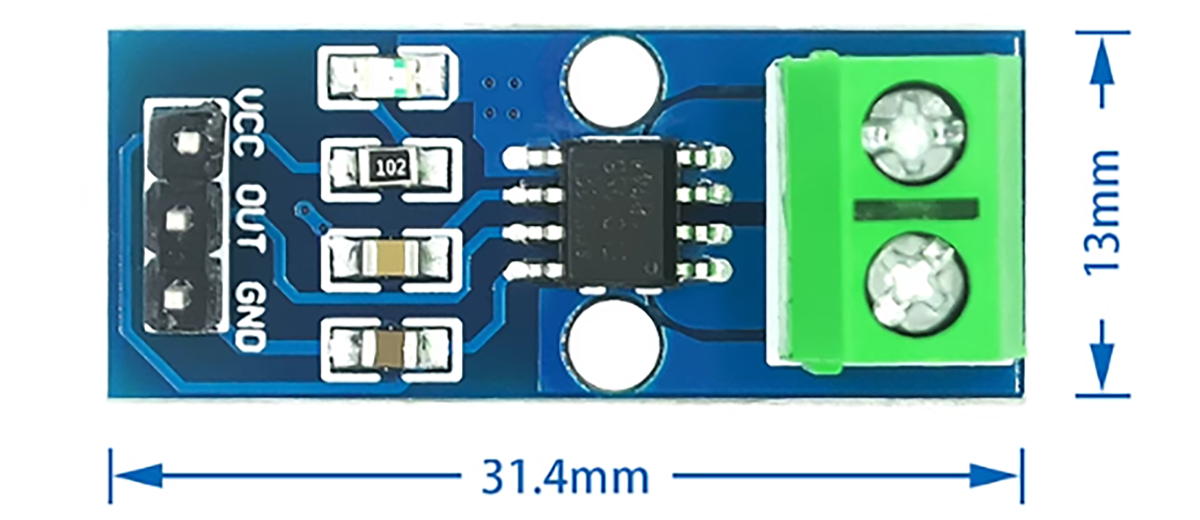
Module Pin Information
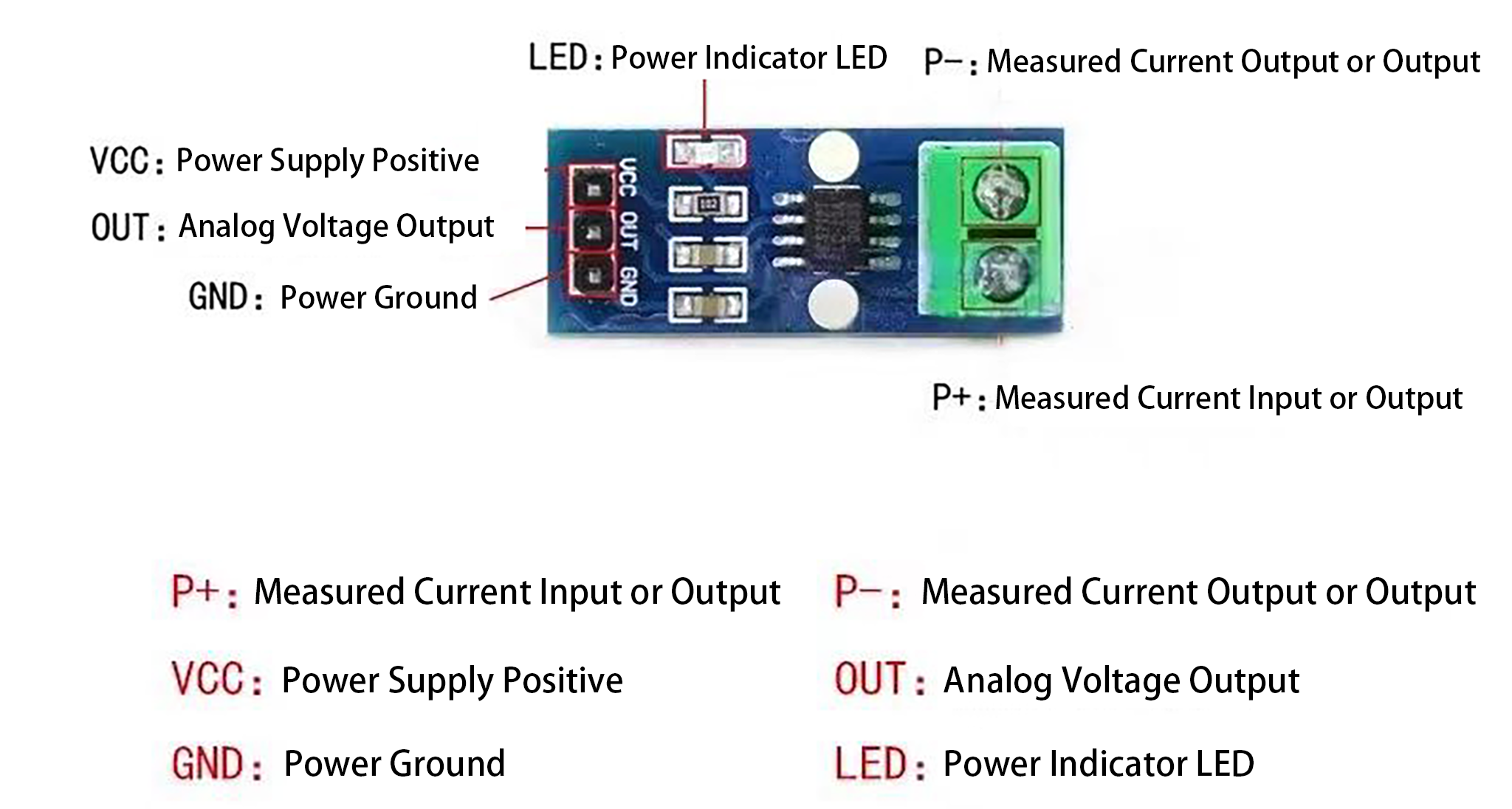
Module Schematic

Specifications:
| PARAMETER | DESCRIPTION |
|---|---|
| Sensitivity | 66~185 mV/A |
| Operating Voltage | 5.0V dc |
| Output voltage proportional to AC or DC currents | Yes |
| Factory-trimmed for accuracy | Yes |
| Extremely stable output offset voltage | Yes |
| Low-noise analog signal path | Yes |
| Total output error 1.5% at TA = 25°C | Yes |
| 1.2 mΩ internal conductor resistance | Yes |
| 2.1 kVRMS minimum isolation voltage | Yes |
Specifications for Sensors with Different Ranges
| PARAMETER | 5A MODULE | 20A MODULE | 30A MODULE |
|---|---|---|---|
| Supply Voltage (VCC) | 5Vdc Nominal | 5Vdc Nominal | 5Vdc Nominal |
| Measurement Range | -5 to +5 Amps | -20 to +20 Amps | -30 to +30 Amps |
| Voltage at 0A | VCC/2 (nominally 2.5Vdc) | VCC/2 (nominally 2.5Vdc) | VCC/2 (nominally 2.5Vdc) |
| Scale Factor | 185 mV per Amp | 100 mV per Amp | 66 mV per Amp |
| Chip | ACS712ELC-05A | ACS712ELC-10A | ACS712ELC-30A |
| Additional Notes | Example notes for 5A module | Example notes for 20A module | Example notes for 30A module |
ACS712 Module Pin Outs and Connections
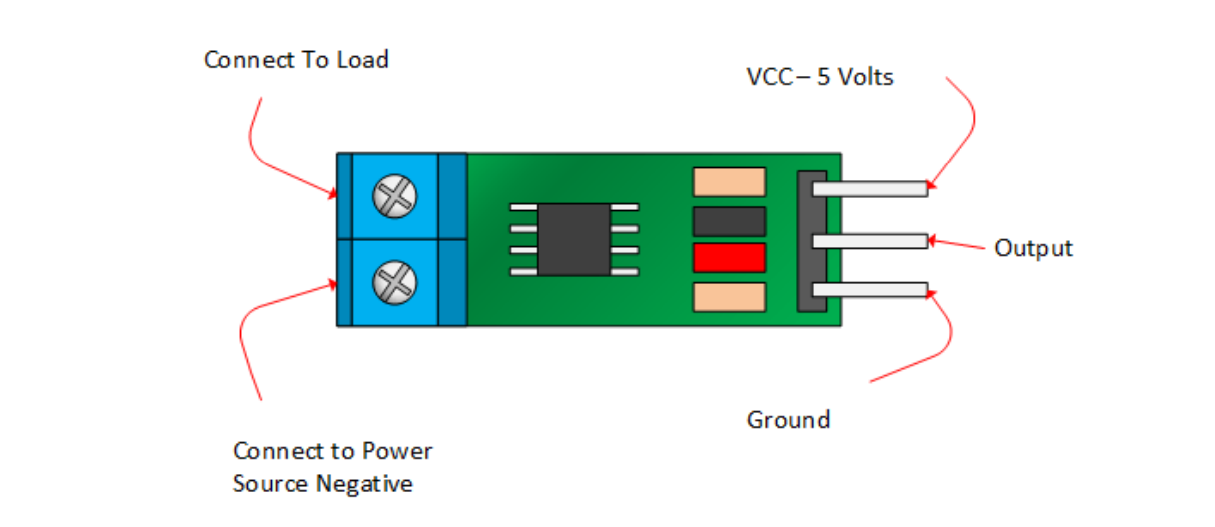
Arduino Application Schematic Example
Wiring Diagram
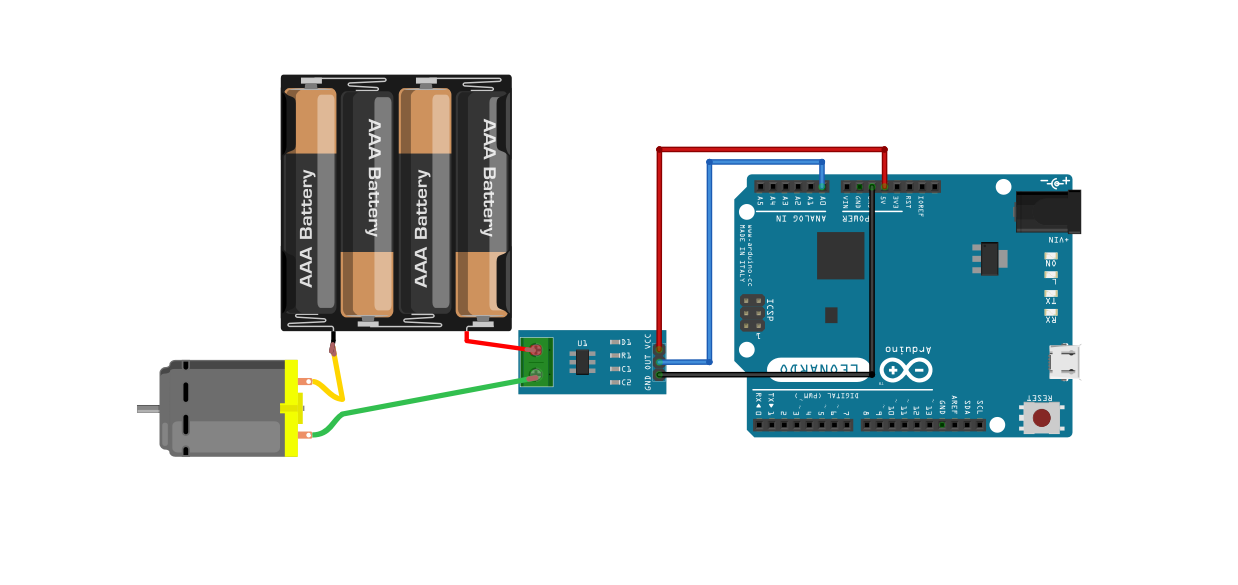
Pay attention to the polarity at the load end of the device. If you are connected as illustrated below, the output will raise. If you connect it opposite of this picture, the output will decrease from the 2.5 volt offset. This module is primarily designed for use with micro-controllers like the Arduino. In such applications, the connections would be as picture below:
Arduino Sketch
Copy and paste the below Arduino sketch into IDE and upload to Arduino Uno board
					void setup() {
 Serial.begin(9600); //Start Serial Monitor to display current read value on Serial
monitor
}

void loop() {
unsigned int x=0;
float AcsValue=0.0,Samples=0.0,AvgAcs=0.0,AcsValueF=0.0;

for (int x = 0; x < 150; x++){ //Get 150 samples
 AcsValue = analogRead(A0); //Read current sensor values
 Samples = Samples + AcsValue; //Add samples together
 delay (3); // let ADC settle before next sample 3ms
}
AvgAcs=Samples/150.0;//Taking Average of Samples

//((AvgAcs * (5.0 / 1024.0)) is converting the read voltage in 0-5 volts
//2.5 is offset (assumed that Arduino is working on 5v so the Vout at no current comes
//out to be 2.5 which is offset. If your Arduino is working on different voltage then
//you must change the offset according to the input voltage)
//0.066v(66mV) is rise in output voltage when 1A current flows at input

AcsValueF = (2.5 - (AvgAcs * (5.0 / 1024.0)) )/0.066;

Serial.println(AcsValueF);//Print the read current on Serial monitor
delay(50);
}
Important: In the formula AcsValueF = (2.5 – (AvgAcs * (5.0 / 1024.0)) )/0.066;, you may need to adjust the values. The 2.5 is half of your microcontroller’s operating voltage (VCC/2), which is 2.5V for a 5V system. The 0.066 is the sensitivity for a 30A module; replace it with 0.185 for 5A or 0.1 for 20A. Ensure the 5.0 in the formula also matches your VCC.