

Blog
DS18B20 1-Wire Data Temperature Sensor
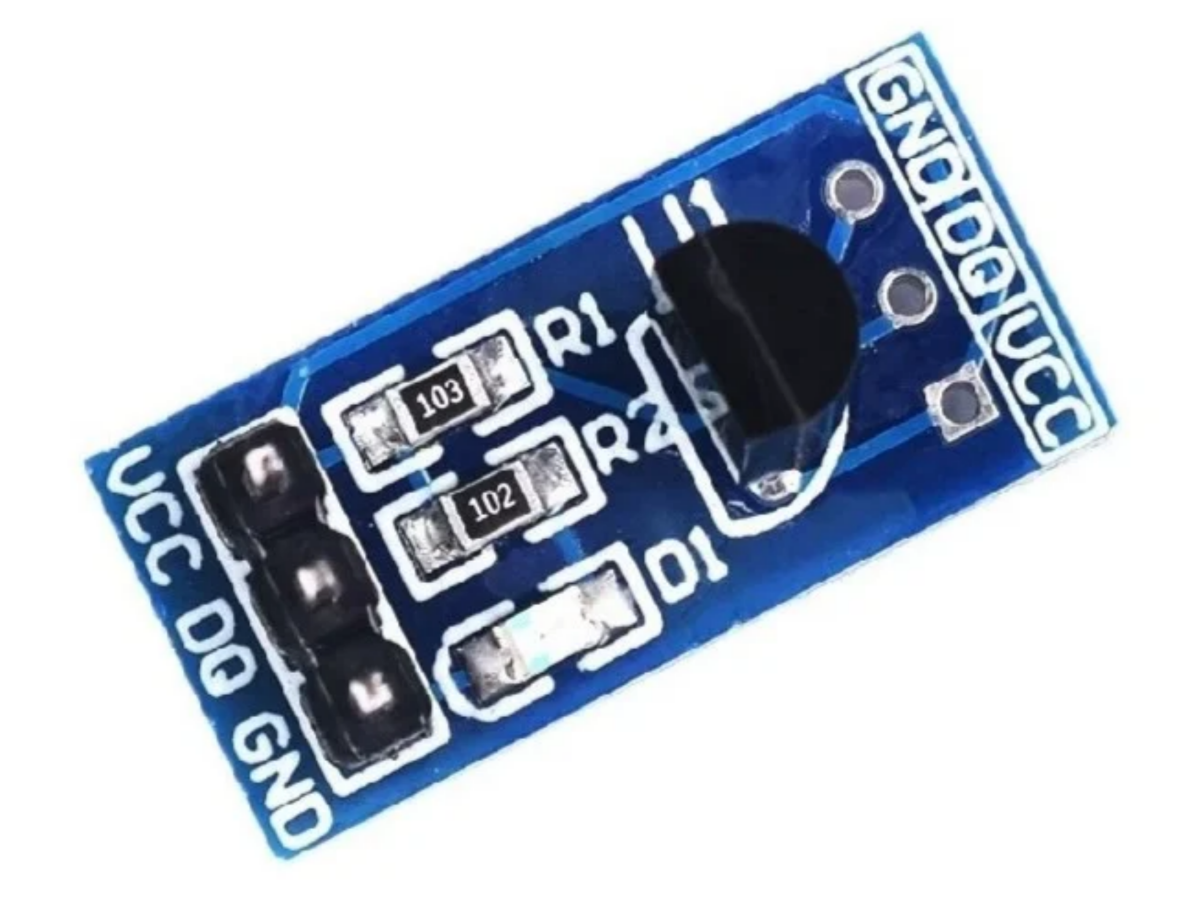
Does your Arduino project need to measure temperature? If you need a reliable temperature sensor, the DS18B20 is a great choice. It’s simple to operate and cost-effective.
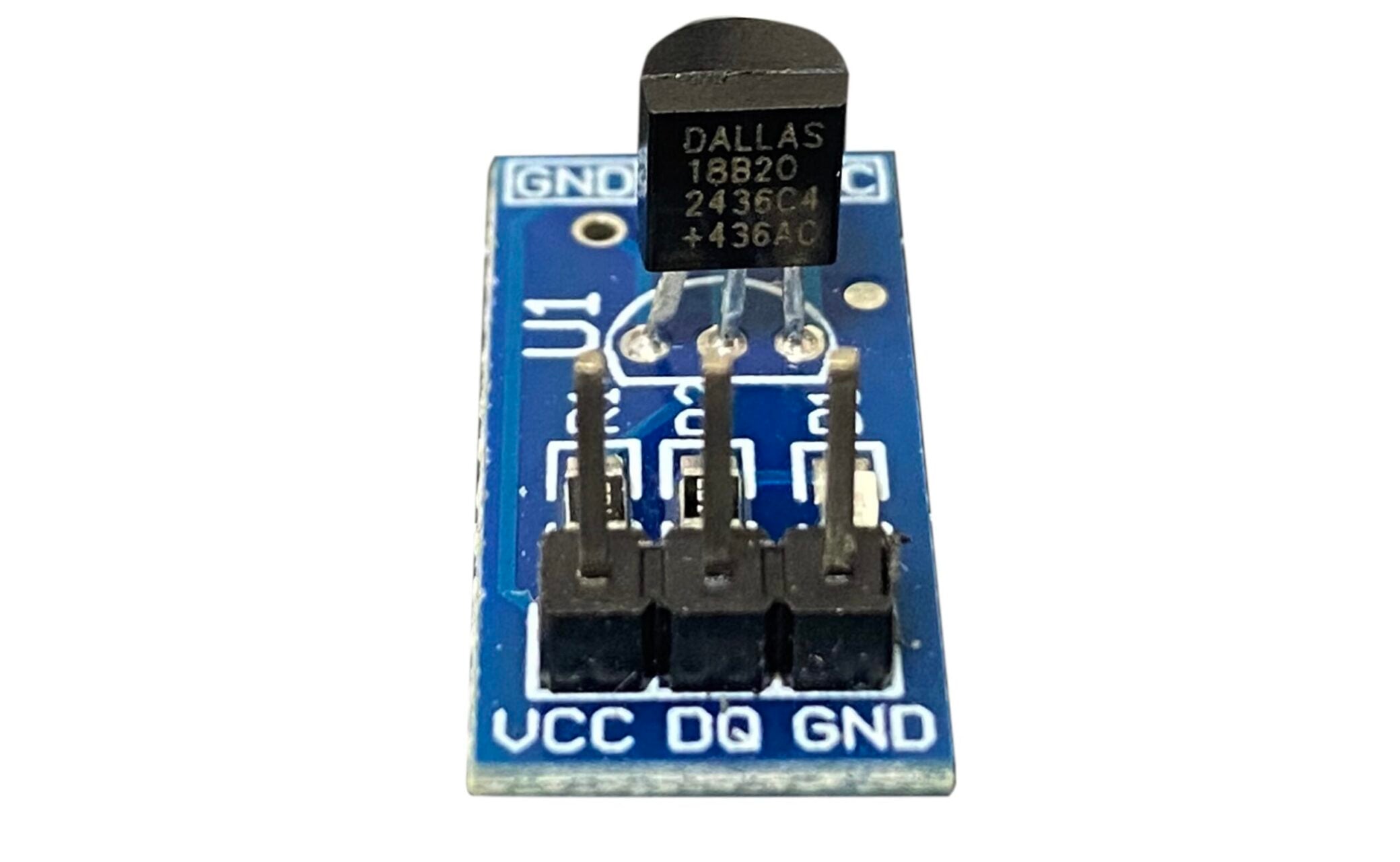
This article will deeply introduce the DS18B20 temperature measurement module, including its working principle, pin functions, temperature reading and so on. After reading this article, you will understand how to use the DS18B20 temperature measurement module to measure temperature.
What is the DS18B20 Sensor?
DS18B20 is a digital temperature sensor widely used for temperature measurement. It communicates with the microcontroller through 1-Wire interface and provides temperature readings. This sensor features a small size, low hardware cost, strong anti-interference ability and high accuracy. The DS18B20 can be deployed to achieve multi-point temperature measurement.It has an adjustable temperature resolution of 9 to 12 bits
Working Principle
The DS18B20 uses its internal temperature sensor to measure temperature. Through its 64-bit ROM, high-speed register and memory, the measured temperature value can be converted into a digital signal.
The EEPROM stores the temperature alarm threshold and resolution settings. Even if the system is powered off, these settings will be retained.

1-Wire Temperature Sensor
The DS18B20 adopts the 1-Wire protocol, which means it only uses one data line for data transmission.
The 1-Wire system uses the 1-Wire master to control one or more slave devices. Each DS18B20 has a 64-bit serial number , and the value of serial number is stored in the internal ROM. The first 8 bits are the product type code (DS18B20 is 28H), the next 48 bits are the unique serial number for each device, and the last 8 bits are the CRC check code.

Since each DS18B20 has a unique serial number, it can connect multiple DS18B20 to the same bus without any address conflicts. The temperature value of the corresponding DS18B20 can be read by searching through the ROM.
Power Supply Mode
The DS18B20 can be powered by an external power supply through the VCC pin, or it can operate in the “Parasitic Power Supply” mode. This mode enables the DS18B20 to continue functioning without local peripheral power supply. The parasitic power supply is particularly useful for remote temperature measurement or applications with limited space.
Parasitic Power Mode

The advantage of the parasitic power mode is that there is no need for a MOSFET pull-up. In this mode, VCC must be grounded. This mode is suitable for long-distance temperature measurement and does not require a local power supply. It can read the ROM without a conventional power source.
It isn’t recommended to use a parasitic power supply when the temperature is above +100℃, as the leakage current of the DS18B20 will be very high at this temperature,which may make it difficult for the chip to maintain communication. For the applications of extreme temperatures, it is recommended to supply power to the DS18B20 using an external power .
External Power Supply Mode

The external power supply mode is the most suitable working mode for the DS18B20. It is stable and reliable, has strong anti-interference ability and a relatively simple circuit . Thus a stable and reliable monitoring system of multi-point temperature can be developed. This article mainly adopts the external power supply mode.
Internal Structure
The DS18B20 is mainly composed of 64-bit ROM, high-speed registers and memory.

Pin Functions and Wiring Methods
Pin Functions
| PIN | FUNCTION |
|---|---|
| VCC | In external power supply mode, it connect to the power source. In parasitic power supply mode, ground. |
| DQ | Data Input/Output. Open-drain 1-Wire interface pin. Also provides power to the device when used in parasite power mode. |
| GND | Ground |
Wiring Methods(External Power Supply Mode)

Note: A pull-up resistor must be connected to the DQ pin.
Parameters
| Parameter | Value |
|---|---|
| Temperature Measurement Range | -55°C to +125°C |
| Accuracy | ±0.5°C (-10°C to 85°C) ±2°C (-55°C to +125°C) |
| Working Voltage | 3V to 5.5V |
| Current Consumption | 1mA |
| Resolution | 9 to 12 bit (selectable) |
| Conversion Time | < 750ms |
| Size Dimension | 21mm × 10mm |
Temperature Reading and Calculation
- The DS18B20 stores temperature data in the form of 16-bit two’s complement. The returned 16-bit binary number represents the current temperature value being detected, with the top five bits indicating the sign.
- If the top five bits are all one, it indicates that the returned temperature value is negative. If the top five bits are all zero, it means the returned temperature value is positive.
- The last 11 digits represent the absolute value of the temperature.
- The remaining 11 bits are the temperature data bits. For a 12-bit resolution, all bits are valid. For a 11-bit resolution, bit 0 is undefined. For a 10-bit resolution, bits 0 and 1 are undefined. For a 9-bit resolution, bits 0, 1, and 2 are undefined.
- When the DS18B20 is powered on, the default resolution is 12 bits. Generally, it isn’t modified because higher resolution results in greater accuracy. The temperature resolution corresponding to 9 bits, 10 bits, 11 bits, and 12 bits is 0.5℃, 0.25℃, 0.125℃, and 0.0625℃ respectively.

Calculate:
- When the five symbol bits S = 0, the temperature is positive. Simply convert the following 11 binary digits to decimal, then multiply by 0.0625 (12-bit resolution) and you can obtain the temperature value.
- When the five symbol bits S = 1, the temperature is negative. First, convert the following 11-bit binary two’s complement codes to original codes (the sign bit remains unchanged, and the numerical bits are inverted and then incremented by 1), then calculate the decimal value. Finally, multiply by 0.0625 (12-bit resolution), and you can obtain the temperature value.

Examples:
· Current value: Digital output of +125℃ is 07D0 (00000111 11010000).
Converted to decimal is 2000, corresponding to Celsius: 0.0625 x 2000 = 125°C
· Negative value: The digital output of -55℃ is FC90 (11111100 10010000).
First, invert it, then add 1, and convert to the original code: 11111011 01101111
The value in the numeric position converted to decimal is 870, corresponding to Celsius: -0.0625 x 870 = -55°C
Characteristic
- No need for external components.
Power-off protection function: The DS18B20 contains an EEPROM. By configuring the registers, the digital conversion accuracy and alarm temperature can be set. After the system loses power, it can still retain the set values of resolution and alarm temperature.
Wide voltage supply. It can also be powered by a data cable. The power supply range is from 3.0V to 5.5V.
A unique serial number is burned onto the internal ROM of each device.
The temperature measurement range is wide.
The acquisition accuracy of internal temperature can be customized from 9 bits to 12 bits.
DS18B20 VS DS18S20
| Feature | DS18B20 | DS18S20 |
|---|---|---|
| Resolution | 9 to 12 bit (selectable) | 12 bit |
| EEPROM Memory | Has internal EEPROM for device ID and user-configured register values | No internal EEPROM |
| Conversion Time | Adjustable based on resolution | 750ms |
| Application | Flexible resolution, faster conversion, higher precision (new designs) | Compatibility with old equipment |
DS18B20 Temperature Measurement Module Temperature Sensor

Here we introduce the DS18B20 temperature measurement module, which is a temperature sensor. It is equipped with a DS18B20 chip and has a 3P round socket for easy insertion and removal of the DS18B20 chip. All of the chip’s pins are exposed, and an internal pull-up resistor is included. Additionally, a built-in power indicator light is added, making it more convenient to use.
Application of DS18B20 Temperature Sensor Module on Arduino
Wiring Diagram

Connect the VCC to the 5V pin of the Arduino, and the GND to the GND pin of the Arduino.
Since the DS18B20 temperature sensor module already has an internal pull-up resistor, there is no need to add an external pull-up resistor. The DQ pin is directly connected to Pin 2 of the Arduino.
Sample Code
First, install the required libraries. Here, we use the DallasTemperature library. This library needs to be used in conjunction with the onewire library, so the onewire library also needs to be downloaded.
					#include <OneWire.h>
#include <DallasTemperature.h>

//Data wire is plugged into digital pin 2 on the Arduino
#define ONE_WIRE_BUS 2

//Setup a oneWire instance to communicate with any OneWire device
OneWire oneWire(ONE_WIRE_BUS);

//Pass oneWire reference to DallasTemperature library
DallasTemperature sensors(&oneWire);

void setup(void) {
    Serial.begin(9600);
    sensors.begin();
}

void loop(void) {
//Send the command to get temperatures
    sensors.requestTemperatures();

//print the temperature in Celsius
    Serial.print("Temperature: ");
    Serial.print(sensors.getTempCByIndex(0));
    Serial.print("°C | ");

    //print the temperature in Fahrenheit
    Serial.print((sensors.getTempCByIndex(0) * 9.0) / 5.0 + 32.0);
    Serial.println("°F");

    delay(500);
}
Experimental effect
The current temperature display can be seen by opening the serial port monitor.


Announcements
- When programming the DS18B20 for reading and writing, it is essential to strictly ensure the reading and writing sequence.Otherwise, the temperature measurement results cannot be read.
- The bus cable connected to the DS18B20 temperature sensor has a length limit. When designing a long-distance temperature measurement system using the DS18B20, it is necessary to fully consider the distribution capacitance and impedance matching of the bus.
- The number of sensors in the parallel connection cannot be over 8; otherwise, brownout will happen and the signal transmission will turn to be unstable. As a result, the multi-point temperature measurement will fail.
Application Scenarios
The DS18B20 offers a simple and effective way to measure temperature, and its digital output feature makes it very popular in various applications. Whether in constant temperature control, industrial systems or consumer electronics, the DS18B20 can provide reliable temperature measurement.
Purchase Link
FAQ
Which is better DS18B20 or DHT11?
The DS18B20 and DHT11 have their own advantages. The DHT11 can measure both temperature and humidity simultaneously, but its accuracy is generally not high. The DS18B20 focuses on temperature measurement , has higher accuracy and faster response, but it cannot measure humidity.
What is -127 degrees in DS18B20?
The temperature measurement range of the DS18B20 is -55℃ to +125℃. -127℃ is an undetected anomaly value returned by the sensor. If -127℃occurs, it might be due to the IO port being connected incorrectly or the positive and negative poles being reversed.
Do you need a resistor for DS18B20?
Required. Because the DS18B20 is a 1-Wire communication device, both the receiving and transmitting use the DQ pin. The DQ data port of the DS18B20 is a drain-open output (it can only output low level and high-impedance states), and does not have the ability to output high level. That is, when outputting 0, it is pulled to the low level through the MOS, while when outputting 1, it is in high-impedance state and requires an external pull-up resistor to pull it to the high level. Usually, a resistance value of 4.7KΩ or similar is chosen.
Where should the DS18B20 humidity sensor be placed?
We suggest installing it in a well-ventilated, light-proof location away from heat sources and air vents (1.2 to 1.5 meters above the ground indoors, in the canopy of greenhouse crops or in the middle of warehouse goods. It requires waterproof packaging for outdoor installation and ensures that it has full contact with the medium being measured).
What is the difference between TMP36 and DS18B20?
The TMP36 is an analog temperature sensor, whose output voltage has a linear relationship with temperature. However, it is susceptible to fluctuations in power supply voltage, amplifier errors, and ADC resolution limitations.
The DS18B20 is a digital temperature sensor, which incorporates a high-precision conversion circuit and signal processing unit. It can directly output a digitized temperature value with an accuracy of +0.5℃to -0.5℃. Additionally, the DS18B20 supports parasitic power supply mode and 1-Wire communication, reducing the impact of external interference on the measurement.