

Blog
How to Add Custom Sound & Music to Your DIY Greeting Cards and Gifts

Make Your Gift Even Better
Are you making a creative greeting card or another type of gift? Why not try making it produce sounds and play music? Whether it’s a greeting card, a birthday gift, a doll, or other toys, you can use a compact electronic music box module to make them “sing.” Learn how to make your own music box using an MP3 music box chip for clear audio or a simple digital music box circuit for classic charm.
MP3 Music Module/sound modules
Since we are going to use the MP3 music module, we can roughly understand the functions and principles of this module, as well as its diverse types and usage methods.
What is MP3 Music Module
MP3 music module is an electronic module that integrates an MP3 decoding chip / sound chips, a control circuit, and an audio output. It can read MP3 audio format files stored in storage devices such as chips, SD cards, and USB flash drives, decode them into original audio signals, and play them through a speaker. In simple terms, it can read the music you have stored and play it through a speaker. Additionally, it usually comes with other functions (such as switching music tracks, adjusting volume, etc.).
The Components of an MP3 Music Module
A typical MP3 module usually includes the following key components:
1. Main control decoding chip: The core of the module, responsible for reading audio files from storage devices and decoding them. Common chips include: JQ6500, WT5001, DFPlayer Mini (designed specifically for Arduino), VS1053/VS1003 (higher quality, supporting recording and multiple formats), etc.
2. Storage interfaces: Used to connect external storage devices.
– TF card (Micro SD card) slot: The most common method.
– USB flash drive interface: Some modules support direct USB flash drive connection.
– SPI Flash: A few modules use onboard SPI flash memory to store audio.
– Some MP3 music modules use microcontrollers as storage chips, which can generally transfer music files by connecting to a computer.
3. Audio output interfaces:
– 3.5mm headphone jack: Can directly connect to headphones or active speakers.
– Audio power amplifier output: The module integrates a small power amplifier chip, which can directly drive low-power (e.g., 3W) speakers.
– DAC output: Provides pure unamplified audio signals, requiring an external power amplifier to drive speakers, with better sound quality.
4. Control interfaces:
– UART (Universal Asynchronous Receiver/Transmitter): The most mainstream control method. Controls such as play, pause, and track selection are performed by sending simple commands (e.g., 0x7E 0x02 0x00 0x01 0xEF).
– GPIO/ADKEY: Basic controls (such as play/pause, next track) can be performed through ordinary IO ports or analog buttons.
– SPI/I2C: Some high-end modules (such as VS1053) use these interfaces for more complex control and data transmission.
5. Power supply circuit: Provides stable power supply for the entire module, usually requiring 3.3V or 5V.
The Working Principle and Process of an MP3 Music Module
The working process of an MP3 music module can be roughly divided into the following steps:
1. Music storage: Users store MP3 or other supported audio files into recorder module (storage systems) (such as microcontrollers, USB flash drives, TF cards, etc.) in accordance with the designed naming rules.
2. Power-on initialization: After the module is powered on, the main control IC will initialize the circuit to ensure that the circuit starts normally.
3. Receiving instructions: After receiving the voltage signal sent by the sensor or button, the main controller sends control instructions to the MP3 module through the serial port, such as sending a command to start playing.
4. Reading and decoding: After receiving the instruction, the MP3 module will read the corresponding audio data from the storage device, and then restore it to a PCM digital audio stream through the decoding chip.
5. Digital-to-analog conversion: The decoded digital audio signal is converted into an analog voltage through an internal chip.
6. Amplification and output: The voltage value of the analog voltage is relatively small, and it is usually amplified by the internally integrated power amplifier chip before driving the speaker to produce sound.
Application Fields of MP3 Music Modules
Different MP3 Music Modules are suitable for different scenarios, so you can choose the appropriate type.

Recommended MP3 music modules for making greeting cards, music boxes, DIY greeting cards, birthday gift boxes, etc.
For making these products, compact size and cost-effectiveness are key factors. The following models are all relatively small, allowing them to be well embedded in gifts. Meanwhile, they are low-priced, so it is highly cost-effective to make multiple units or purchase them in large quantities.
JR1650 MP3 Music Module

This module also serves as a valuable component for those exploring how to make custom music box or looking to build your own music box. What makes it even more versatile is its integration of the functionality of a recordable sound chip, allowing users to input personalized audio content—whether it’s a heartfelt message, a favorite melody, or a unique sound effect—adding a distinct touch to their DIY music box or greeting card projects.
Function Description of the Five Versions
| Control Type | Description |
|---|---|
| Button Version | Press the button once to play a sound. Can be set to loop or not loop freely. |
| Light Control Version | Plays when there is light, stops when there is no light. Can be set to loop or not loop freely. |
| Greeting Card Version | Plays when the card is opened, stops when the card is closed. Can be set to loop or not loop freely. |
| Magnetic Control Version | Plays when the magnet is moved away, stops when the magnet is close. Can be set to loop or not loop. |
| Vibration Version | Installed on any object, plays once when vibration is detected. |
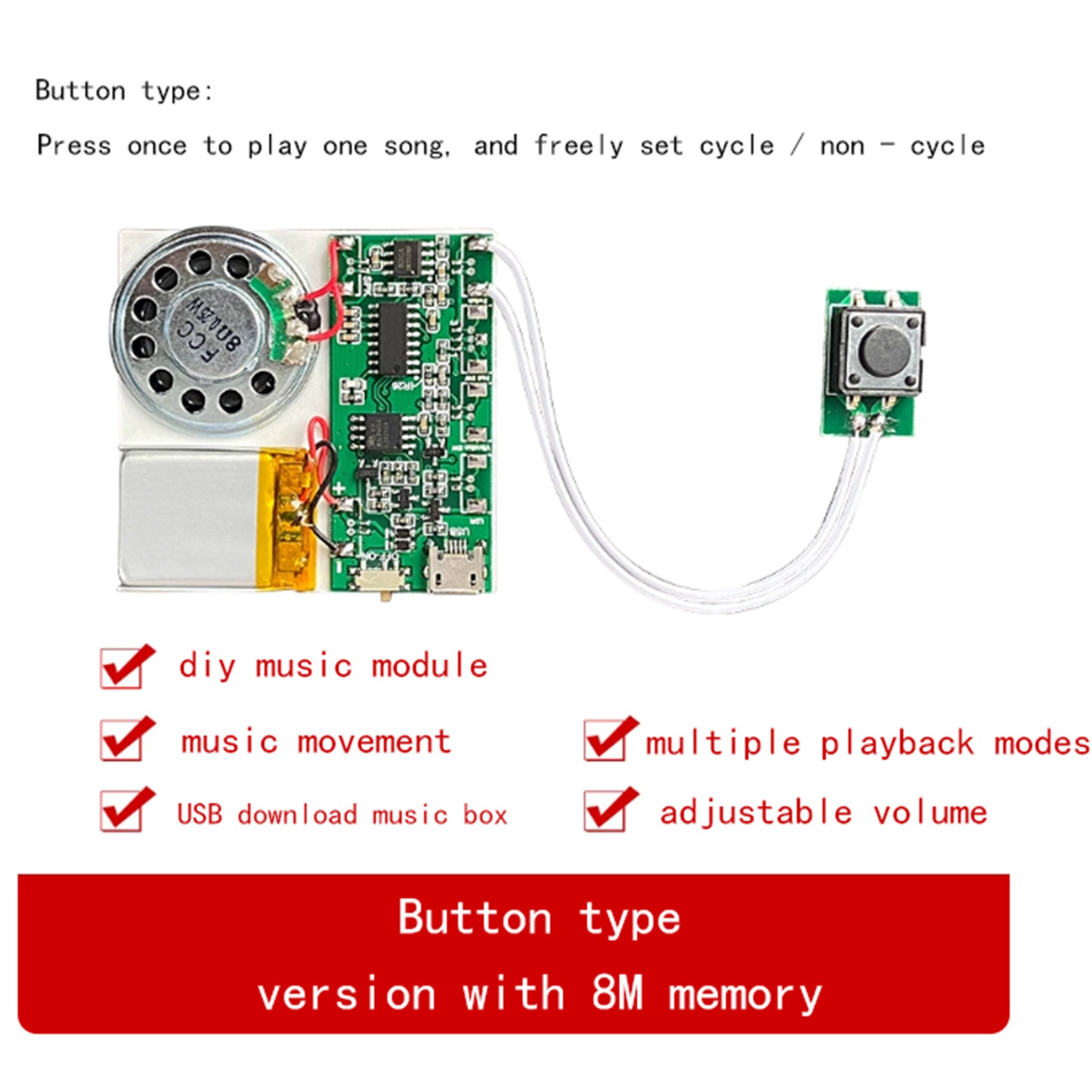

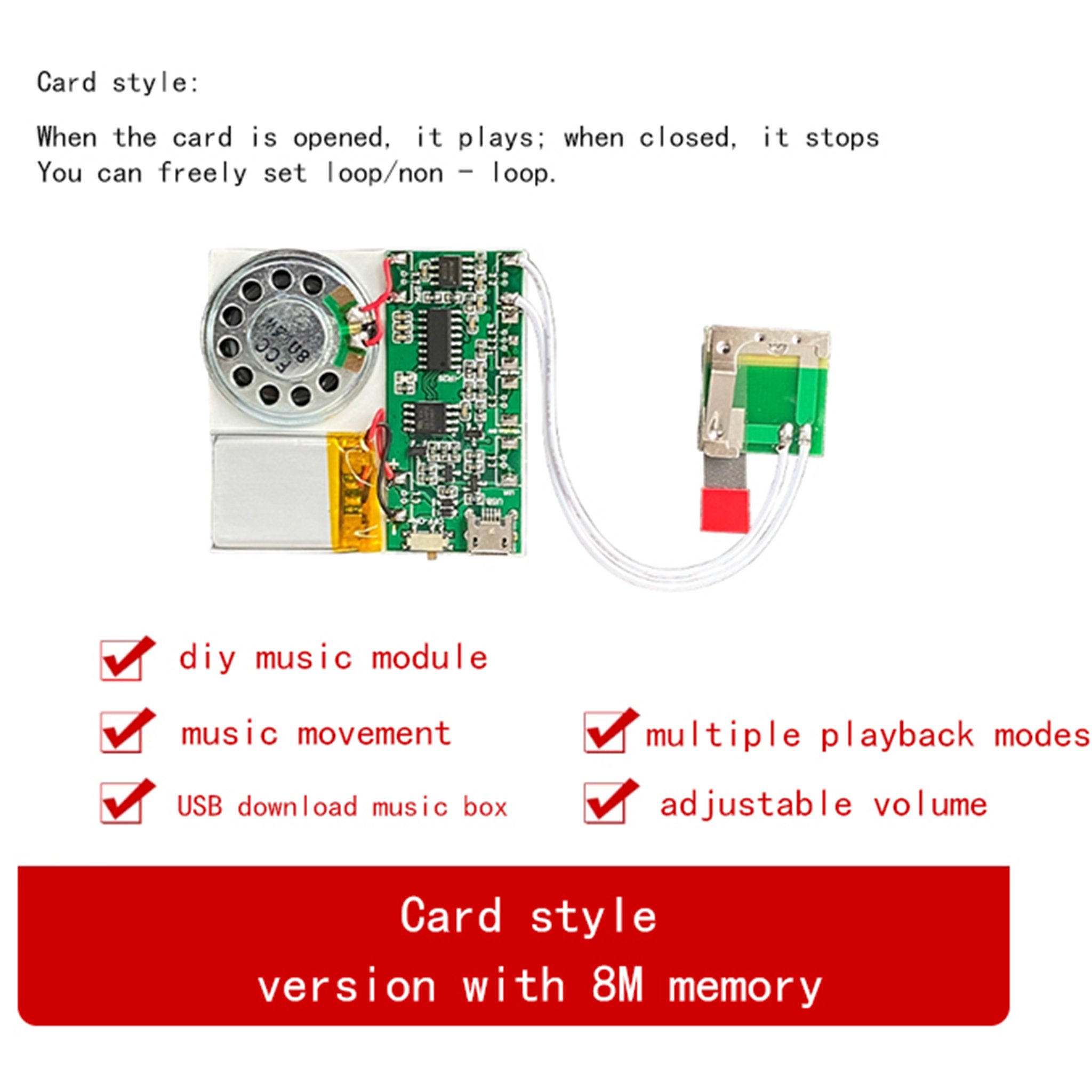
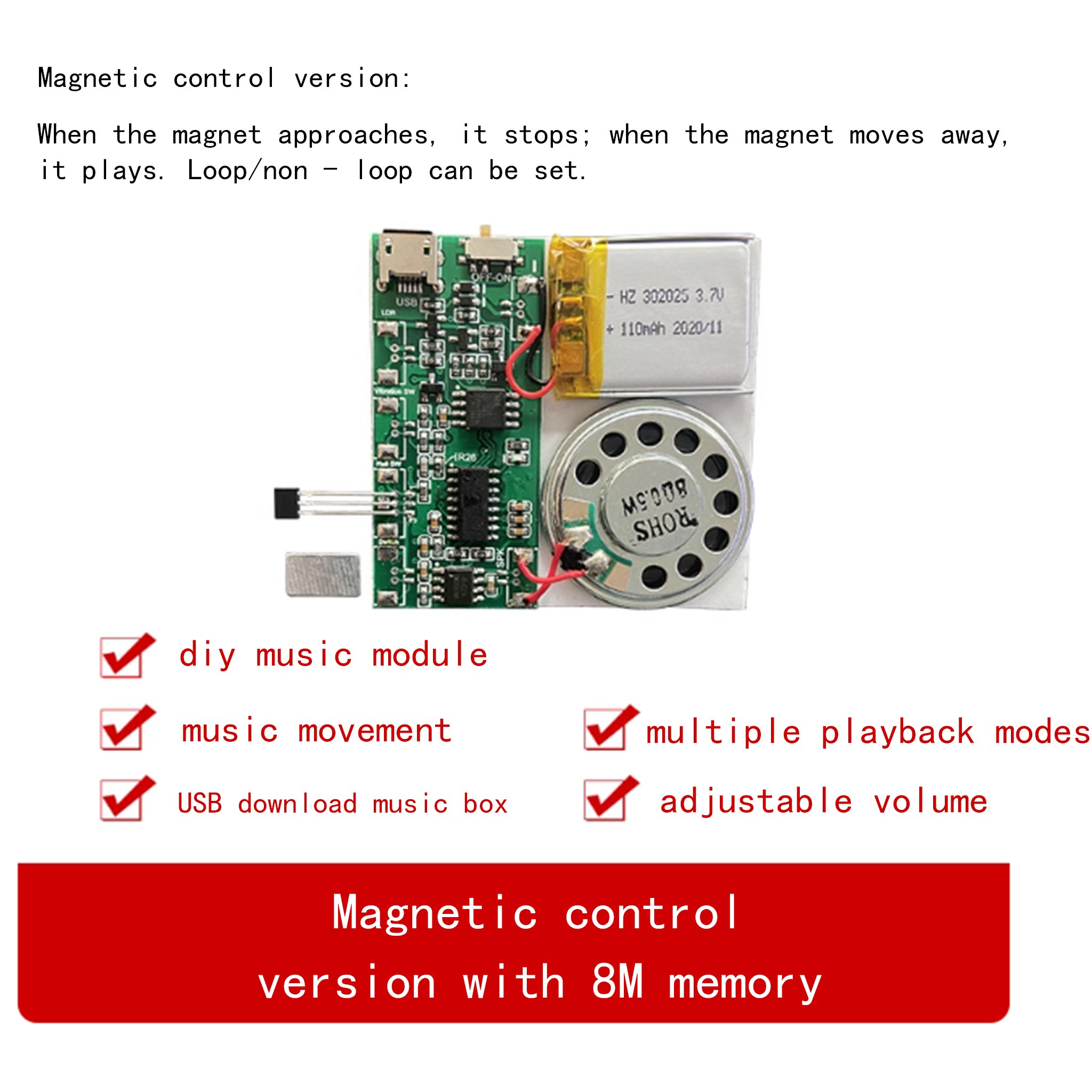
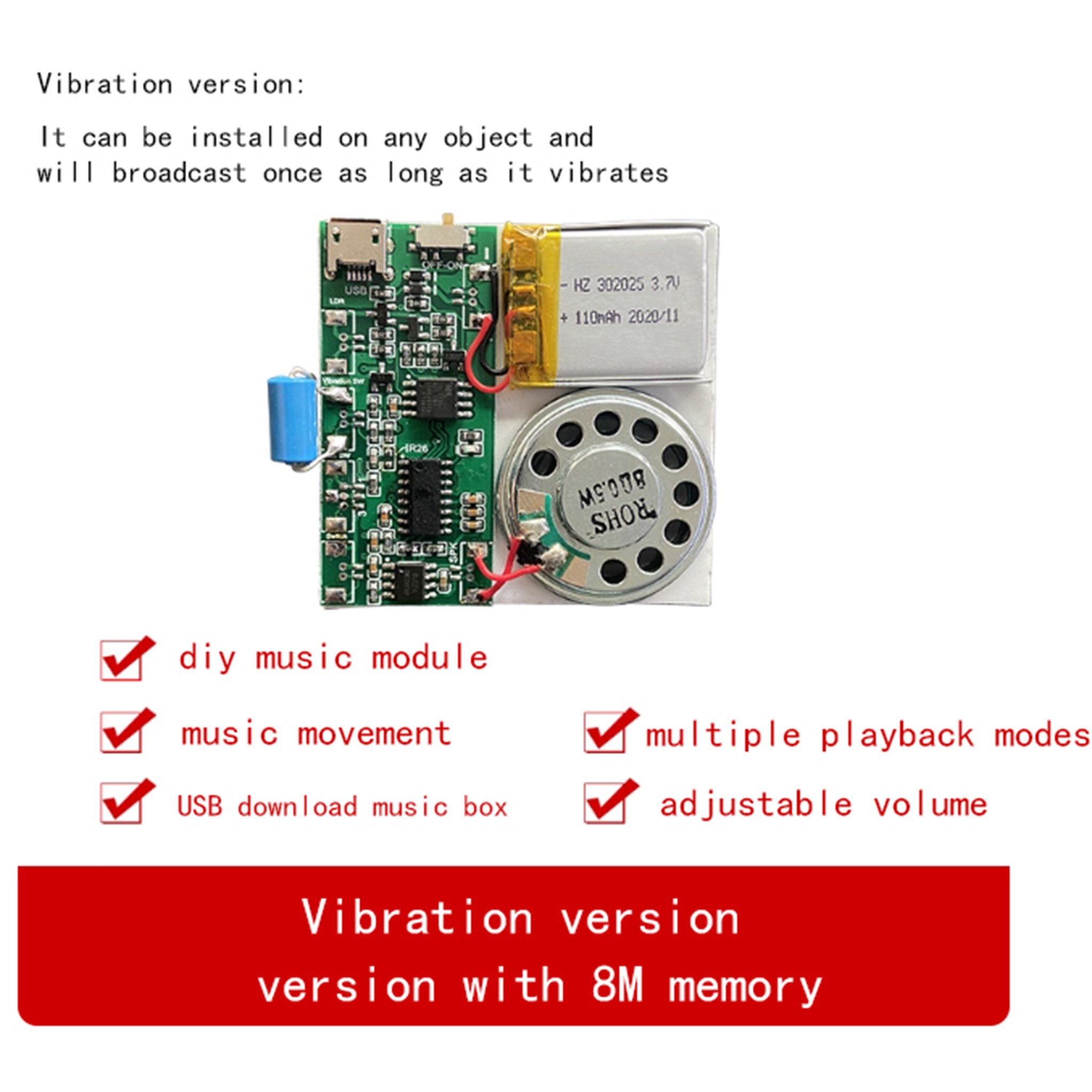

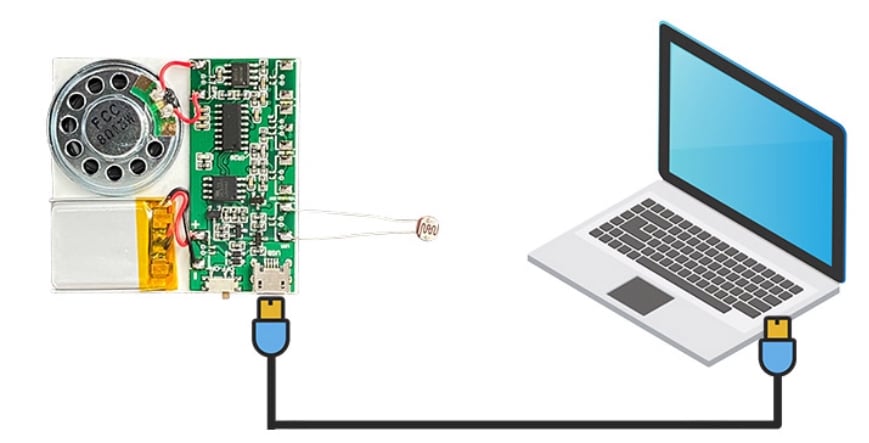
Update Audio Files via USB
Connect to a Computer Using a Universal Android USB Data Cable, the “USB Drive” Will Pop Up. Delete the Old Audio Files and Copy the New Audio Files.
User Manual for MP3 Music Modules of Various Versions
keyboard sound module type:

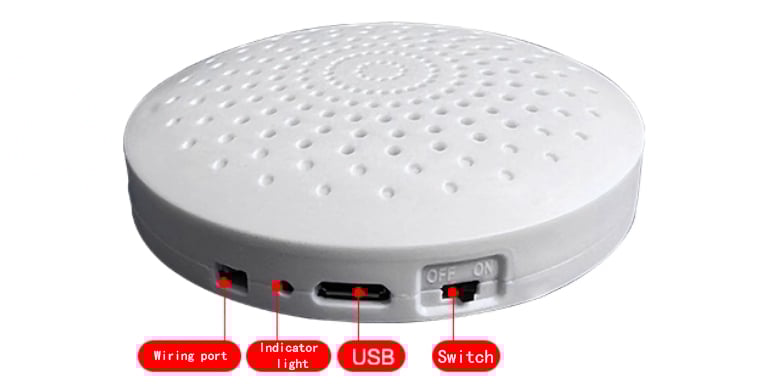
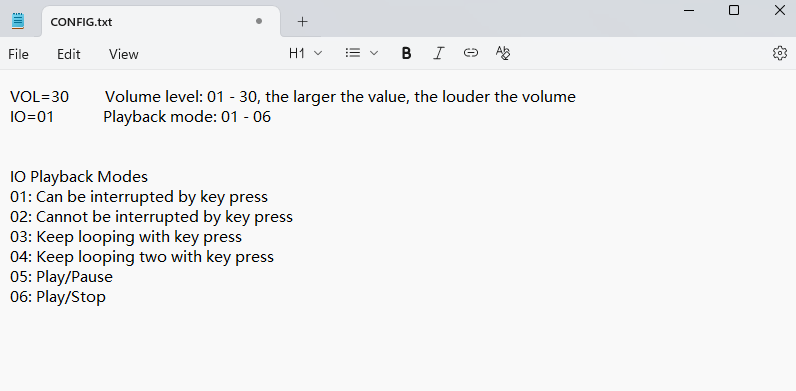
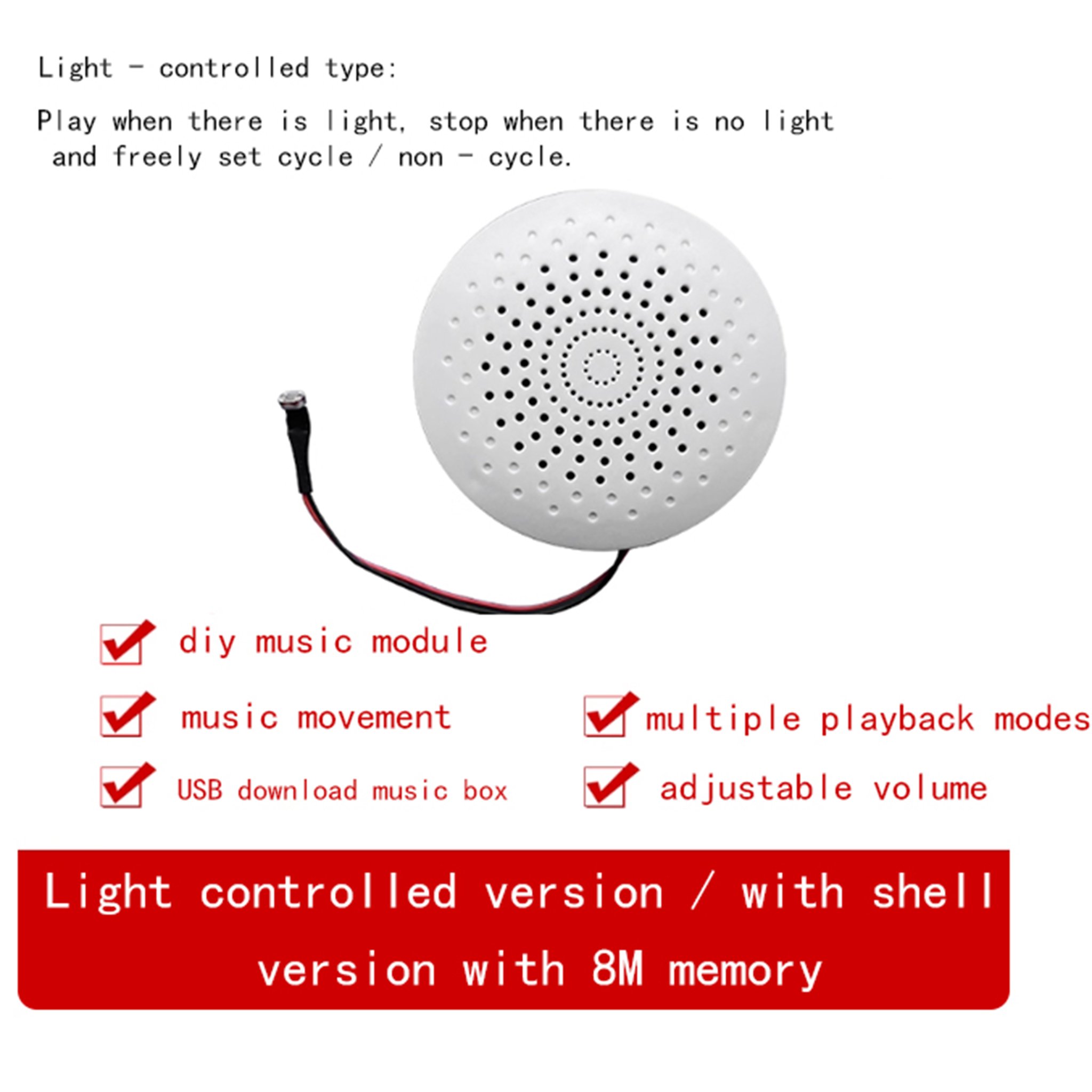
Light - controlled type:
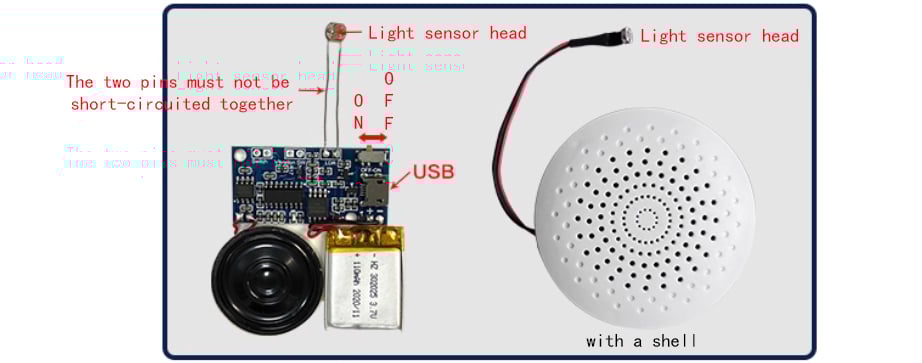
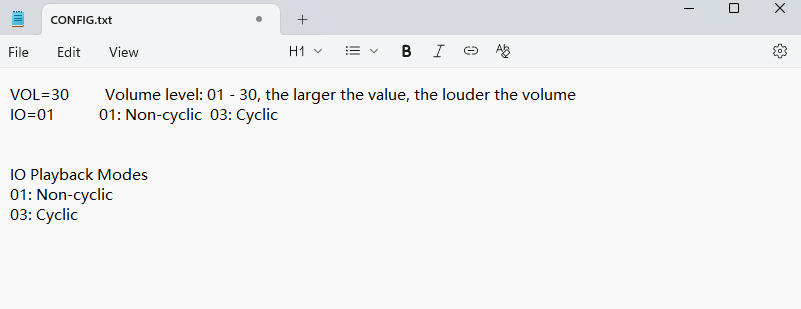
Function: Voice can be downloaded via USB. lt plays when there is light and stops when there is no light. The playback mode and volume can be set through the “CONFlG. TXT” file in the memory.
Card type:
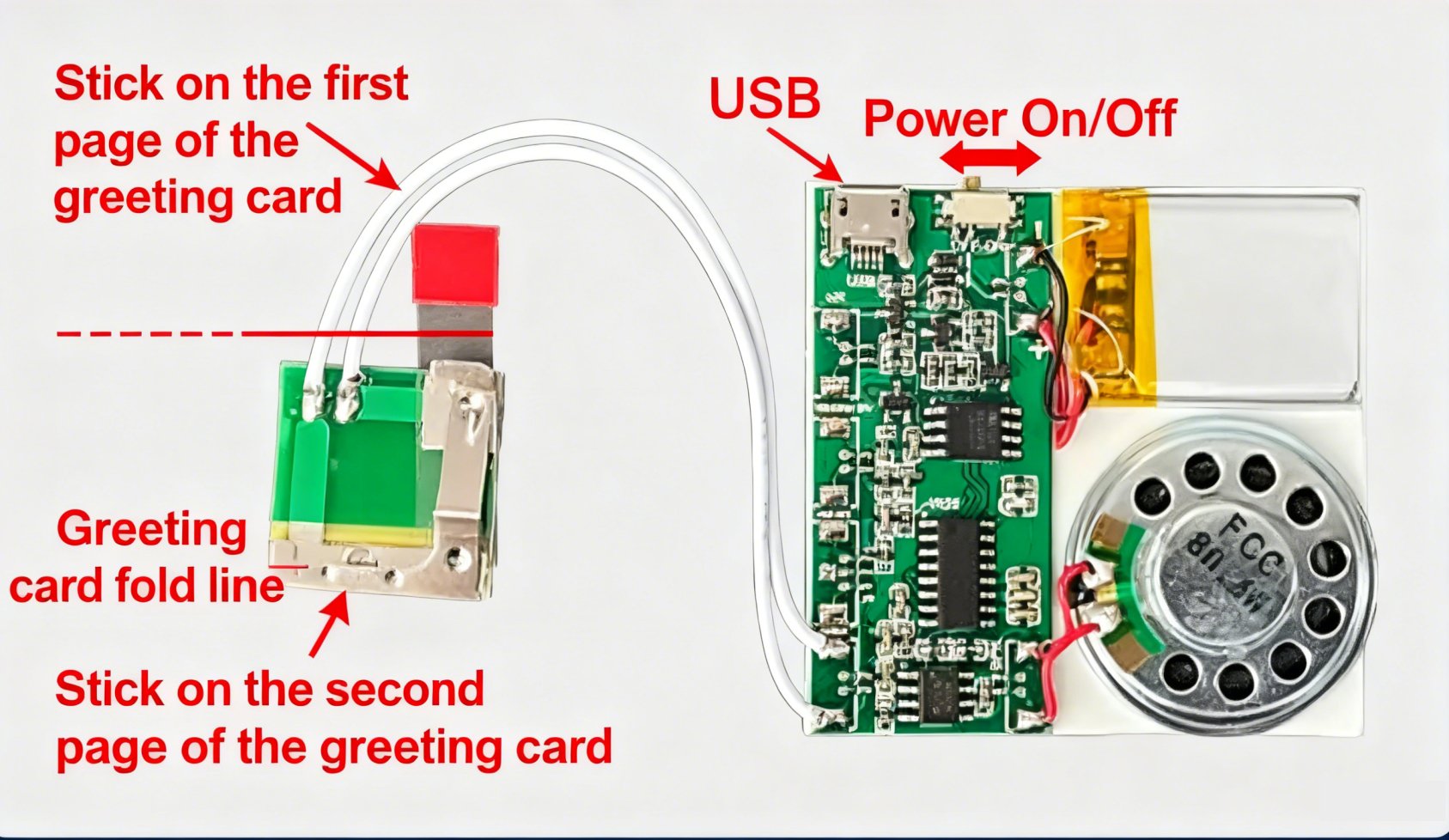
The main board of the greeting card version MP3 music module can be installed at any position. The sensor part needs to be installed on the fold line, and the iron ring should be attached to the position on the axis of the fold line—this way, the music will play when the greeting card is opened.

Magnetic control type:
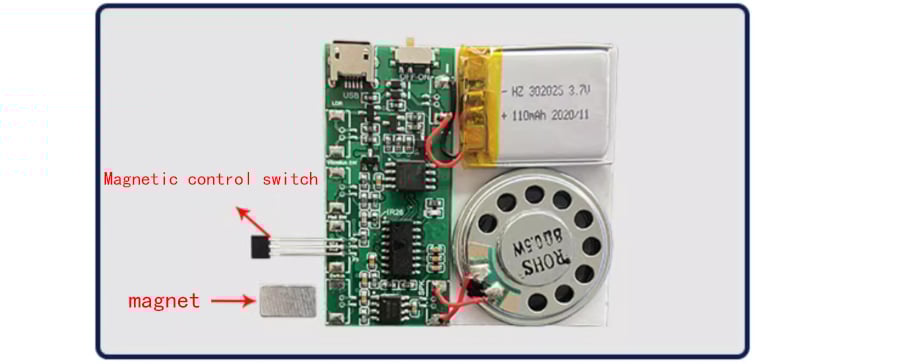
Magnetic control version:When the magnet is closse, it stops when the magnet moves away, it plays. It can be set to loop / not loop
Function:USB can download/update voice. When tthe magnet is close to the magnetic control switch, it stops;when the magneet moves away, it plays. The playback mode and volume can be set through the”CONFIG.TXT” file in the memory
Vibration type:
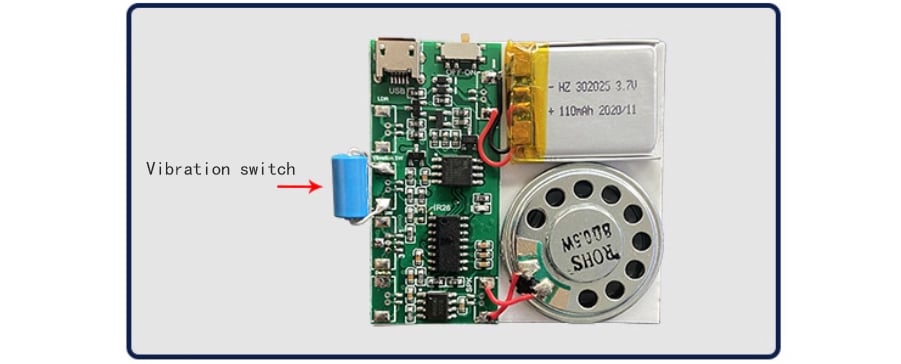
Vibration version: Installed on any object, it broadcasts once as long as there is vibration
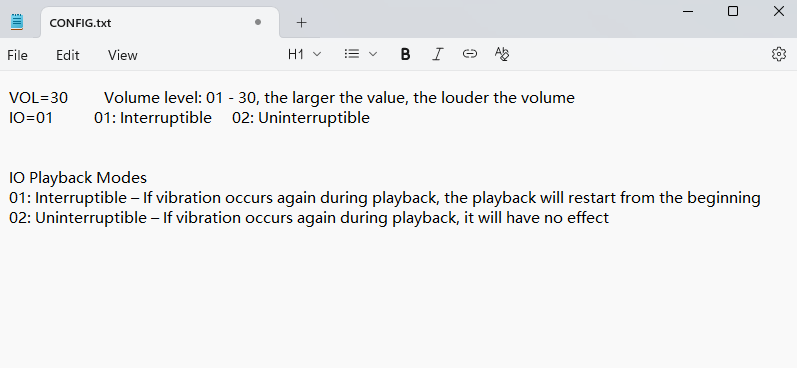
Function: USB can download/update voice. Installeed on any object, it broadcasts the corresponding voice when vibrationis detected.The playback mode and volume can be set through the “CONFIG. TXT” file in the memory.
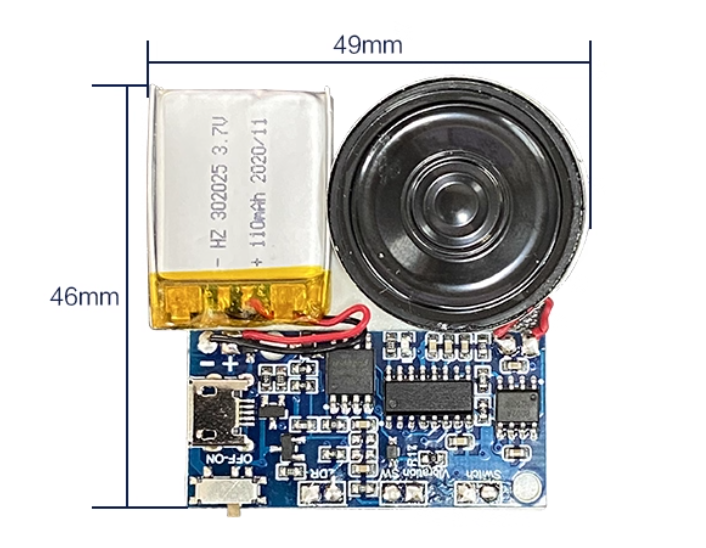
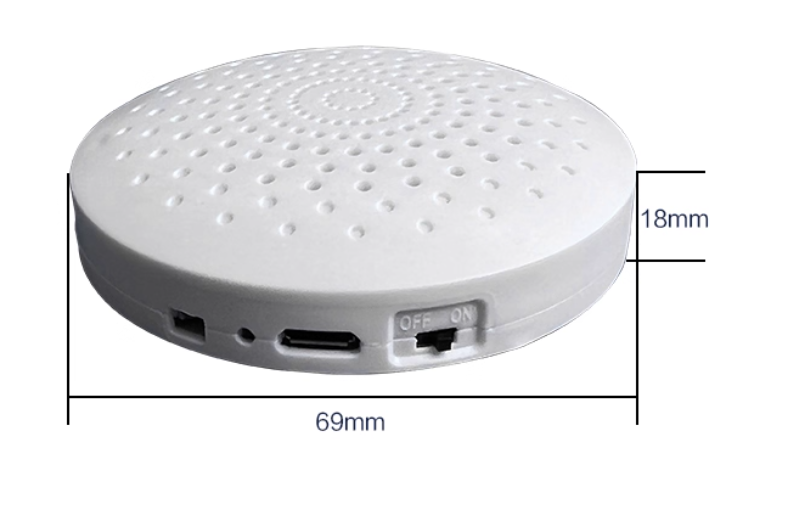
MP3 Music module size
All models only differ in their sensors; the other dimensions are consistent.
MP3 Music Module Demonstration Video
FAQ
How to make a custom music box
Take the MP3 music module with a shell and place it inside your music box. You only need to slightly cover it or make a suitable outer case, and then you will have an electronic music box that plays music when you open the music box, toggle the magnetic needle, or press the button.