

Blog
PN5180 Explained: The Ultimate NFC Module with Full Protocol Compatibility

Ever wondered how unlocking devices by swiping your phone, reading/writing data with NFC cards, or transferring small files via a smart bracelet works? The principle is actually simple—let’s take you into the world of NFC step by step. The PN5180 NFC module is an “all-round near-field communication (NFC) tool”: it not only recognizes common NFC cards but also supports high-speed data transmission and multi-protocol compatibility. It is a core component for DIY smart access control, wireless data interaction, and near-field configuration of IoT devices. Today, we will comprehensively analyze this “near-field communication all-rounder” from protocols and functions to practical applications.
What is PN5180? — More than just an NFC reader
The PN5180 NFC module is a powerful and versatile reader-writer, suitable for contactless payment, access control, smart card solutions, and more. Based on the PN5180 chip, it supports multiple NFC standards and can communicate with various NFC-enabled devices and cards. It features a robust and durable design with high sensitivity, making it ideal for embedded systems and IoT applications where reliable and fast communication is critical.
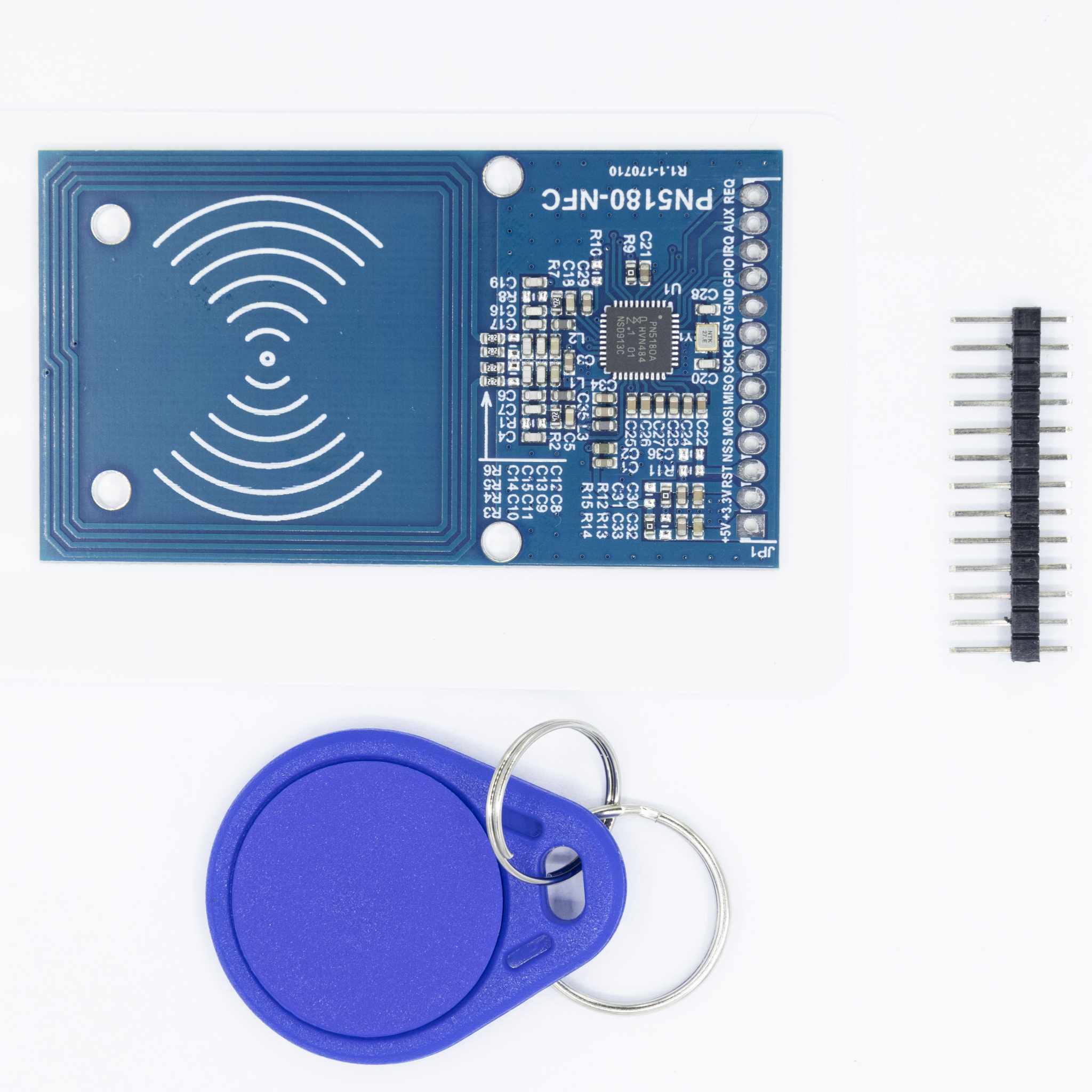
Key Features and Advantages of the PN5180
- Multi-protocol compatibility:Works with ISO/IEC 14443 Type A/Band FeliCa protocols.
- High sensitivity:Expands transmission range and improves performance for reliable data transfer.
- Low power consumption:Suitable for battery-powered devices and energy-efficient applications.
- Compact design:Easy to integrate into various electronic projects and devices.
- Flexible interface options: Offers SPI and I2Ccommunication interfaces for diverse connection choices.
Comparison of PN5180 and PN532
| Comparison Dimension | PN5180 | PN532 (Entry-Level Model) |
|---|---|---|
| Maximum Transmission Speed | 848 kbps | 424 kbps |
| Number of Supported Protocols | Covers full ISO 14443/15693/NFC protocols | Only supports basic ISO 14443 protocols |
| Card Emulation Mode | Supported (can emulate various NFC cards) | Supported only by some models |
| Operating Voltage Range | 2.7V–5.5V | 3.3V (poor compatibility) |
| Anti-interference Ability | Built-in RF filtering, stable in complex environments | Prone to electromagnetic interference |
PN5180 Operating Modes: Three Core Capabilities Covering All Scenarios
Through different operating modes, the PN5180 enables full-featured near-field communication for “reading, writing, and interaction”:
- Reader Mode: Read Data from NFC Cards/Phones
This is the most basic mode: the module acts as an “active reader” to identify and read data from nearby NFC cards (like access cards, transit cards) or phones with NFC enabled. Typical scenarios include:
- Smart access control:Read the ID of a user’s NFC card and unlock the door after verification.
- Data collection:Read device configuration information (likeparameters of industrial sensors) stored in NFC tags.
- Card Emulation Mode: Module Acts as an “NFC Card”
The module emulates an NFC card, which can be read by other NFC devices (like phones). Typical scenarios include:
- Device identification:The module emulates an NFC card with a unique ID; phones can identify the device by scanning it.
- Data feedback:The module stores sensor data (liketemperature and humidity) as card data, which can be retrieved by scanning with a phone.
- Peer-to-Peer Mode: Two-Way Communication Between Module and Phone/Other NFC Devices
The module establishes a connection with another NFC device (like a phone or another PN5180 module) for bidirectional data transmission. Typical scenarios include:
- Wireless configuration:Phones transmit device parameters (likeWiFi passwords) to the module via NFC.
- Small file transfer:The module sends collected log data to a phone (no Bluetooth/WiFi required).
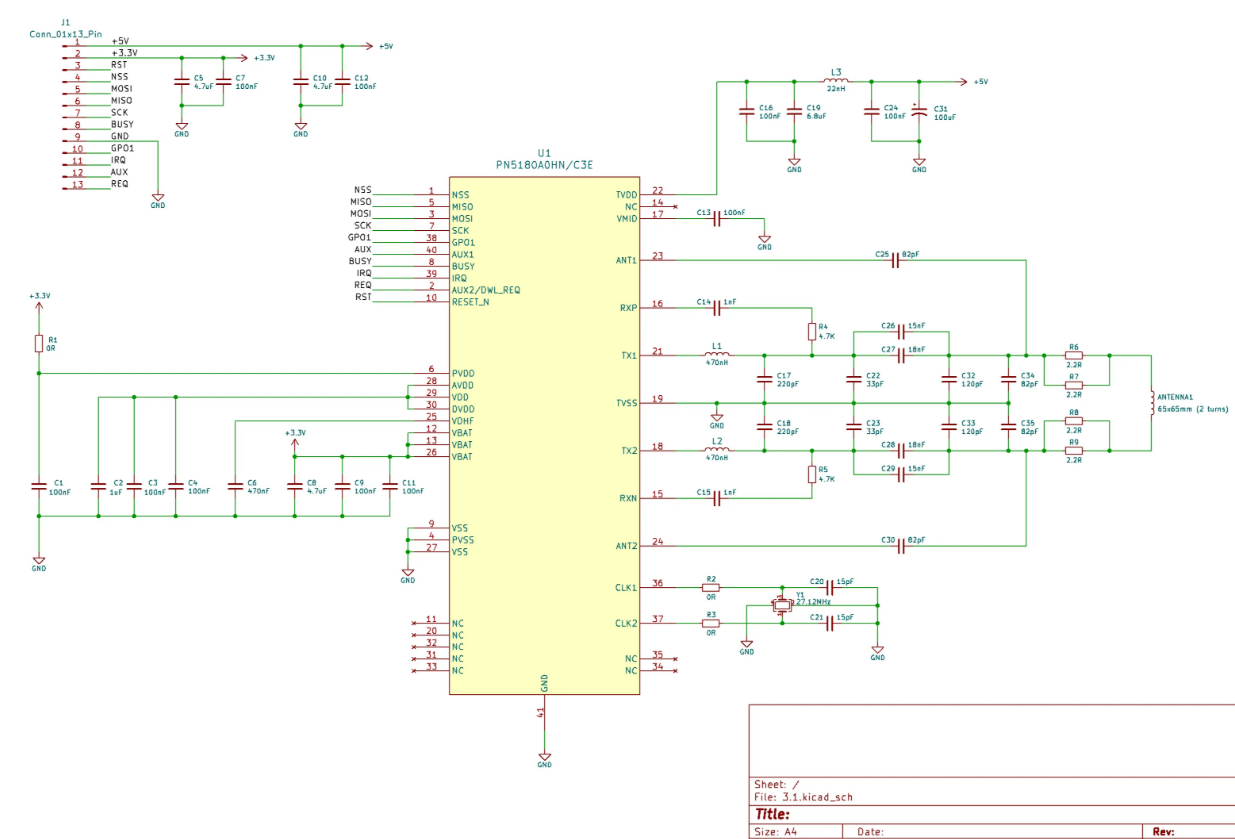
PN5180 Core Specifications: Hardware Foundation Supporting Advanced Features
| Parameter Dimension | Specific Specifications | Description |
|---|---|---|
| Operating Frequency | 13.56 MHz (NFC standard frequency) | Compatible with all NFC devices |
| Communication Distance | ≤ 5 cm (varies by card/device antenna size) | Safe distance for near-field communication |
| Supported Card Types | Mifare Classic, Mifare Ultralight, NTAG, ISO 15693 tags, etc. | Covers 99% of consumer-grade NFC cards |
| Interface Type | SPI (high-speed)/I2C/UART | SPI interface recommended (for high-speed data transmission) |
| Operating Voltage | 2.7V–5.5V | Compatible with battery power (3.7V lithium battery) and development board power |
| Sleep Current | ≤ 1 μA | Suitable for low-power portable devices |
PN5180 datasheet
Here we want to provide PN5180 datasheet for you reference:
Practical Application: Using Arduino + PN5180 to Implement “Mobile Phone Module Unlocking LED”
In this tutorial, we’ll guide you through building a mobile phone unlocking module with an LED using Arduino and the PN5180 sensor. Why not give it a try?
Taking the scenario of “combining reader mode and card emulation mode”, we will achieve “swipe phone on the module, verify ID, and light the LED”:
- Wiring steps (Arduino Uno + PN5180, SPI interface)
| PN5180 Pin | Arduino Pin | Description |
|---|---|---|
| VCC | 5V | Module power supply |
| GND | GND | Common ground |
| SCK | D13 | SPI clock line |
| MISO | D12 | SPI data input |
| MOSI | D11 | SPI data output |
| NSS | D10 | SPI chip select line |
| IRQ | D2 | Interrupt pin (triggered by card detection) |
| LED | D3 | LED to be controlled |
- Code Logic (Requires Installation of PN5180 Library)
Core workflow:
1.Initialize PN5180 in reader mode.
2.When an NFC card/phone is detected nearby, read its unique ID.
3.Verify if the ID matches the predefined “authorized ID”; if yes, light the LED.
Example code
					#include <SPI.h>
#include <PN5180.h>

// NSS pin = 10, IRQ pin = 2
PN5180 nfc(10, 2);
const int ledPin = 3;
// Predefined authorized ID (example of mobile phone NFC ID, replace with actual ID after reading)
uint8_t authorizedID[] = {0x12, 0x34, 0x56, 0x78};

void setup() {
  Serial.begin(9600);
  pinMode(ledPin, OUTPUT);
  digitalWrite(ledPin, LOW);

  // Initialize PN5180 module
  if (!nfc.begin()) {
    Serial.println("PN5180 initialization failed!");
    while (1);
  }
  Serial.println("PN5180 is ready, waiting for NFC device to approach...");
}

void loop() {
  uint8_t uid[4];
  uint8_t uidLen;
  // Detect and read NFC device ID
  if (nfc.readCardUID(uid, &uidLen)) {
    Serial.print("ID detected: ");
    for (int i=0; i<uidLen; i++) {
      Serial.print(uid[i], HEX);
      Serial.print(" ");
    }
    Serial.println();

    // Verify if the ID is authorized
    bool isAuthorized = true;
    for (int i=0; i<uidLen; i++) {
      if (uid[i] != authorizedID[i]) {
        isAuthorized = false;
        break;
      }
    }

    if (isAuthorized) {
      Serial.println("ID is authorized, turning on LED!");
      digitalWrite(ledPin, HIGH);
      delay(3000);
      digitalWrite(ledPin, LOW);
    } else {
      Serial.println("ID is not authorized");
    }
  }
  delay(100);
}
Advanced Application Scenarios for PN5180
Beyond basic “card swiping recognition”, the PN5180’s advanced capabilities enable more complex applications:
- NFC network configuration: When a smart device is first powered on, a phone transmits WiFi passwords to the module via NFC, allowing the device to connect to the network automatically.
- Electronic tag rewriting: Batch rewrite data onISO 15693 RFID tags (likelogistics information for warehouse goods).
- Medical device interaction: A patient’s NFC bracelet is brought close to the device, which automatically reads the patient’s information and configures device parameters.
- Anti-counterfeiting verification: The module reads the NFC tag on a product and verifies if the tag data was written by the original manufacturer to prevent counterfeits.
Summary: PN5180—The “Advanced Player Tool” for Near Field Communication
The PN5180 is not an “entry-level NFC module” but an ideal choice for “scenarios requiring complex near-field interaction”. With its multi-protocol compatibility, high-speed transmission, and two-way communication capabilities, it allows developers to implement advanced functions from “simple card swiping” to “wireless interaction between devices”. It is a “core near-field communication component” in the fields of IoT and smart hardware.
If you’re interested in it, come check it out!