

Blog
Measure the noise level using a microphone module and Arduino
Introduction
In daily life, we often need to know the noise intensity in the environment—for example, whether the office is too noisy, if nighttime noise in the bedroom disturbs sleep, or if there is noise exceeding the safe range in industrial scenarios. A microphone decibel meter can help in such cases, but commercially available professional devices are usually quite expensive.
In fact, with a common Arduino board and a microphone noise decibel measurement module, we can build a low-cost, highly practical noise measurement microphone by ourselves. This allows us to easily obtain the microphone db level in the environment. This article will guide you step by step through module connection, code writing, and practical testing—even beginners in electronics can get started easily.
Get to Know the Core Component: 3p/4p Microphone Decibel Sensor Module
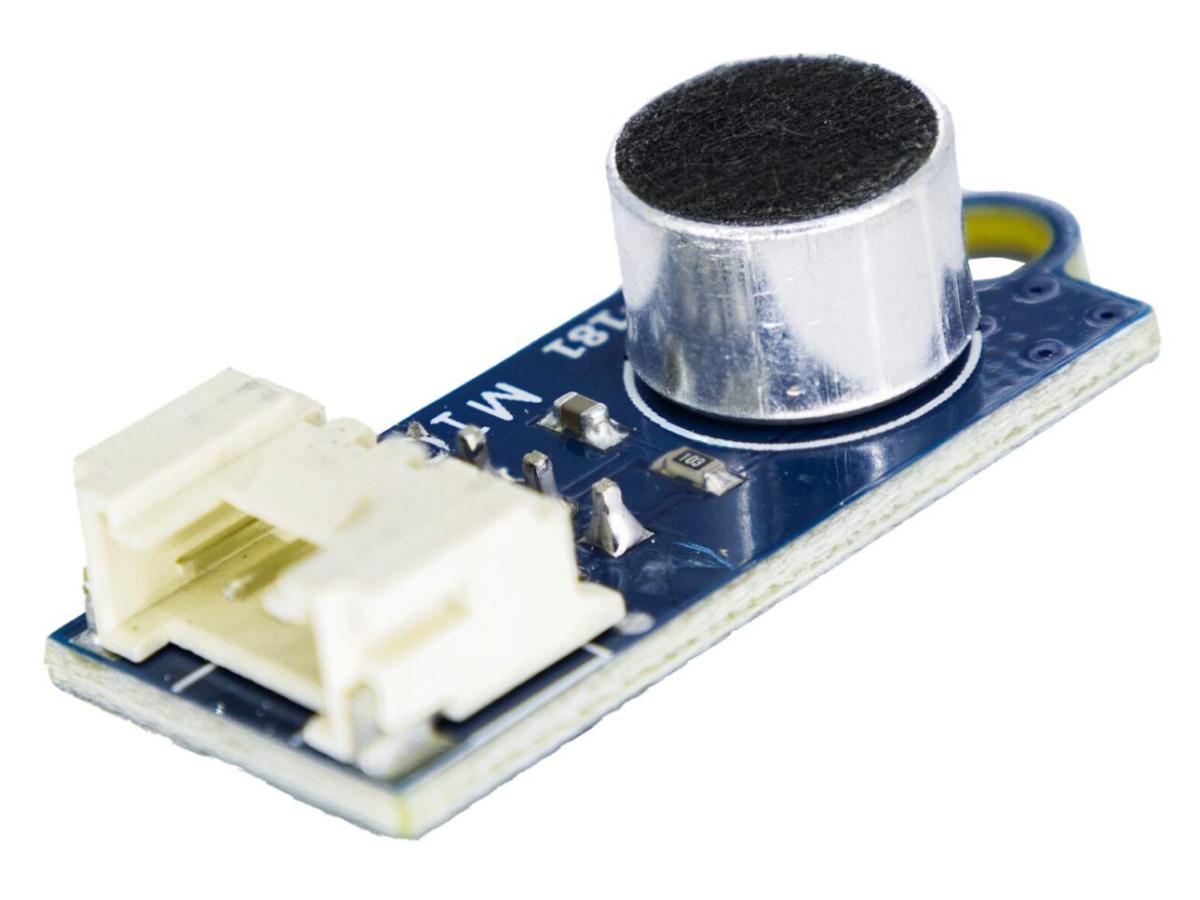
The core of this project is the Microphone Noise Decibel Sound Sensor Measurement Module 3p/4p, a microphone sensor designed specifically for Arduino and similar development boards. It features a small size, low power consumption, and stable sensitivity. Its specific parameters are as follows:
| PARAMETER | MIN | TYPICAL | MAX | UNIT |
|---|---|---|---|---|
| Operating Voltage | 4.5 | 5 | 5.5 | VDC |
| Analog Output Voltage (VCC=5V) | 0 | – | 5 | V |
| Operating Current | – | 260 | – | uA |
| Frequency Range | 100 | – | 10000 | Hz |
| Sensitivity | – | -50 | – | dB |
| Dimension | 33mm*14mm*1.6 | |||
The key advantages of this module are:
- It supports 3PIN or 4PIN interfaces and can be directly connected to the analog I/O port of Arduino, without the need for complex peripheral circuits.
- When the surroundingsound changes, the analog signal value output by the module changes simultaneously. By reading this value, we can reflect the microphone noise level.
- Based on its 50dB sensitivity, we first need to understand the microphone sensitivity db meaning: the 50dB here means the module can detect weak sound signals. The smaller the value (the larger the absolute value), the higher the sensitivity—making it suitable for daily environmental noise measurement.
Why to choose this 3p/4p module?
There are many types of Arduino-compatible microphone sensor modules on the market, such as the “analog single-output type (e.g., LM393 microphone module)”, “digital + analog dual-output type”, and “I2C communication type (e.g., MAX9814)”. We compare this 3p/4p module with the other two mainstream models across four core dimensions—interface compatibility, measurement accuracy, ease of use, and cost—to help you clearly see its advantages:
| Comparison Dimension | 3p/4p Microphone Noise Decibel Module | LM393 Single Analog Output Module | MAX9814I2C Microphone Module |
|---|---|---|---|
| Interface Type | 3PIN/4PIN (Analog Signal Output) | 3PIN (Analog Signal Output Only) | 4PIN (I2C Communication, Requires SDA/SCL Pins) |
| Adaptation Difficulty | Directly connect to Arduino analog pin A0, no complex configuration needed | (Also connect to analog pin, but no redundant interface; misconnection may cause damage easily) | (Needs to occupy I2C pins and configure I2C address in code; beginners tend to make mistakes) |
| Measurement Accuracy | Approx. 50dB, supports 30-100dB measurement, accurate enough for daily scenarios | Approx. 45dB, easily affected by environmental interference | Comes with gain adjustment, accuracy up to ±1dB |
| Power Consumption Performance | 260μA | 300μA | 500μA |
| Cost Price | (¥1-3, extremely high cost-effectiveness) | ¥1-2, but single-function | ¥5-7 |
| Core Advantages | 1. Dual-interface adaptation, strong compatibility; 2. Balance between accuracy and cost, suitable for beginners; 3. Low power consumption, compatible with multiple power supply schemes |
1. Lowest price; 2. Simple structure, suitable for pure introductory learning |
1. Highest accuracy; 2. Supports gain adjustment, suitable for professional noise measurement |
| Applicable Scenarios | Home, office, classroom, Arduino beginner projects, low-power portable devices | Simple sound trigger scenarios, not suitable for accurate decibel measurement | Industrial environment monitoring, long-term noise trend recording |
How to Connect This Module to Arduino?
1.Required Materials
- Arduino Uno/Nano development board (1 piece; Uno is recommended for better compatibility)
- 3p/4p microphone noise decibel measurement module (1 piece)
- Jumper wires
- Breadboard
- Resistor
- LED
2.Circuit Diagram

3.Wiring

- V:5V
- G:Ground
- S:Analog interface A0
4.Relevant Code
					/*
  Microphone VCC connected to 5V, OUT connected to analog input A0
 */

// Connect microphone output to analog input A0
#define MIC_IN A0

// Sample window width in milliseconds, 50ms = 20Hz
int sampleWindow = 50;

void setup() {
  // Initialize serial communication at 9600 baud rate
  Serial.begin(9600);

  // Set microphone input pin mode
  pinMode(MIC_IN, INPUT);
}

void loop() {
  // Read analog sensor value to get voltage
  double soundSensed = sampleSoundPeak();

  // Convert sensor reading to voltage value
  double volts = (soundSensed * 5.0) / 1024;

  // Output voltage value
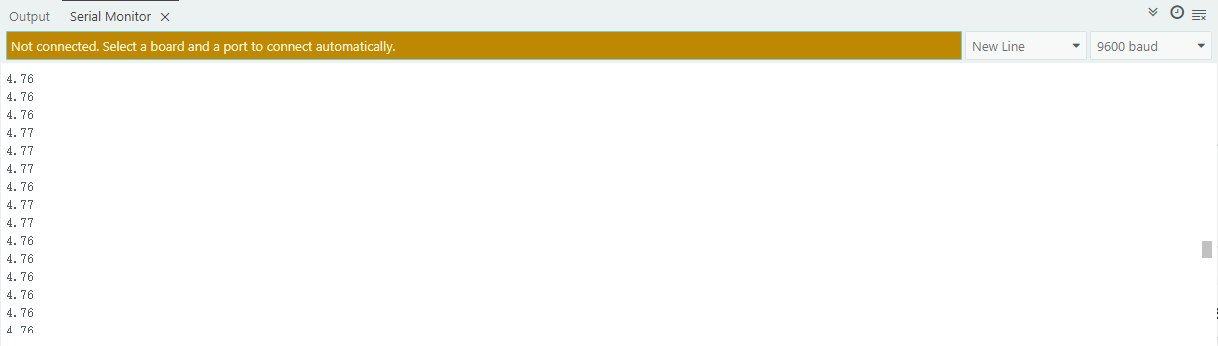
  Serial.println(volts);
}


/**
 * Detect the maximum input difference (peak-to-peak) of the microphone sensor
 * within the specified time window.
 * Returned value range is 0 - 1024.
 **/
double sampleSoundPeak() {
  // Record start time
  double startMillis = millis();

  // Save maximum value during sampling, initially 0
  int signalMax = 0;

  // Save minimum value during sampling, initially 1024
  int signalMin = 1024;

  // Store current value read from microphone
  int sample;

  // Collect data for 50 milliseconds
  while ((millis() - startMillis) < sampleWindow) {
    // Read data from microphone and store in sample variable
    sample = analogRead(MIC_IN);

    // Discard invalid readings
    if (sample < 1024) {
      // If current sample is greater than maximum value
      if (sample > signalMax) {
        // Update maximum value
        signalMax = sample;
      }
      // If current sample is less than minimum value
      else if (sample < signalMin) {
        // Update minimum value
        signalMin = sample;
      }
    }
  }

  // After collecting data, calculate peak-to-peak value (max - min)
  int peakDifference = signalMax - signalMin;

  // Return peak-to-peak value
  return peakDifference;
}
FAQS
What is the measurable distance?
The recommended detection distance is usually 0.1-1 meter.
Can it be powered by 3.5V/5V? What is the voltage range of the AO (analog output)?
Both voltages are acceptable, and 5V is recommended. The AO output range is the same as the input voltage.
Do I need to download a program to detect sound?
This is just a sensor and does not require a program. To detect sound, you need to match it with a microcontroller, and the microcontroller is the one that requires a program.
Can it detect decibel (dB) values?
The module itself does not directly output decibel (dB) values. It only outputs an analog voltage signal (0-5V) related to sound intensity, which corresponds to a digital value of 0-1023 when read by Arduino.
How to adjust the sensitivity?
Adjust the “sensing sensitivity” by modifying the threshold parameter (thresholdvalue) in the Arduino program.