

Blog
Speed Test Module — Motor Speed Measurement
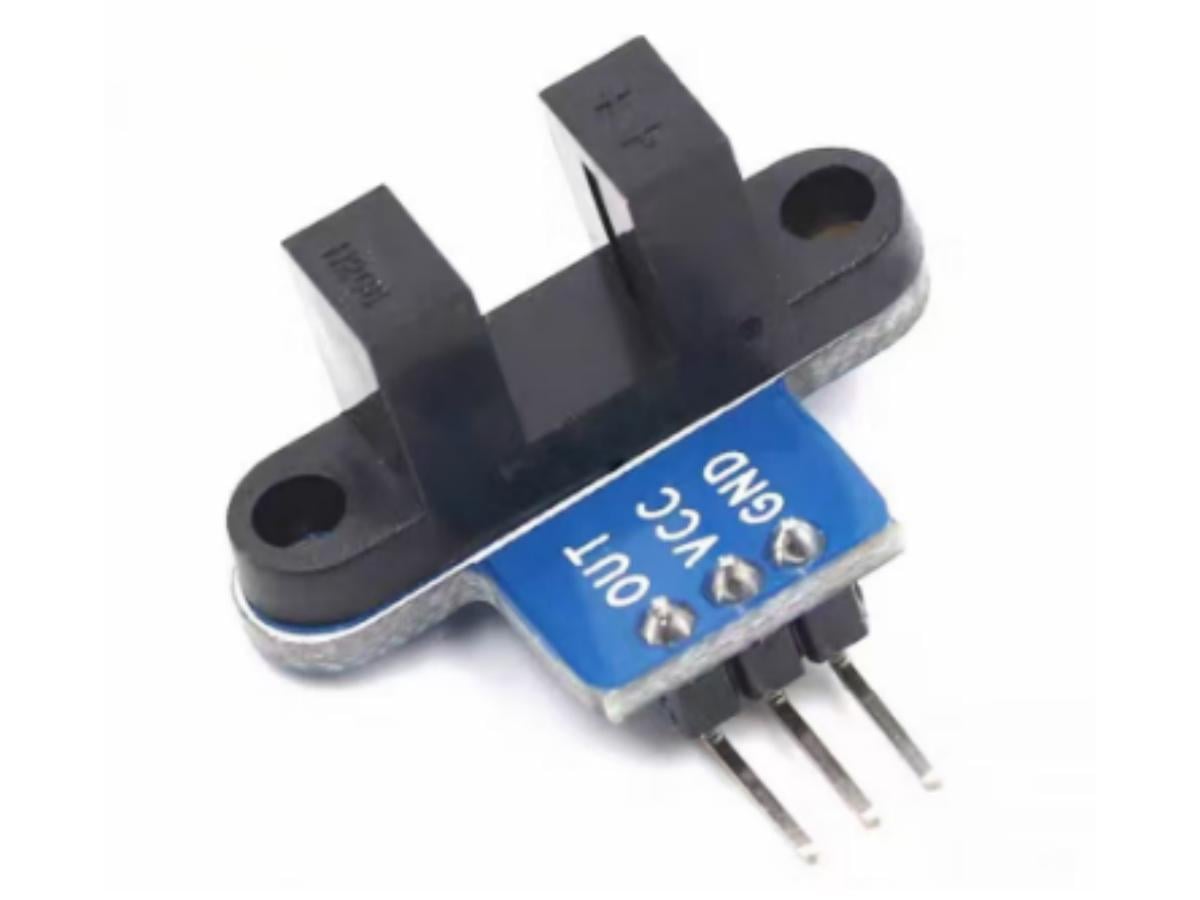
From industrial tachometers to car speedometers, speed measurement is all around us in daily life. Today, we’re gonna introduce some of the simplest, most basic motor speed measurement modules. Now, their precision might not be super high, but they’re totally enough for measuring speed in things like smart little cars.
Common Modules
Let’s talk about two super common speed modules first:
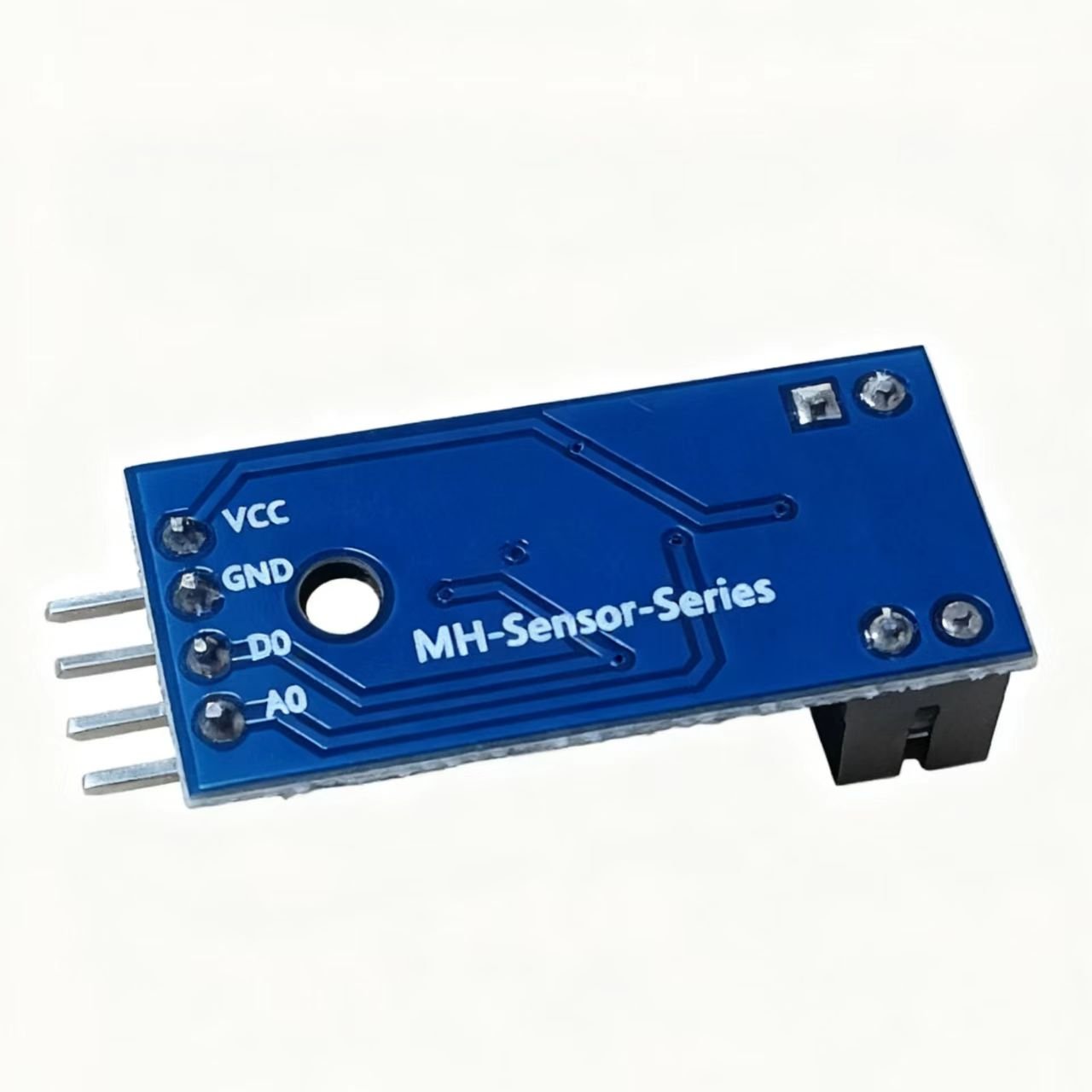
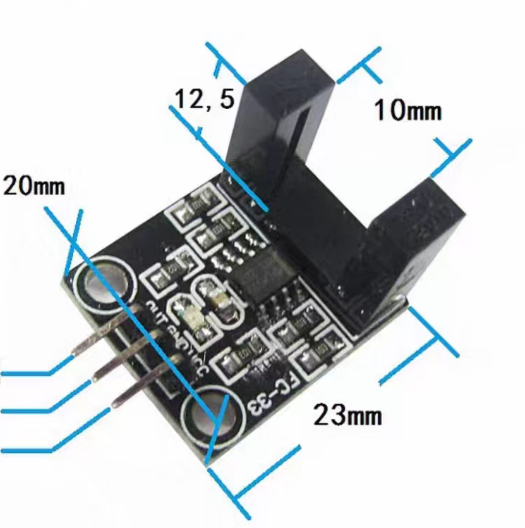
1. Slotted optocoupler speed modules, like these two models below:
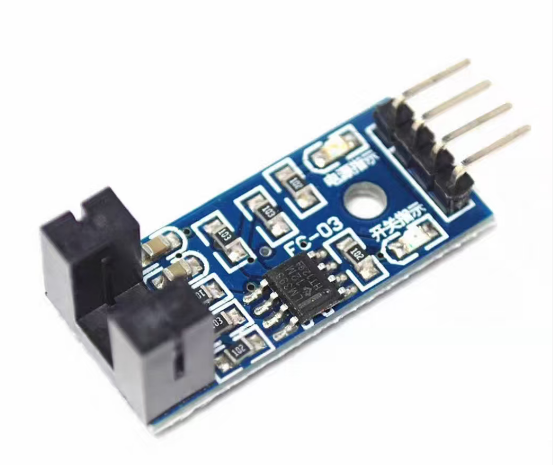

They work with optocoupler sensors—when something blocks them, they put out a high level. They’ve got an LM393 comparator inside, and you can use ’em for motor speed detection, pulse counting, position limiting, all that stuff. You can hook these modules up with relays to make limit switches, or pair ’em with motor code discs for speed detection. Then just do a little math, and you can use that data to measure distance and speed.
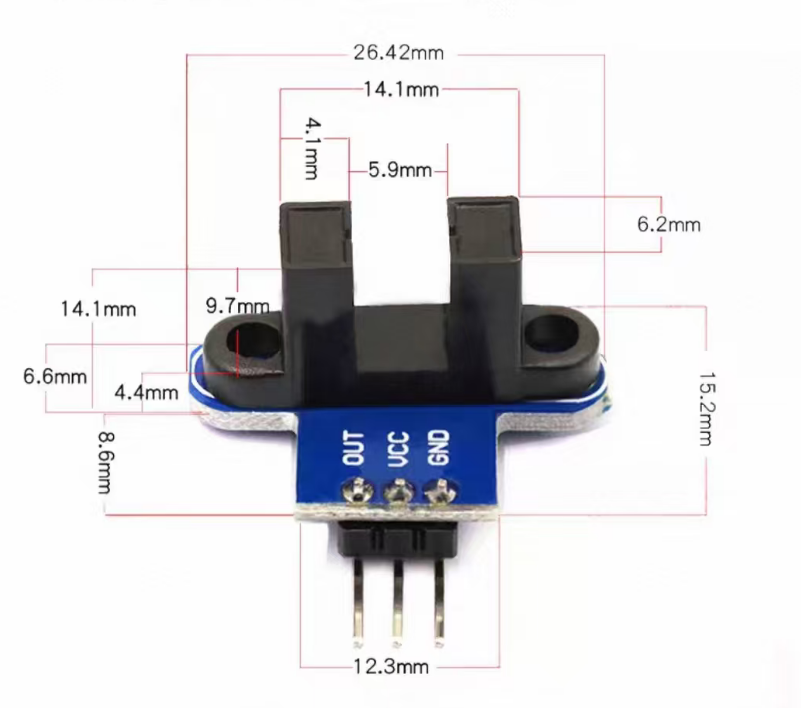
2. Slotted through-beam photoelectric sensor speed modules, like the one shown here:
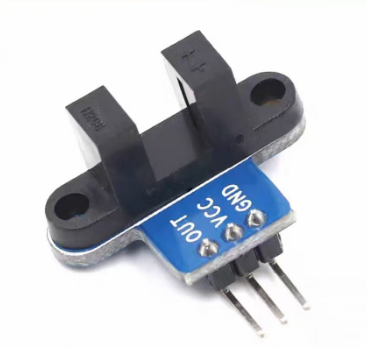
This module has a Schmitt trigger inside that gets rid of signal jitter, so the signal stays stable. It uses a through-beam photoelectric sensor—when blocked, it outputs a low level. Throw a code disc on it, and it can measure speed and distance too.
Quick Sensor Intro
1. Optocoupler Sensor
An optocoupler sensor is a gadget that uses “electricity-light-electricity” conversion to keep the input and output circuits electrically isolated. It’s made up of a light-emitting diode (the input side) and a photosensitive part (like a phototransistor or IC, the output side).
2. Through-beam Photoelectric Sensor
This one has an infrared emitter and receiver tube set opposite each other. It tells if something’s there by checking if the light path is blocked—no block means the receiver turns on and puts out a certain level; block it, and the output level flips.
How the Modules Work
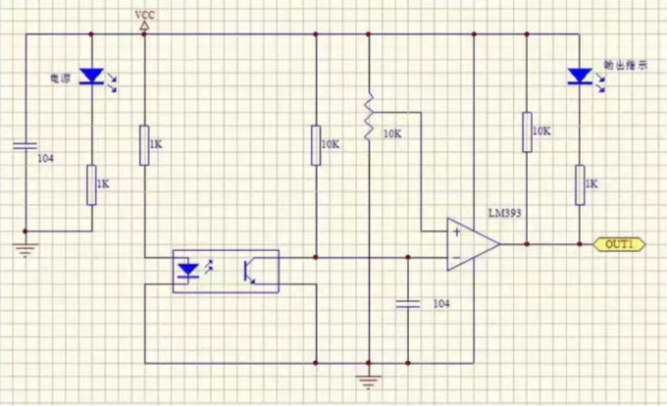
LM393 Comparator:
The LM393 is a dual-channel voltage comparator, like the “referee” of the circuit. It compares the voltage from two inputs (+ and -) and outputs high or low level to help the circuit make decisions—and it responds in just 3 microseconds. First, it takes two voltage signals: the non-inverting end gets a reference voltage, the inverting end gets the voltage you wanna test. Then it compares ’em fast—if the non-inverting voltage is higher, the output turns on (you need an external pull-up resistor for a stable high level); if the inverting is higher, the output shuts off and goes low.
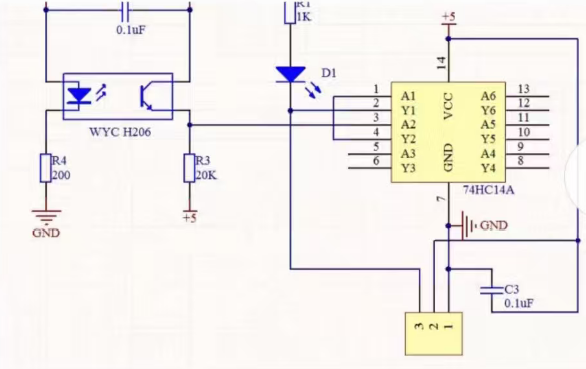
Schmitt Trigger 74HC14A:
The 74HC14A is a six-channel Schmitt trigger, like a little helper that “cleans up” circuit signals, plus it has a built-in anti-interference buffer. Each channel can turn fuzzy, jittery signals (like the noise when you press a button or wobbly sensor signals) into nice, square clear ones. The idea’s like a “gate with thresholds”: signal above the “upper threshold” = low output; below the “lower threshold” = high output. There’s a buffer in between, so even small signal jitters won’t make it switch randomly—perfect for fixing false triggers. It’s usually used for debouncing buttons, tidying up infrared sensor signals, or turning sine waves to square waves. And with six channels, it can handle multiple signals at once.
Infrared Photoelectric Sensor WYC H206:
The WYC H206 infrared sensor is just for detecting if something’s passing by. It has an infrared emitter and receiver: the emitter keeps sending out infrared light you can’t see, the receiver catches the reflected light. When something blocks the light, the infrared bounces back to the receiver, and the sensor outputs low level. No block? Receiver gets no light, so it outputs high. It can detect up to tens of centimeters, works with 5-24V wide voltage, no complicated setup—just plug it in and go.
Hook up VCC and GND right, and the module’s signal light comes on. No block in the slot? Receiver turns on, OUT outputs high; blocked? OUT goes low, signal light turns off. You can connect OUT to a relay for limit switches, or to an active buzzer for an alarm. The OUT port can plug straight into a microcontroller’s I/O pin—usually external interrupt—to check if the sensor’s blocked. With a motor code disc, it can detect motor speed.
The speed module’s working principle is simple too: the code disc on the motor’s same axis has lots of holes (gratings), and the encoder acts like a photosensitive part. When the code disc spins with the car’s wheels, the grating keeps blocking the light from the photosensitive part. Then the encoder keeps making square wave signals based on that blocking, and sends ’em out through the OUT pin. All we gotta do is keep checking the OUT pin’s output, and calculate the car’s speed from the square wave’s period. Since we need to check the encoder’s output nonstop, we use Arduino’s external interrupt to read it.
Arduino Programming Example
Connect the speed module’s OUT port to the MCU’s external interrupt port—every time the infrared ray turns on, it triggers an external interrupt.
Program:
					const int sensorPin = 2;
volatile unsigned long pulseCount = 0;
unsigned long lastTime = 0;
float rpm = 0.0;
unsigned long interval = 1000;
void setup() {
  Serial.begin(9600);
  pinMode(sensorPin, INPUT);
  attachInterrupt(digitalPinToInterrupt(sensorPin), countPulse, CHANGE);
}
void loop() {
  unsigned long currentTime = millis();
  if (currentTime - lastTime >= interval) {
    noInterrupts();
    rpm = (pulseCount * 60.0) / (interval / 1000.0);
    Serial.print("Pulse Count: ");
    Serial.print(pulseCount);
    Serial.print("  speed: ");
    Serial.print(rpm);
    Serial.println(" RPM");
    pulseCount = 0;
    lastTime = currentTime;
    interrupts();
  }
}
void countPulse() {
  pulseCount++;
}
Analysis:
This code uses the sensor to detect pulse signals, then figures out how many revolutions per minute (RPM) the motor’s making. Let’s start with the variables: the sensor’s on pin 2, which we call sensorPin. pulseCount keeps track of total pulses—we add volatile before it ’cause it changes in the interrupt. That way the program doesn’t use old cached values, it always gets the latest count. lastTime is when we last calculated speed, rpm stores the speed, interval is how often we calculate (set to 1000ms, or 1 second here).
Then the setup function—it only runs once when you power on, just setup stuff. We fire up the serial port at 9600 baud so the computer can get data. Set the sensor pin to input mode so it can pick up signals. The key part is binding the interrupt: whenever the sensor pin’s level changes (high to low or low to high), it immediately runs the countPulse function. No waiting for the main program, so it’s super responsive.
The loop function runs nonstop, like a loop that never ends. It checks the current time against lastTime—if it’s been 1 second, start calculating speed. First turn off the interrupt, ’cause if the pulse count changes mid-calculation, the result’s wrong. How to calculate speed? Just take the pulses in 1 second and multiply by 60—boom, that’s RPM. Like 50 pulses in 1 second = 3000 RPM. Then send pulse count and speed over serial, reset pulseCount for next time, and turn the interrupt back on to wait for new pulses.
The countPulse function’s what runs when the interrupt triggers—super simple, just add 1 to pulseCount. Basically, this code uses interrupts to catch pulses in real time, calculates speed every second, and keeps both counting timely and output stable.
If you wanna use these modules in a car, here’s how:
Distance Measurement: The speed sensor outputs pulses—one pulse = one interrupt. The infrared ray is low level when on, so set the interrupt to low-level trigger. Code discs usually have whole number grids—doesn’t matter how many, same idea. Like a 10-grid disc: motor spins once, infrared turns on 10 times, triggers 10 low-level interrupts. So total interrupts divided by 10 = motor revolutions. Then use the wheel circumference to find how far the car went.
Speed Measurement: Same as distance, but use the MCU timer to count interrupts in 1 second. Like 20 interrupts in 1 second = wheels spin 2 times per second. Then calculate wheel circumference to get the car’s speed per second.
FAQ
1. How to measure an optocoupler’s CTR?
CTR (Current Transfer Ratio) = (Output Current I_O / Input Current I_F) × 100%. Use a multimeter to measure I_F at the light-emitting end and I_O at the receiving end. Note: CTR changes with temperature and input current—best test under specified conditions or add temperature compensation.
2. What are the four types of optocouplers?
- Transistor Output: Most common, cheap and versatile. Outputs digital switch signals, good for basic isolation (like our speed modules here).
- IC Output: Has high-speed photosensitive parts, handles 1~50MHz signals. Good for logic signals and driving power devices (like IGBTs).
- Triac Output: Directly controls 100~200V AC loads (like motors). Uses weak signals to switch high power, needs a main triac for more current.
- MOSFET Output (Optical Relay): Output is a common-source MOSFET, does switching and analog signal stuff. Like a mechanical relay, great for high-frequency, high-precision job.
3. Can an IR sensor detect speed?
Yep. When something blocks the through-beam IR’s light path, the sensor outputs pulses. Count pulses per unit time, add the object size (like car code disc circumference), and you get speed. But it’s sensitive to ambient light, less precise than optocouplers, Hall sensors, or encoders.
4. Can Arduino measure speed?
Sure. Hook up an external speed module, use Arduino’s external interrupt to catch pulses, count ’em at regular intervals, and calculate linear speed with [Speed = (Pulses × Code Disc Params) / Time].
5. What sensors measure speed?
- Optocoupler/Through-beam Photoelectric: Cheap, easy to integrate—core of our modules here, good for motors and small cars.
- Hall Sensors: Detect magnetic code discs, resistant to oil and harsh environments—good for industrial motors.
- Encoders: Incremental (relative speed) and absolute (absolute position). High precision, used for servo motors and fancy stuff.
- Magnetoelectric Sensors: Common in cars, measure speed via gear magnetic changes. Moderate precision, low cost.
- Capacitive Sensors: Measure rotating part capacitance changes. Medium-high precision, good for special environments (high temp/pressure).
6. What’s the speed of a 4-pole motor at 50 Hz?
Synchronous speed uses n = 60f/p (f=50Hz, p=2 ’cause 4 poles = 2 pole pairs) → 1500 RPM (for synchronous motors). Asynchronous motors have slip (rotor lags stator field for current, slip ~2%~5%), so around 1440 RPM.
Why pair these modules with relays for limit switches?
Limit switches sense position and auto-switch circuits. Speed modules can detect position but can’t drive high-power gear (motors, solenoids) directly, and can’t easily isolate weak/strong electricity. Relays are electromagnetic switches—they let weak signals control strong power. Strong electricity’s EM interference messes with sensor precision, but relays have physical isolation between coil and contacts (electromagnetic coupling, no direct wire connection), so it cuts interference and keeps the system stable.