XY-T01 Parameter
| Product model | XY-T01 |
|---|
| Power supply | DC 6.0~30V |
| Input measurement | NTC10K/B3950 |
| Refresh frequency | 0.5 s |
| Output type | Relay output 10A |
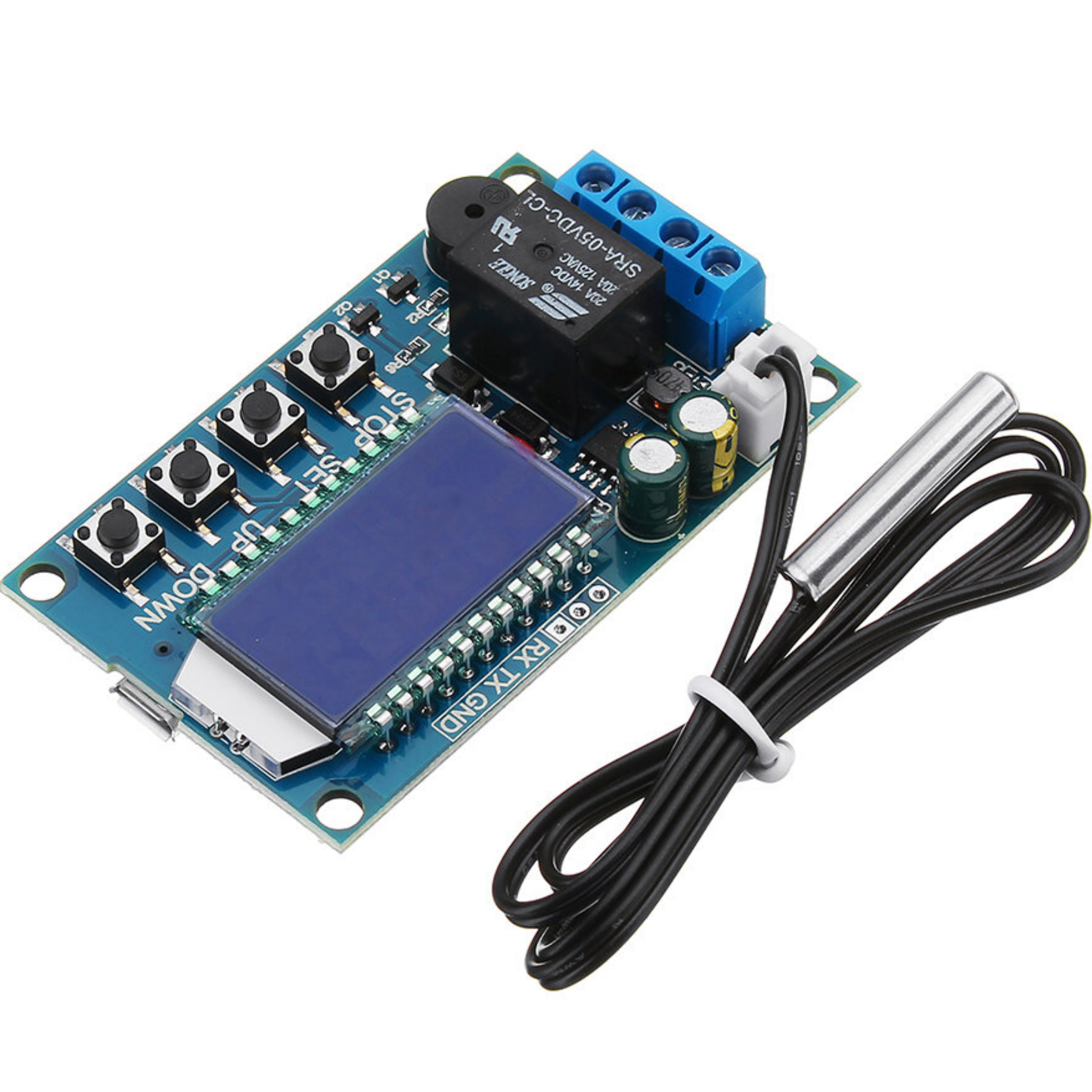
| Probe type | Waterproof probe L: 0.5 m |
| Temperature control range | -50°C~+110°C |
| Temperature control accuracy | 0.1°C |
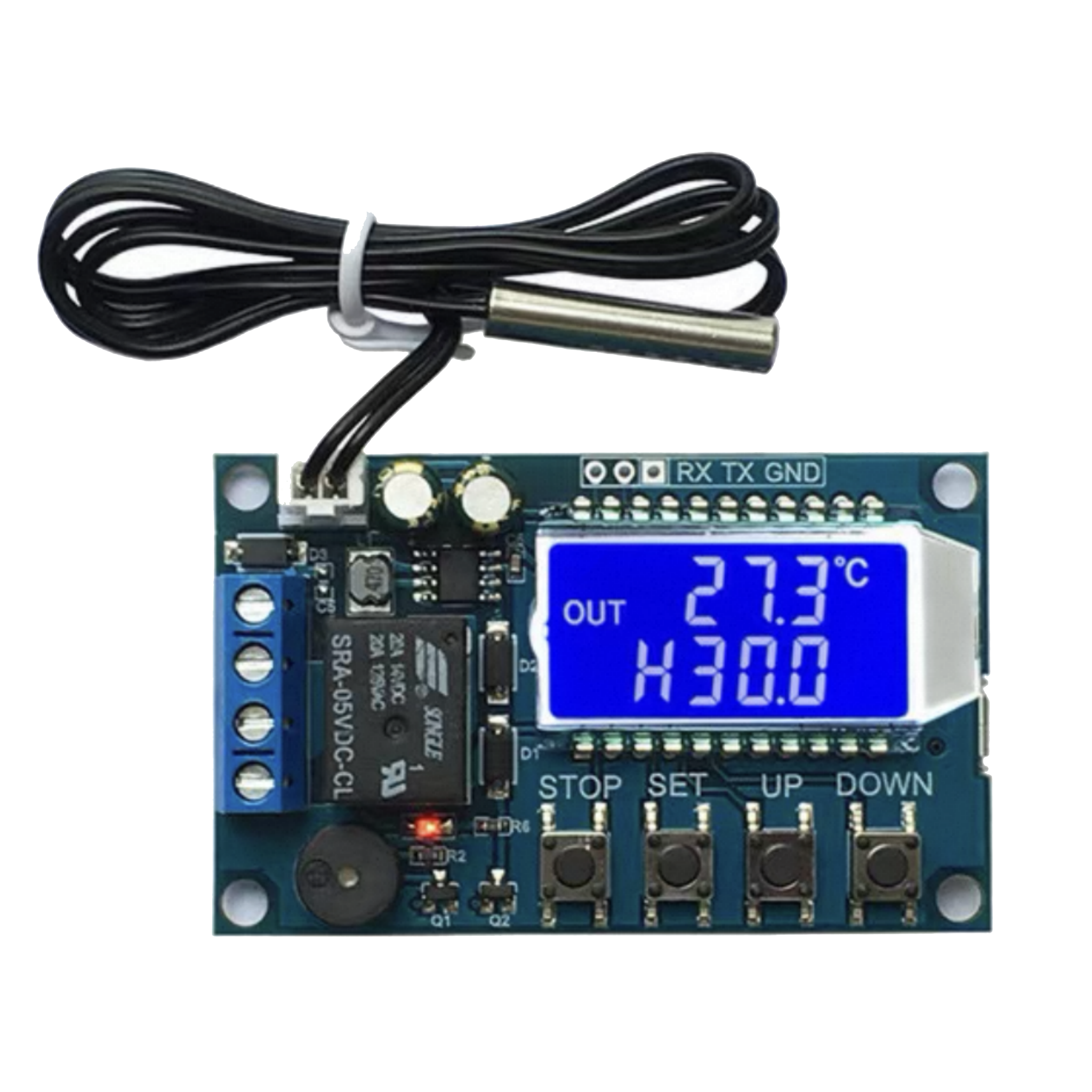
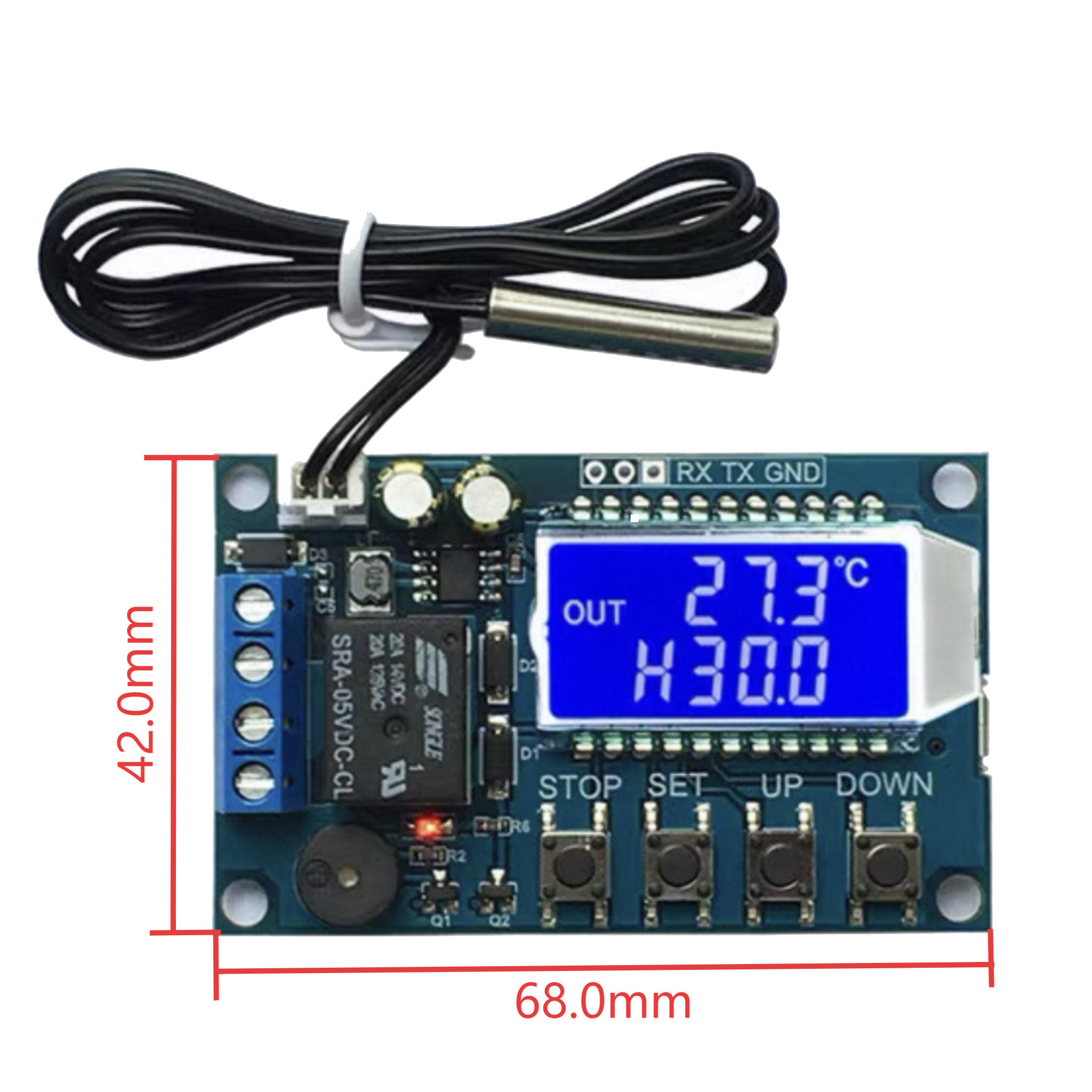
| Size | 68*42*15 mm |
| Probe specification | 4*20mm (stainless steel) |
XY-T01 Mode Setting
- Heating mode ‘H’
When the detected temperature ≤ set temperature – hysteresis temperature, the relay is turned on, and the heating equipment starts to work.
When the detected temperature ≥ set temperature, the relay is turned off, and the heating equipment stops working.
- Cooling mode ‘C’
When the detected temperature ≥ set temperature + hysteresis temperature, the relay is turned on, and the cooling equipment starts to work.
When the detected temperature ≤ set temperature, the relay is turned off, and the cooling equipment stops working.
- High-temperature alarm function ALA
When the actual temperature ≥ alarm temperature, the system activates the sound and light alarm and turns off the relay. Any key can stop the sound and light alarm.
- Delay start OPH
After completing a normal heating or cooling operation, the system starts timing T. Only when T ≥ OPH can the system perform the next round of heating or cooling operation.
Note: After the timing is completed, if the temperature in heating mode is lower than the start temperature or the temperature in cooling mode is higher than the start temperature, it will be ignored.
- Temperature calibration function OFE (-10.0~10.0℃)
The system may have deviations after long-term operation. Corrected by this function, the actual temperature = measured temperature + calibration value.
- Remote parameter reading and setting
Parameters such as start temperature, stop temperature, and temperature correction can be set via UART.
- Real-time temperature reporting
If the temperature reporting function is enabled, the product will transmit the detected temperature to the terminal via UART at 1-second intervals for easy data collection.
- Relay enable (enabled by default)
If the relay enable is turned off, the relay remains in the open state.
- Restore factory settings
Press the STOP and SET keys simultaneously for more than 3 seconds to restore factory settings.
XY-T01 Setting Method
- Working mode/Set temperature/Hysteresis temperature setting
① On the running interface, short-press the SET key to enter the quick setting interface.
② After entering the quick setting interface, short-press the SET key to switch the parameters to be set (working mode/set temperature/hysteresis temperature).
③ Use the UP and DOWN keys to modify the parameter values, supporting short press/long press.
④ Long press the SET key for more than 3 seconds or leave it without any key operation for 6 seconds to exit the quick setting interface and save the parameters.
- Alarm temperature/Delay start setting/Temperature calibration
① On the running interface, long press the SET key for more than 3 seconds to enter the parameter setting interface.
② After entering the parameter setting interface, short-press the SET key to switch the parameters to be set (alarm temperature/delay start setting/temperature calibration).
③ Use the UP and DOWN keys to modify the parameter values, supporting short press/long press.
④ Long press the SET key for more than 3 seconds or leave it without any key operation for 6 seconds to exit the parameter setting interface and save the parameters.
- How to enable high-temperature alarm (disabled by default)
Enter the parameter setting interface and switch to the alarm parameter ALA interface. Short-press the STOP key to turn on or off the high-temperature alarm function. If the high-temperature alarm function is disabled, ALA will display ‘—-‘ as a reminder.
- How to enable delay start (disabled by default)
Enter the parameter setting interface and switch to the delay parameter OPH interface. Short-press the STOP key to turn on or off the delay start function. If the delay start function is disabled, OPH will display “—-” as a reminder.
XY-T01 Serial Port Control (MCU TTL Level Communication)
Communication standards: 9600bps Data bits: 8 Stop bits: 1 Parity: none Flow control: none
| Serial port command |
Description |
Serial port command |
Description |
| start |
Start temperature reporting |
stop |
Stop temperature reporting |
| read |
Read the set parameters |
on |
Relay enable is turned on. |
| off |
Relay enable is turned off. |
|
|
| S:XXX |
Set the set temperature |
B:XXX |
Set the hysteresis temperature (00.0~30.0) |
|
-50 ~ -0.1 |
OFE:XX.X |
Temperature calibration (-10.0~10.0) |
|
00.0~99.9 |
ALA:XX.X |
Alarm temperature (-50.0~110.0) |
|
100~110 |
OPH:XXXX |
Maximum conduction time (0~9999) |
Application Scenarios
1. Constant temperature control
2. Temperature control switch
3. Temperature alarm
4. DIY ovens/incubators/temperature guns, etc.
Relative Information









Reviews
There are no reviews yet.