The
thermistor temperature sensor is a versatile component that plays a key role in temperature measurement and control systems. As an NTC thermistor sensor, its resistance decreases predictably with rising temperature, making it ideal for applications like battery management, HVAC systems, and medical devices. When selecting a thermistor, consider both its thermistor sensor function (accuracy, response time) and the thermistor sensor price to ensure cost-effective performance for your project.
What is a thermistor sensor?
Thermistors are a type of sensitive component. According to different temperature coefficients, they are divided into two types of thermistor sensors, namely positive temperature coefficient thermistors (PTC) and negative temperature coefficient thermistors (NTC). The typical characteristic of thermistors is their sensitivity to temperature, where they exhibit different resistance at different temperatures. PTC thermistor sensors have a higher resistance at higher temperatures, while NTC thermistor sensors have a lower resistance at higher temperatures. They both belong to semiconductor devices.
Working Principle
The thermistor sensor module senses temperature by measuring the change in resistance caused by temperature variations, and is widely used in temperature monitoring and control systems.
· Schematic Diagram
A thermistor is a sensor whose resistance changes with temperature. Depending on the different temperature coefficients, thermistors can be mainly classified into two types: negative temperature coefficient thermistors (NTC) and positive temperature coefficient thermistors (PTC).
- NTC thermistors: When the temperature rises, the resistance decreases; when the temperature drops, the resistance increases. This characteristic makes NTC thermistors very commonly used in temperature measurement. Their resistance temperature coefficient is usually between -2% and -6.5%, capable of accurately detecting temperature changes, with high sensitivity, and suitable for a temperature range of -55°C to 315°C.
- PTC thermistors: In contrast to NTC, PTC thermistors have an increase in resistance when the temperature rises, and are suitable for applications such as overload protection and current limiting.
Feature
① The NTC thermistor sensor is highly sensitive. Its resistance temperature coefficient is more than 10 to 100 times greater than that of metals, capable of detecting temperature changes of 10-6℃.
② The working temperature range is wide. The normal temperature device is applicable from -55℃ to 315℃, the high temperature device is applicable at temperatures above 315℃ (currently the highest can reach 2000℃), and the low temperature device is applicable from -273℃ to -55℃.
③ It is small in size and can measure the temperatures of gaps, cavities and blood vessels within the body that other thermometers cannot measure.
④ It is easy to use. The resistance can be selected arbitrarily within the range of 0.1 to 100 kΩ.
⑤ It can be easily processed into complex shapes and can be mass-produced.
⑥ It has good stability and strong overload capacity.
Pin Functions
| Pin |
Description |
| VCC |
External supply of 3.3V – 5V |
| GND |
Grounding |
| DO |
Switch digital output interface (0 and 1) |
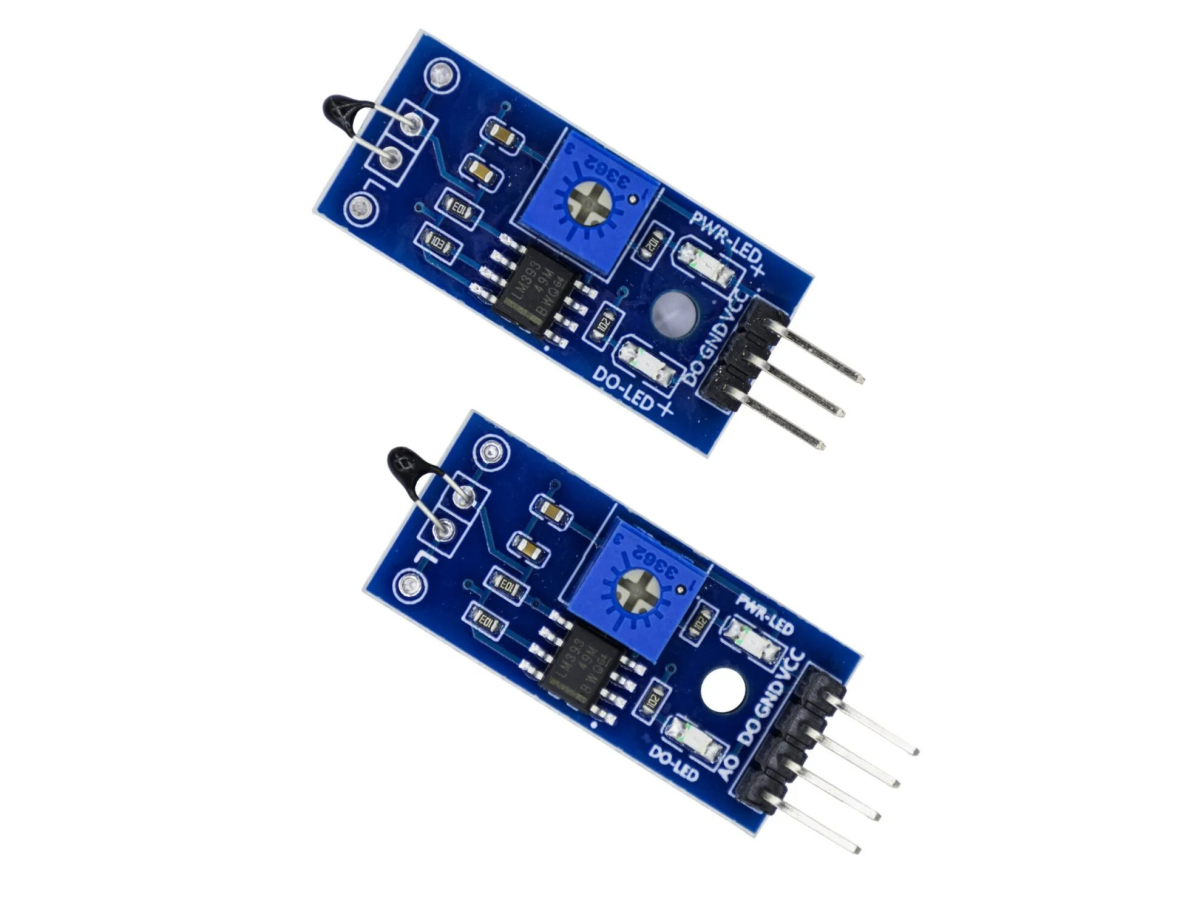
| AO (4 Pin) |
Analog output interface |
Thermistor Sensor Arduino
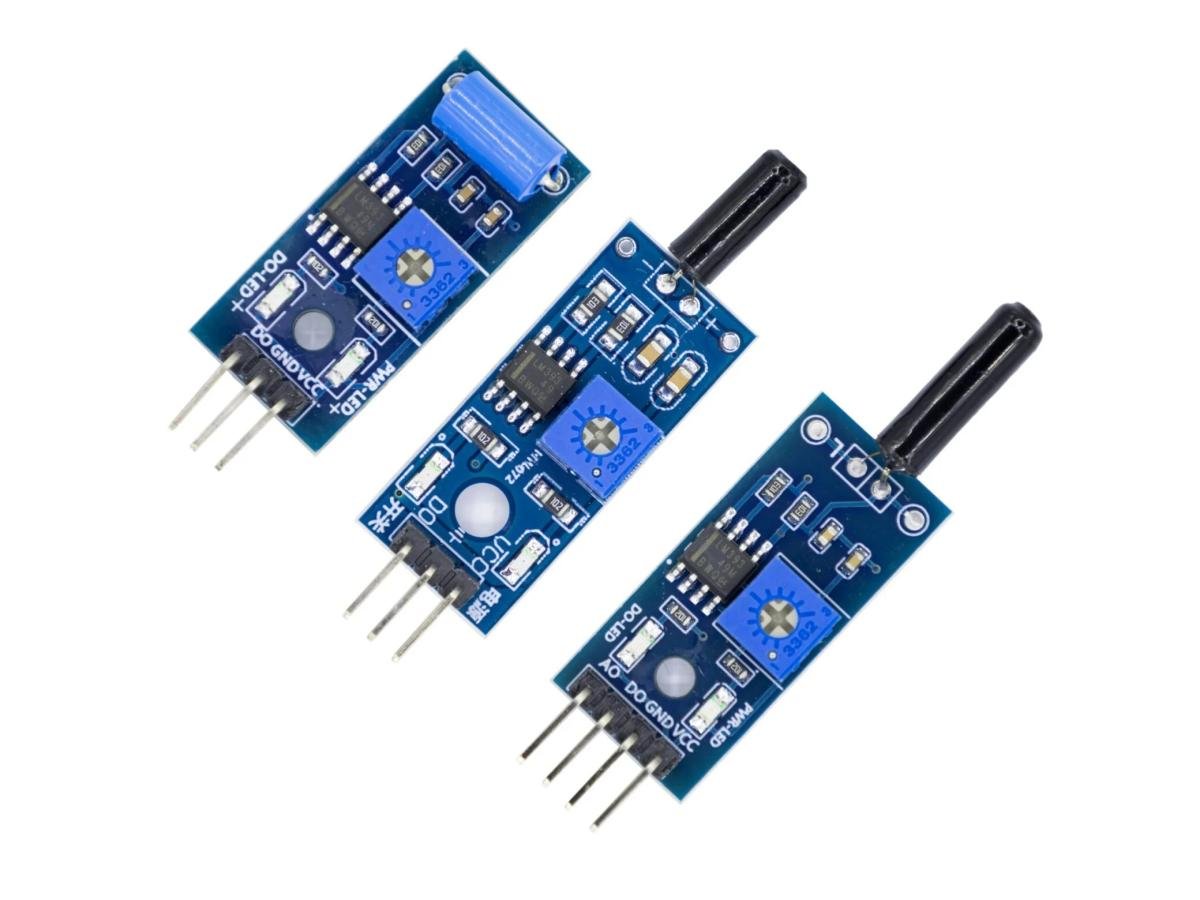
3-Pin Thermistor Sensor (Digital output)
Pinout
VCC ——> 5V
GND ——> GND
D0 ——> D2
VCC ——> 3.3V
GND ——> GND
SCL ——> A5
SDA ——> A4
Arduino Thermistor Code
This code implements a temperature threshold monitoring system based on a digital thermistor module. It displays the temperature status in real time on the OLED screen: when the temperature exceeds the preset 26℃ threshold of the module (D0 outputs a low level), the screen shows “HOT”; when the temperature is below the threshold (D0 outputs a high level), it shows “NORMAL”. The code includes a 0.5 second refresh mechanism, and the “TH:26℃” threshold reminder is fixedly displayed at the bottom of the screen. All information is displayed in a medium font and centered.
Effect Demonstration
4-Pin Thermistor Sensor (Analog output)
Pinout
VCC ——> 5V
GND ——> GND
A0 ——> A0
VCC ——> 3.3V
GND ——> GND
SCL ——> A5
SDA ——> A4
Arduino Thermistor Code
This code implements a high precision temperature monitoring system. It uses a four-wire thermistor module (connected to port A0) to measure the ambient temperature in real time, and displays the temperature value with a large font and the standard °C symbol (such as “26.5°C”) on the OLED screen. The code includes temperature calculation and calibration functions (correcting errors through the TEMP_CALIBRATION parameter), ADC sampling and filtering (average of 5 times), and an outlier protection mechanism. The data is refreshed every 200 milliseconds, and it also supports serial port debugging output to ensure reliable operation within the temperature range of -20°C to 150°C.
Effect Demonstration
Usage Instructions
- The thermistor module is highly sensitive to environmental temperature and is generally used to detect the temperature of the surrounding environment.
- By adjusting the potentiometer, the threshold for temperature detection (the control temperature value) can be changed. For example, if the desired environmental temperature is 50℃, the module will turn on its green light when the corresponding environmental temperature is adjusted to this value, and the DO will output a low level. When the temperature is lower than this set value, it will output a high level, and the green light will not be on.
- The DO output terminal can be directly connected to the digital 3 pin of Arduino uno. Through Arduino uno to detect the high and low levels, this can be used to detect changes in the environment’s temperature.
- The DO output terminal can also directly drive the relay module, thus forming a temperature control switch to control the working temperature of related equipment. It can also be connected to a fan for cooling, etc.
- The temperature detection range of this module is 20-80 ℃.
- This module can also be replaced with a wired temperature sensor for controlling water temperature, water tanks, etc.
- The analog output AO of the small board (4-pin thermistor module) can be connected to the analog input A0 pin of Arduino uno. Through AD conversion, more accurate values of the environmental temperature can be obtained.
Application Scenarios
Thermistors can be used as electronic components in instrument circuits for temperature compensation and cold junction temperature compensation of thermocouples. The self-heating characteristic of NTC thermistors can be utilized for automatic gain control, forming RC oscillators for amplitude stabilization circuits, delay circuits and protection circuits. When the self-heating temperature is much higher than the ambient temperature, the resistance is also related to the heat dissipation conditions of the environment. Therefore, in flow meters, flow gauges, gas analyzers, thermal conductivity analyzers, the characteristic of thermistors is often utilized to make dedicated detection elements. PTC thermistors are mainly used for overheat protection of electrical appliances, contactless relays, temperature control, automatic gain control, motor starting, time delay, automatic demagnetization of color TV, fire alarm and temperature compensation, etc.
Thermistor sensors are widely used in household appliances, automotive electronics, industrial control and medical equipment. For example, in household appliances, thermistors can be used to control the start and stop of fans to maintain the normal working temperature of the equipment. In smartphones, NTC thermistors are used to monitor the internal temperature to prevent overheating.
Thermistor Temperature Sensor Purchase Link
FAQ
Is a thermistor the same as a temperature sensor ?
A thermistor is a type of temperature sensor, but not all temperature sensors are thermistors. Thermistors are specific types of resistors whose resistance changes with temperature, making them useful for sensing temperature changes. Temperature sensors, on the other hand, encompass a broader category of devices that can detect and measure temperature, including thermistors, thermocouples, and RTDs.
How to troubleshoot a thermistor?
To troubleshoot a thermistor, start by checking its resistance with a multimeter at different temperatures to see if it’s within the expected range. If the resistance is significantly off or doesn’t change with temperature, the thermistor is likely faulty and needs replacement.
Is a thermistor the same thing as a thermostat?
In essence, with a thermostat, the temperature is constantly fluctuating as the device tells the heat source to switch on and off, whereas with a thermistor, it can constantly feed information back to the device that controls temperature, so a much more stable temperature can be achieved.
Do thermistors follow Ohm's law?
In the statement of Ohm’s Law, it says it applies only to a metal conductor at constant temperature. So a non-metal conductor-e.g. semiconductor, including diode, LED, thermistor, and an electrolyte don’t obey Ohm’s Law as a matter of course.