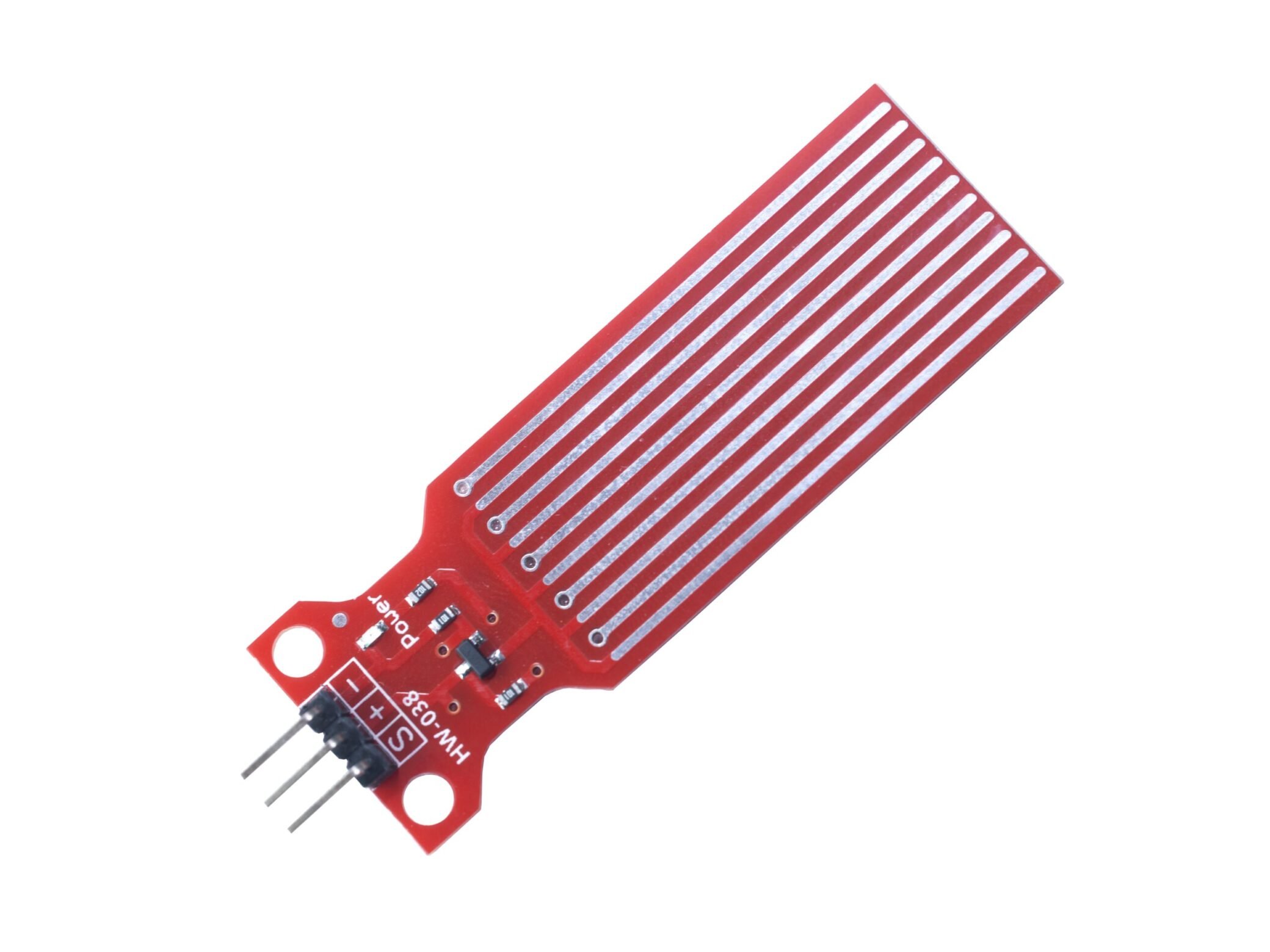
Have you ever had such an experience: when you are going to be away from home for a period of time, you often worry about whether the water at home is turned off or the fish tank at home needs to be changed, and you are always worried that water leakage will cause dampness at home, furniture being soaked, and serious losses. Today, I want to share a water level sensor with you, introducing some principles and functions of the water level sensor HW-038, hoping to bring you some help.
What is a water sensor?
A water sensor refers to a type of device for detecting water. There are many types of it, including those for detecting the presence of water, detecting water quality, measuring water flow, and detecting changes in water level. Among them, the water detector sensor is a general term for such devices, while HW-038 is a water sensor level that focuses on accurately measuring water level and can feedback subtle changes in liquid height in real time.
How does a water sensor work?
There are many types of water sensors, and we can analyze them according to specific types. Most sensors for detecting water achieve water detection by detecting changes in temperature and humidity, or through infrared detection, or by detecting changes in the conductivity of the sensor.The types are as follows:
1、The sensor detects water by detecting temperature and humidity.
2、The sensor detects moisture in the air in real time. An increase in water will lead to an increase in humidity, and the sensor can determine changes in moisture by detecting this increased humidity.
3、The sensor can identify water leakage by detecting changes in resistance value. In case of water leakage, the air temperature will drop, and the change in temperature will cause the thermal effect of resistance.
4、The sensor detects water through changes in conductivity. Based on the principle that water conducts electricity, when the sensor is immersed in water, a loop will be formed and current will be generated. The sensor will detect water due to the change in current leading to a change in conductivity.
5、The sensor convert the physical pressure exerted by water into electrical signals (such as voltage or current), which are then read and analyzed by monitoring devices, controllers or microprocessors like Arduino.
What does a water sensor do?
Water sensors are often used to detect the amount of water, the quality of water, the level of water, and sometimes also used to detect the flow of water. You can choose according to your needs. Analog Water Level Sensor HW – 038 for Arduino
What does water level sensor HW-038 do?
The water level measurement of the HW-038 is achieved by measuring the amount of water through exposed parallel wires and traces to determine the water level. It can be connected to an Arduino development board to transmit the output analog signal to the Arduino, and a buzzer can also be connected to achieve the effect of water sensor alarm. Compared with the simple water tank sensor, its detection accuracy is higher. It is especially suitable for use as a water level sensor for tank, which can avoid the wear and tear of the water tank caused by overflow or drying up.
What are the application scenarios for water level sensors?
There are many application scenarios for water level sensors. Due to their characteristic of accurate water level detection, water level sensors are usually made into water level alarm sensors, well water level measurement sensors, swimming pool water level sensors, and capacitive water level sensors through processing and modular design. Different from the flow water sensor, HW-038 focuses more on static water level monitoring, but the two can be used together – for example, in agricultural irrigation systems, the water flow sensor monitors the water delivery speed, and HW-038 monitors the water level of the reservoir, forming a complete water cycle management plan, which is applied in various fields that require water level measurement. In addition, it can also be transformed into a water alarm for a sump pump to alarm in time when the water level of the sump is too high to prevent sewage overflow.
Performance parameters of water level sensor HW-038
| Water Level Sensor HW-038 |
| Operating voltage |
3V – 5V |
| Operating current |
≤20mA |
| Operating temperature |
10°C – 30°C |
| Manufacturing process |
Made of FR4 double-sided tin spraying |
| Detectable area |
40mm*16mm |
| Product size |
66mm*20mm*8mm |
| Product weight |
3.5g |
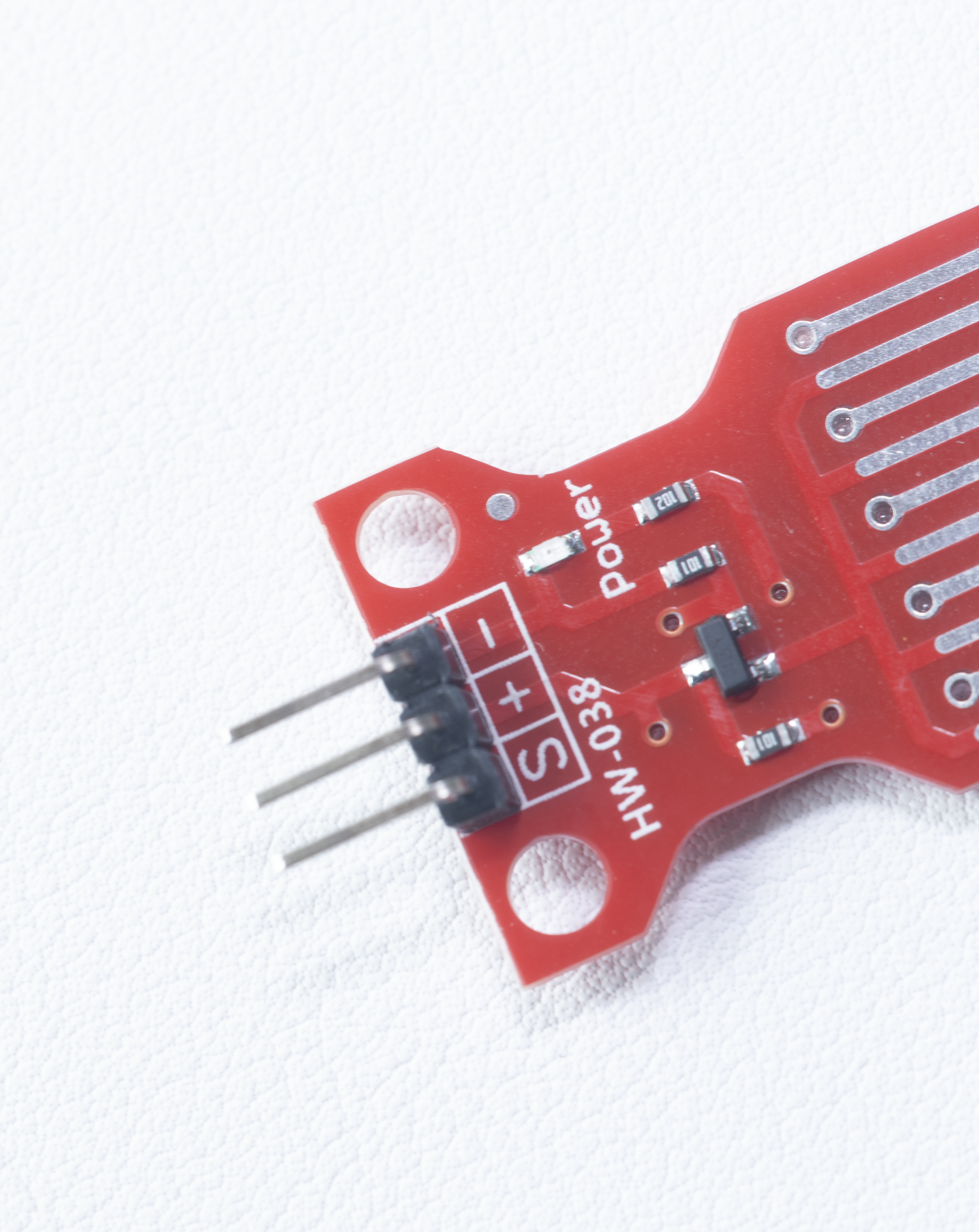
water level sensor HW-038 pinout
- S: Analog output pin
- +: VCC pin, providing power for the sensor
- -: GND pin, grounding
How Water level sensor connected to Arduino?
Here we provide you with an application example of a water level sensor. Connect the water level sensor HW-038, buzzer, and red, yellow and green indicator lights to Arduino. By burning the program, different indicator lights can be turned on for different water levels. When the water level reaches the critical value, the buzzer will alarm. It can be applied to the detection of swimming pool water level. When the water level drops to a certain value, the buzzer will alarm to prompt that water needs to be added, vice versa. The specific effect can be achieved by modifying the code. The following shows you the example connection diagram, effect display and example code.
The water detection sensor circuit of HW-038 is simply designed and only needs 3 wires to be connected to the system, so beginners can set it up quickly. If remote monitoring is required, it can also be equipped with a WiFi module to upgrade it to a water sensor wifi, so that data can be viewed in real time through a mobile APP.
Sample code
FAQS
How to test water level sensor?
You can use an oscilloscope or a multimeter to test the output voltage and current, then observe the difference between the measured data and the estimated value according to the amount of water. A little error is normal.
where is the water level sensor on a washing machine?
Generally speaking, the water level sensor of a washing machine is installed behind the control panel, close to the timer or water inlet valve. In some special models or under certain specific circumstances, some manufacturers will install the water level sensor under the water tank.
Can water level sensor HW-038 work with water leak detection cable?
Yes. For large – range water leak detection, HW-038 can be used with a water leak detection cable. The cable expands the detection range, and HW-038 accurately locates the critical point of the water level, improving the overall monitoring efficiency.